 Add As A Preferred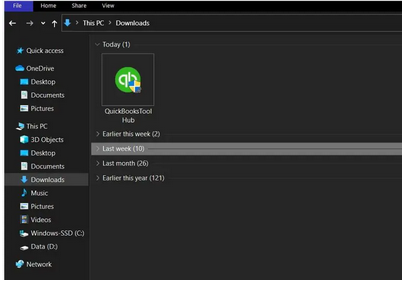
Troubleshooting installation errors for QuickBooks Desktop on Windows and Mac systems requires a structured, multi-step approach focused on isolating conflicts and repairing underlying system dependencies. The primary initial fix, highly validated by Intuit, involves downloading and running the QuickBooks Tool Hub, which contains automated diagnostic tools to address issues like damaged program files or network problems. When this utility fails, the focus shifts to manual, expert-level interventions, including ensuring the Windows operating system is fully updated, manually closing the core QuickBooks process (QBW32.exe), and meticulously repairing damaged Windows components such as the .NET Framework and Microsoft MSXML. Advanced solutions necessitate performing a clean installation (to remove all residual corrupted files) or installing the program in Selective Startup Mode to prevent third-party security software from blocking critical installation files, ensuring a secure and successful deployment of the accounting software.
Highlights (Key Facts & Solutions)
QBW32.exe process during installation, compatibility issues with the OS, or damaged Windows components like .NET Framework and Microsoft MSXML.msconfig) to install QuickBooks safely, bypassing third-party application conflicts.There are a variety of reasons that may trigger QuickBooks installation errors or problems; a few of them are highlighted below:
Below we’ve listed some scenarios in which QuickBooks installation errors take place.
Let’s check them out:
When installing QuickBooks Desktop in your system or opening it after the installation, you may bump into different error codes, which include:
| Error Codes | Error Names |
| QuickBooks Error 1603 | QuickBooks crashing |
| QB Error 1618 | Errors related to damaged MSXML and C++ |
| QuickBooks Error 1712 | QuickBooks Stopped Working issues |
| QuickBooks Error 1722 | Error in verifying the subscription |
| QuickBooks Error 1903 | ABS PDF driver errors |
| QB Error 1904 | QuickBooks Error Code 1334 |
| QuickBooks Error 1935 | QuickBooks Error 1402 |
| QuickBooks Error 12029 | Microsoft .NET Framework error |
Don’t forget to backup QuickBooks company file before troubleshooting QuickBooks Desktop Installation issues.
Before attempting to fix QuickBooks Desktop installation errors on Windows and Mac, several prerequisites must be met. Addressing these factors can help simplify the troubleshooting process and increase the likelihood of a successful installation.
Unable to install QuickBooks Desktop in your system due to installation errors? Below we’re presenting some possible solutions that may help you to tackle the same. Here’s how to follow the each one step-by-step:
The QuickBooks Tool Hub helps you to fix common company file errors, connection errors, Windows problems, diagnostic errors, update errors, network-related issues etc.
To fix all of them, you are recommended to download QuickBooks Tool Hub and then run “Quick Fix My Program” and “QuickBooks Install Diagnostic Tool” from the Tool Hub.
Note: The most recent tool hub version is 1.6. 0.3, which must be installed on Windows 10, 64-bit.
Here are the steps to be followed:
Step 1: Close QuickBooks
Step 2: Download the Tool Hub
Remember: If you have already installed Tool Hub, you need to find out which version you’re using. For this, do the following:
Step 3: Open the Installer
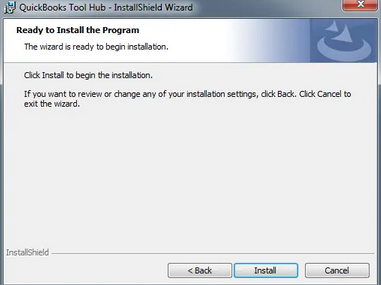
Step 4: Follow Installation Prompts
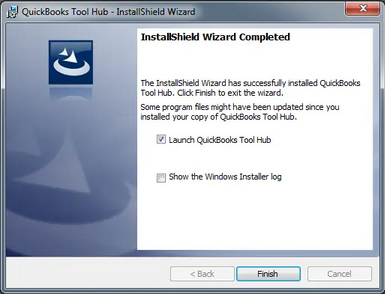
Step 5: Complete Installation
Step 6: Finish the Installation Process
Step 7: Launch Tool Hub

Important Note: Hold and Press the Windows or Start key if you are unable to locate the icon, and then search for QuickBooks Tool Hub. Once found, choose the program to open it.
Step 8: Run Diagnostic Tools
Updating the Windows operating system helps to fix QuickBooks Desktop installation errors by ensuring compatibility with the latest software requirements. This resolves bugs and security vulnerabilities and enhances overall system performance by creating a stable environment for installing and running QuickBooks smoothly.
Follows the below given steps:
Step 1: Access Settings
Step 2: Navigate to Windows Update
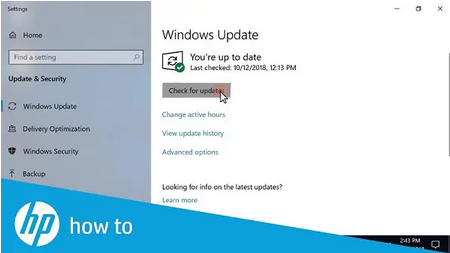
Step 3: Install Available Updates
QBW32.exe file is not a Windows core file and may cause corruption in your company file. This is why it is advisable to close this process if you’re encountering QuickBooks Desktop Installation Errors on Windows & Mac.
Below are the steps to do so:
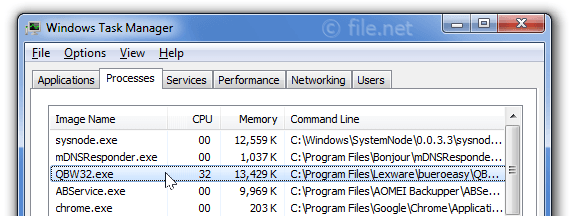
Step 1: Open Task Manager
Step 2: Access Processes Tab
Step 3: Sort by Image Name
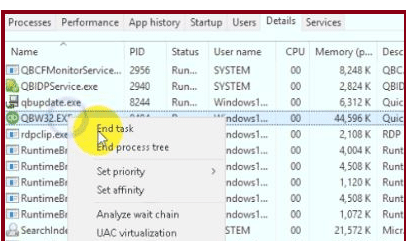
Step 4: Locate QBW32.exe
Step 5: End the Process
Click here to read about QuickBooks Clean Installation using the clean install tool.
Note: If the QuickBooks Install Diagnostic Tool and the update didn’t resolve the error, you are recommended to repair Windows Components manually, including Microsoft .NET Framework or Repair Microsoft MSXML.
To Repair or Reinstall Microsoft .NET Framework, go through this article.
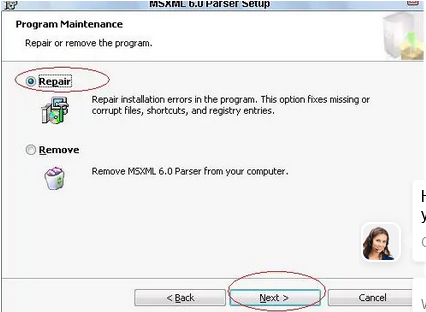
For 64-bit operating system
For a 32-Bit operating system
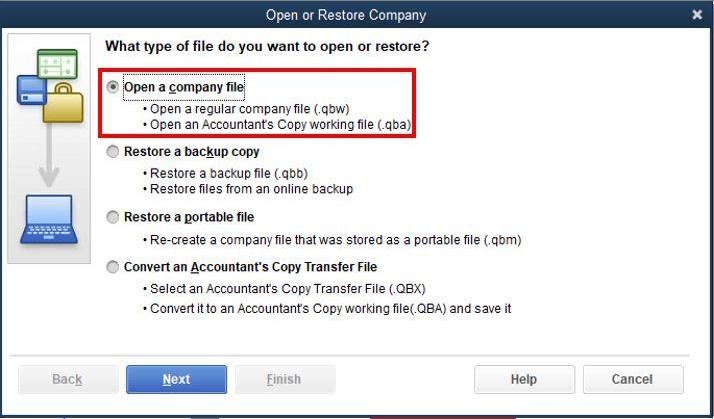
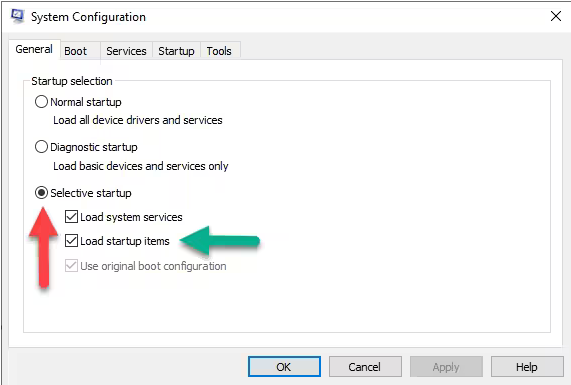
It is advisable to install QuickBooks in selective startup (Safe Mode) to prevent third-party apps like antivirus and anti-spyware programs from blocking the installations. Below are the steps to be performed:
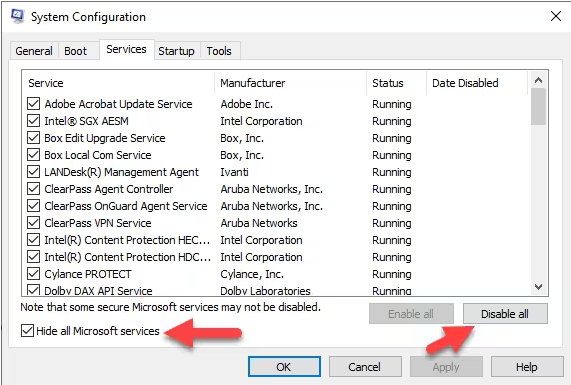
After this, it is necessary to first uninstall and then reinstall your QuickBooks Desktop before moving back to Normal Startup Mode.
Go through the solution no. 4 to uninstall or reinstall QuickBooks Desktop in your system.
QuickBooks might try to open your previous company file due to corruption in your current company file or due to an error in finding the new company file. Then you need to suppress QuickBooks by restricting it from accessing your previous company file and directing it to open your new/ current company file.
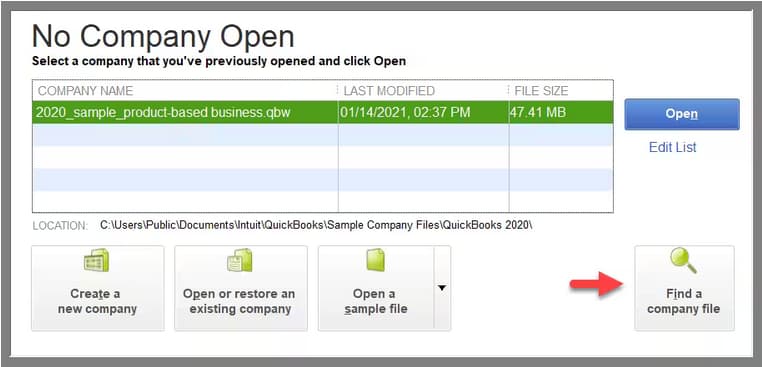
Note: Don’t release the Ctrl key until you are notified with the No Company Open window; QuickBooks freezes, or leads you to the error.
You can go through the following steps to resolve QuickBooks Desktop Installation or update errors on Mac software.
Let’s get started over:
Step 1: Launch your Mac in Safe Mode
Step 2: Verify your QB Company File Data
Step 3: Upgrade QuickBooks Desktop on Mac Software
To upgrade QuickBooks to the most recent release, adhere to the steps below:
The QuickBooks Tool Hub is a free, all-in-one desktop application developed by Intuit to centralize troubleshooting and resolve common QuickBooks Desktop errors. It contains numerous diagnostic and repair tools organized into specific tabs.
The Microsoft .NET Framework and MSXML are fundamental Windows operating system components required for QuickBooks Desktop to run correctly. QuickBooks relies on these technologies to perform tasks such as displaying user interfaces, connecting to databases, and integrating with other applications.
The QBW32.exe process is the core QuickBooks executable file. If it remains active, even after a previous failed attempt or a crash, it locks files and prevents the new installer from making necessary modifications, leading to installation cancellation. Closing it via Task Manager forces the file lock to release.
The distinction between uninstallation methods is critical for resolving persistent errors:
Selective Startup Mode (configured via the Windows System Configuration utility, MSCONFIG) is a diagnostic environment that starts the operating system with only essential drivers and services running, effectively disabling most third-party startup applications and non-Microsoft services.
If the company file is renamed on the server hosting the data, the immediate and critical next step is to update the file location on every single workstation that accesses that file.
.qbw file.Before attempting any troubleshooting step, especially those involving uninstallation or system component repair, the user must create a verifiable backup of the QuickBooks company file (.qbw).
Repeated freezing or crashing during the installation process often points to a conflict outside of the main QuickBooks program files.
QBDBMgrN.exe, QBCFMonitorService.exe, etc.) from a prior installation are still running and locking necessary files, requiring manual termination via the Task Manager.C:\Program Files directory, leading to a system freeze or cancellation loop.

