Excerpt:
QuickBooks Desktop Pro 2024 is a comprehensive accounting solution designed for businesses needing robust local control over their finances, handling core functions like invoicing, expense management, and payroll within a single integrated suite. The 2024 version delivers significant enhancements to security, implementing industry-leading 256-bit AES encryption to safeguard sensitive data, while also modernizing the user interface for easier navigation . This edition offers improved automation, advanced reporting, and critical updates to inventory features, specifically enhancing tracking for lot numbers. The software supports a maximum of three licensed concurrent users and has clearly defined system requirements (minimum 8 GB RAM) and pricing structures, ensuring businesses can make informed decisions based on their budget and multi-user needs.
 Add As A Preferred
Highlights (Key Facts & Solutions)
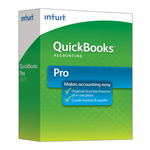
| Version: | 2024 (United States) 64-Bit |
| Size: | 1 GB |
| Latest Update Release | Release 4(R4) |
| Update Size: | 126 MB |
Quick Links
Quick Trouble Shoot
Quick Navigation
QuickBooks Desktop Pro is a comprehensive accounting software that helps to handle the core accounting including accounts payable & receivable, expense management, project accounting, and payroll management, all within a single integrated suite. Before choosing this specific release, users can also review and Download QuickBooks Desktop from our centralized software repository to compare different years and editions.
QuickBooks Pro streamlines billing, invoicing, and work order management by reconciling all in a single window. This reconciliation of bank account feature allows users to connect with their accounts and easily manage their workflow in various tasks. Integration of all the bank accounts allows the user to make automated payments and deposits directly and further it also simplifies the payroll management.
Before downloading, make sure your system meets the: QuickBooks Desktop Pro 2024 System Requirements
Following are the pros and cons of using QuickBooks Desktop 2024:
| Pros | Cons |
| User-friendly interface with intuitive navigation. | Limited cloud access; data is stored locally. |
| Comprehensive features, including invoicing, payroll, and reporting. | Limited multi-user functionality; additional licenses required. |
| Customizable reports and powerful reporting options | No mobile access like QuickBooks Online. |
| Affordable pricing is often cheaper than QuickBooks Online. | Requires installation; updates can be time-consuming. |
| Advanced inventory tracking capabilities. | No automatic backups; must use external tools. |
QuickBooks Desktop Pro 2024 delivers an adequate and comprehensive solution for businesses to handle their accounting, invoicing, payroll, and inventory effectively. With improved security features, enhanced user interface, and improved automation, it simplifies financial tasks and enriches productivity. Despite having cons, QuickBooks Desktop Pro remains a reasonable and feature-rich alternative for businesses aiming for reliable accounting software.
The upgrade to AES 256-bit encryption provides a superior level of data security, which is a critical improvement for safeguarding sensitive business and customer information.
The latest version distinguishes between entirely new features and existing feature refinements, with Lot Number Tracking being a significant enhancement to existing inventory tools.
While the minimum requirements allow the software to run, using the recommended specifications is crucial for maintaining performance, especially when multiple users access the company file simultaneously.
Tip: For best performance, the company data file should be stored on a Solid State Drive (SSD) rather than a traditional hard disk drive.
QuickBooks Desktop Pro 2024 is designed with a specific multi-user limit, which can be expanded by upgrading the software version.
The Accountant’s Copy feature is crucial for efficient collaboration, allowing a client to continue working without interruption while the accountant reviews and adjusts the books.
The 2024 version includes simplified setup and management of 401(k) retirement plans through partnerships with providers like Guideline, directly integrated into the payroll process.
The pricing for the annual subscription of QuickBooks Desktop Pro 2024 is structured based on the number of users accessing the software.
Note: These prices represent the standard annual subscription cost for the Pro edition and do not include any applicable state or local taxes.


