Excerpt:
QuickBooks Error 6010, -100 occurs when accessing a company file in multi-user mode, often due to network issues, antivirus interference, or improper hosting settings. It prevents file access and may cause data loss or system crashes. To resolve it, disable background processes, check network access, adjust firewall settings, and use tools like QuickBooks File Doctor. If the issue persists, consider reinstalling QuickBooks or restoring backups for data recovery.
 Add As A Preferred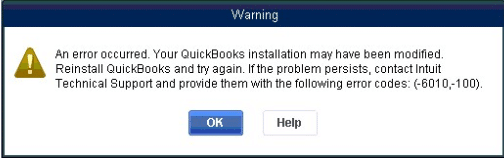
QuickBooks Error 6010 is a common data file access error that prevents users from opening their QuickBooks data file. It belongs to a series of errors (6000, 6010, 6177, etc.) that indicate issues due to incorrect multi-user setup, blocked network connections, or damaged .ND/.TLG files. If you’re dealing with frequent company file access issues in QuickBooks Desktop, check out our detailed QuickBooks company file errors guide for more in-depth troubleshooting and prevention strategies.
QuickBooks Error 6010 is part of the 6000 series of data file errors. It prevents users from opening their data file, disrupting accounting operations. This error usually happens when QuickBooks installation files are damaged, .ND files are disconnected, antivirus programs interfere, or registry entries are altered. All these issues are covered in detail under our QuickBooks company file errors guide.
It typically appears while opening a data file, accessing it over a network, or after reinstalling QuickBooks. Since this error blocks access to critical company data, prevention through proper installation, antivirus exceptions, and regular backups is essential to avoid downtime.
Note: While Error 6010 covers broader installation/configuration problems, Error 6010,100 is a subset that specifically highlights installation corruption or modification. Troubleshooting steps overlap, but for 6010,100, reinstalling QuickBooks and adjusting antivirus settings are especially critical. The “100” suffix narrows down the cause to installation conflicts rather than general file access issues.
The typical error message:
“Your QuickBooks installation may have been modified. Try re-installing QuickBooks and then try again (-6010, -100).”
If you’re facing other QuickBooks errors and want a complete overview of solutions, visit our complete QuickBooks error codes list for more troubleshooting resources and guides.
The following are the symptoms of quickbook error 6010:
The table shows the quick review of troubleshooting steps along with the estimated time limit:
| Level | Step | Action | Purpose | Time Estimate |
| Beginner | 1 | Logout & Restart | Clears background processes and refreshes QuickBooks | 5–10 min |
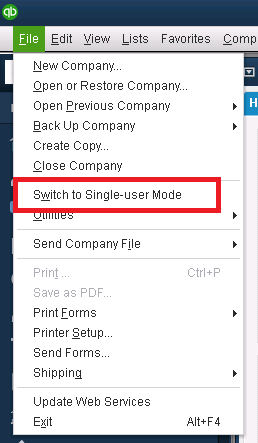
| 2 | Switch to Single-User Mode | Bypasses multi-user conflicts | 5 min | |
| 3 | Check File Location | Ensures data file is in correct directory | 5 min | |
| Intermediate | 4 | Rename .ND Files | Fixes corrupted network descriptor files | 5–10 min |
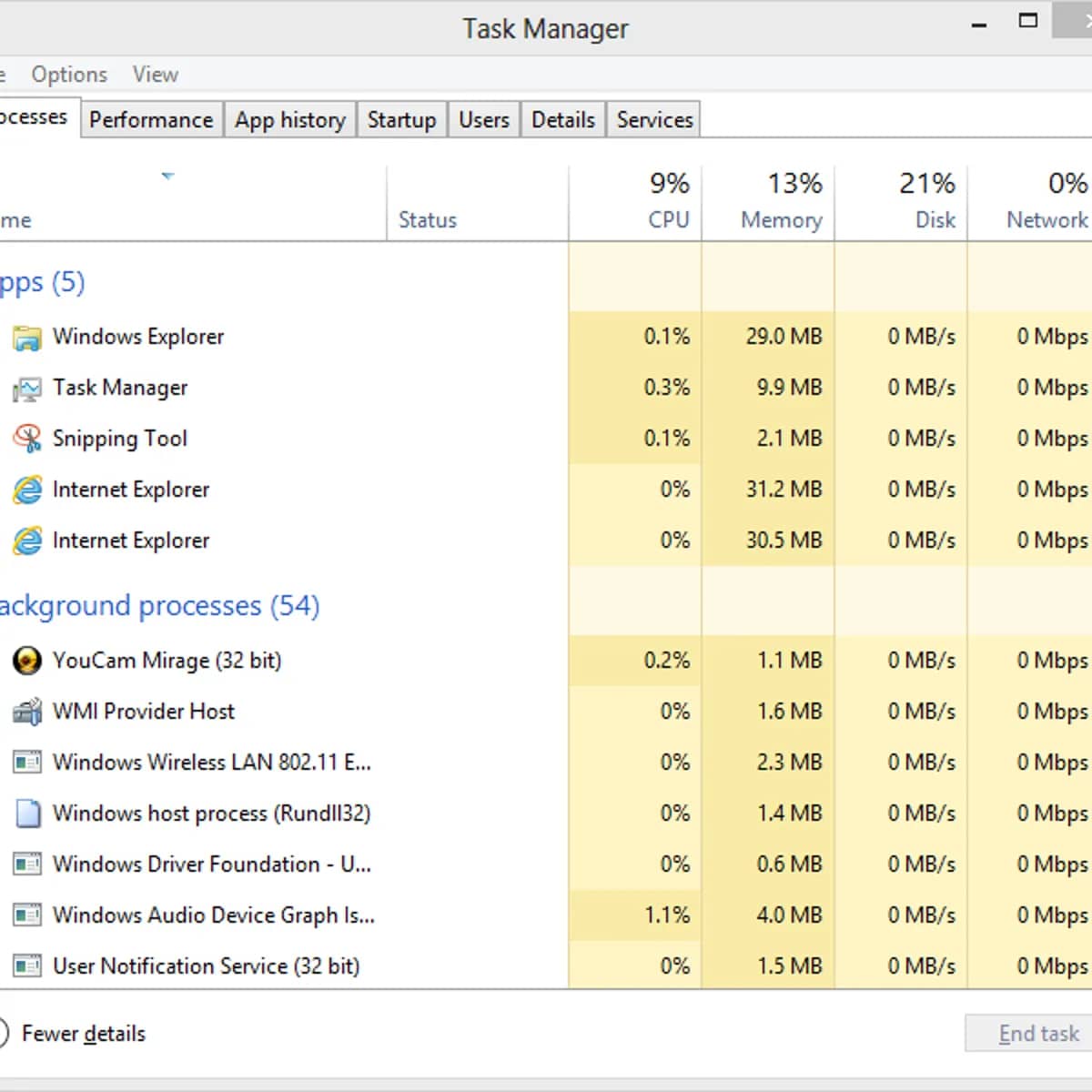
| 5 | Close QuickBooks Processes | Ends stuck QuickBooks tasks blocking file access | 10 min | |
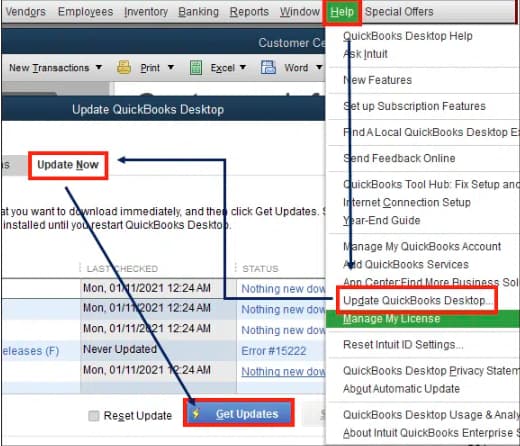
| 6 | Update QuickBooks Desktop | Resolves compatibility and path issues | 15–20 min | |
| Advanced | 7 | Configure Firewall Settings | Allows QuickBooks communication through firewall | 20–30 min |
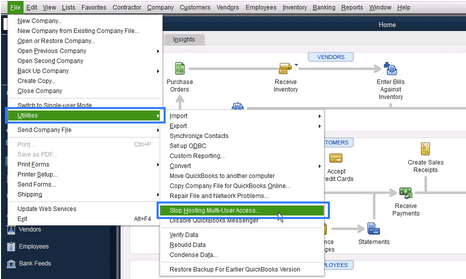
| 8 | Turn Off Hosting on Workstations | Prevents multiple systems from hosting same file | 10–15 min | |
| 9 | Use Database Server Manager | Recreates .ND files and restores multi-user access | 10–15 min | |
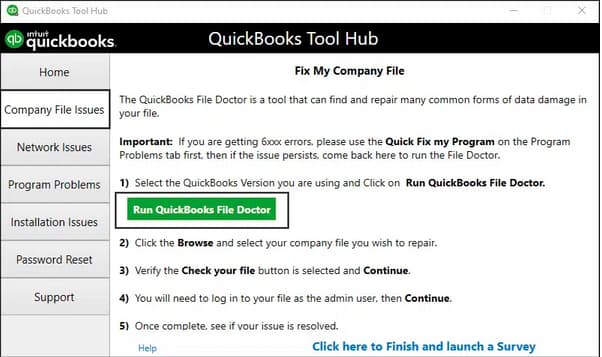
| 10 | Run QuickBooks File Doctor | Repairs data file corruption and network issues | 20–30 min | |
| 11 | Reinstall QuickBooks Desktop | Repairs corrupted installation files | 30–45 min |
Step 1: Add Firewall Port Exceptions
Step 2: Add Program Exceptions
Tip: If you see 6010,100, prioritize reinstalling QuickBooks and adjusting antivirus settings.
Related QuickBooks Errors
If you are experiencing company file access issues beyond Error 6010, these related errors may also be affecting your QuickBooks Desktop:
| Error | Description |
|---|---|
| QuickBooks Desktop POS Error Code 3180 | Point of Sale sync failures caused by invalid transaction or item mapping |
| QuickBooks Desktop Error 6105 While Accessing Company File | Company file cannot be accessed due to permission or network path issues |
| QuickBooks Desktop Error Code 6094 0 | Security software or damaged installation blocking QuickBooks file access |
QuickBooks Error 6010 belongs to 6000 series of Quickbook errors, specifically tied to installation or configuration issues. By following stepwise troubleshooting methods starting with database server scans and File Doctor, then moving to .ND file repairs, reinstallations, and antivirus exceptions users can restore access to their data files. Preventive measures like maintaining backups, keeping QuickBooks updated, and configuring antivirus properly help avoid recurrence.
If you’ve already tried renaming the .ND file, running the Database Server Manager, updating QuickBooks, and even reinstalling the software but the QuickBooks Error -6010, -100 is still not letting you open your company file, you’re not alone. This problem can stop your daily accounting work completely when you need it the most. You can find more helpful fixes and clear guidance on our QuickBooks Desktop support and troubleshooting page.
If users have junk files and folders stored on their system, it prevents them from accessing QuickBooks features fully and starts displaying errors on the screen. Here’s how to resolve them:
➜Navigate to the Internet Explorer settings to delete the cache, cookies, and temporary files.
➜Download and run the Clean Install Tool and Quick Fix My Program from the ➜QuickBooks Tool Hub to fix the error.
➜Clear the junk files and folders using Disk Cleanup in the Windows operating system.
➜Use System File Checker to scan for errors in the system and repair them.
Yes, a multi-user license allows different users to work on a same company file with the same QuickBooks license (single-user license). All users must be networked and must each have their own QuickBooks license. But if these 5-6 people are taking turns accessing your QuickBooks file, then yes, it’s possible for you to have 2 user licenses installed, and multiple people can share one of the user accounts. Just ensure that the folder permissions and mapping are set up correctly.
Common indicators of QuickBooks Error 6010, 100 include frequent software crashes, inability to access company files in multi-user mode, system freezes, and the on-screen error message: “An error occurred. Your QuickBooks installation may have been modified.”
The Database Server Manager enables multi-user access by managing network data files. If it is not running correctly or not updated, QuickBooks may start displaying Error 6010, 100.
The QuickBooks Database Server Manager (QBDBSM) is essential for multi-user access. If you move your company file (QBW) to a new location or server and forget to run the QBDBSM to scan the folder, the necessary Network Data (.ND) file will not be created or updated. Without the .ND file, QuickBooks workstations cannot properly locate and communicate with the server to open the file, resulting in connection and multi-user errors.
The QuickBooks Database Server Manager (QBDBSM) is a tool provided by Intuit that allows a computer (typically a server) to host QuickBooks company files so that multiple users can access them over a network. After installing QBDBSM, you need to “scan” the folders where your company files (.QBW) are stored so that the database manager can monitor them and serve them to clients. If the Database Server Manager is not properly configured, or if the service isn’t running, you may face errors when trying to open files from other machines.


