


Intuit officially discontinued all services for the 2020 version on May 31, 2023, meaning key functions like payroll, online banking, and payments are permanently disabled and should not be used for current transactions due to non-compliance with tax laws. While the software can still be used to access and view historical company data files (QBW) offline for auditing purposes, users must meet specific Windows and Mac system requirements, with Mac users facing high incompatibility risks on newer macOS versions. When planning to upgrade, users should first create a backup of their 2020 file, as the data can be successfully converted and transferred directly to the latest supported QuickBooks Desktop product.
- Official Service Discontinuation Date: May 31, 2023. This means all connected services (payroll, bank feeds, payments) are permanently disabled.
- Tax Compliance Risk: Continuing to run payroll using the 2020 version is a high risk due to the inability to receive updated Payroll Tax Tables, resulting in inaccurate withholding and potential penalties.
- Data Access: Users can still view and access historical company data files (QBW) and reports indefinitely for auditing and reference purposes, but the software is strictly for offline, read-only use.
- Upgrade Path: The QuickBooks Desktop 2020 company file (QBW) can be upgraded directly to the latest supported QuickBooks Desktop product using the conversion utility in the new software.
- Crucial Step Before Upgrade: Always create a complete backup of the original 2020 company file before beginning the conversion process.
- System Requirements: Installation requires meeting minimum specifications, including 4 GB RAM and 2.5 GB disk space on Windows 8.1/10 (64-bit recommended).
- Mac Incompatibility: The QuickBooks Desktop Mac 2020 version is highly unlikely to run without issues on modern macOS versions (like Sonoma or later) as it was only officially compatible up to macOS Mojave (10.14).
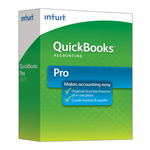
| Version: | Desktop 2020 (United States) 32-Bit |
| Size: | 702 MB – Version 2020 |
| Latest Update Release | Release 17(R17) |
| Update Size: | 1020 MB |
QuickBooks Desktop 2020 was one of Intuit’s most popular editions, widely used before newer versions like QuickBooks Desktop 2024 and QuickBooks Online gained dominance. Many small, medium, and large businesses still rely on QuickBooks Desktop 2020 due to its stable features, familiar interface, and compatibility with older systems. While Intuit has discontinued direct sales of 2020 versions, users can still download the setup files for installation, reinstallation, or migration.
Quick Navigation: 2011 | 2012 | 2013 | 2014 | 2015 | 2016 | 2017 | 2018 | 2019 | 2020 | 2021 | 2022 | 2023 | 2024
Steps to download the Download QuickBooks Desktop 2020 (all versions – Pro, Premier, Accountant, Enterprise)
Step 1: Go to the Downloads & Updates page or click on the link: https://support.quickbooks.intuit.com/Support/ProductUpdates.aspx
Step 2: Once you click on the above link, a prompt will appear on the screen, asking you to search and download your QuickBooks versions.
Step 3: Follow the instructions in the new window that appears on your screen.
- In the first row, select your country.
- In the second row, choose QuickBooks Desktop -Pro, Premier, Accountant, Enterprise.
- In the third row, select the year 2020.
Step 4: Click the green search button to open a new tab that displays the setup file details, including its size.
Step 6: Click the download button to start the file download to your PC’s Downloads folder.
📌 System requirements (Windows):
- Windows 8.1 or 10 (64-bit recommended)
- At least 4 GB RAM (8 GB recommended for Enterprise)
- 2.5 GB disk space + extra for data files
- Processor: 2.4 GHz minimum
Download QuickBooks Desktop 2020 for Mac
QuickBooks for Mac 2020 was the last standalone Mac edition before Intuit shifted focus toward QuickBooks Online.
Steps to download:
- Visit the official Intuit Mac download page.
- Choose QuickBooks Desktop for Mac 2020.
- Select your country (USA/Canada/UK).
- Download the .dmg installer.
- Open the downloaded file and drag QuickBooks into Applications.
- Activate using your product and license key.
📌 System requirements (Mac):
- macOS Mojave (10.14) or later
- Intel-based processor
- 4 GB RAM (8 GB recommended)
- 250 MB available disk space
| Edition | Best For | Key Features | Availability (Country) | Windows/Mac |
|---|---|---|---|---|
| Pro 2020 | Small businesses with up to 3 users | Invoicing, expense tracking, basic reporting, integration with MS Excel | USA, Canada, UK | Windows only |
| Premier 2020 | Small to medium businesses needing industry-specific tools | All Pro features + advanced reporting, forecasting, industry editions (Manufacturing, Retail, Nonprofit, etc.) | USA, Canada | Windows only |
| Accountant 2020 | Accounting professionals managing multiple clients | Accountant Toolbox, Client Data Review, reclassify transactions, batch delete/void | USA, Canada | Windows only |
| Enterprise 20.0 | Large businesses with high data needs | Up to 40 users, advanced reporting, inventory management, payroll, role-based permissions | USA, Canada | Windows only |
| POS 2020 | Retail businesses | Sales tracking, inventory, customer management, barcode scanning, integration with QB Desktop | USA only | Windows only |
| QuickBooks Desktop for Mac 2020 | Mac-based small businesses | Invoicing, expenses, payroll, basic reporting, iCloud integration | USA, Canada | Mac only |
Download QuickBooks Desktop Pro 2020
Download QuickBooks Desktop Pro 2020 – United States Edition
| Items | Details |
|---|---|
| Product Name: | QuickBooks Desktop Pro 2020 (USA) |
| Version: | 2020 (United States) 32-bit |
| Size: | 702 MB |
| Latest Release: | Release 17(R17) |
| Update Size: | 1012 MB |
| Download Link: | Download QuickBooks Desktop Pro 2020 USA Version |
Download QuickBooks Desktop Pro 2020 – Canada Edition
| Items | Details |
|---|---|
| Product Name: | QuickBooks Desktop Pro 2020 (CA) |
| Version: | 2020 (Canada) 32-bit |
| Size: | 605 MB |
| Latest Release: | Release 17(R17) |
| Update Size: | 639 MB |
| Download Link: | Download QuickBooks Desktop Pro 2020 CA Version |
Before downloading, make sure your system meets the: QuickBooks Desktop Pro 2020 System Requirements
Download QuickBooks Desktop Pro 2020 – UK Edition
| Items | Details |
|---|---|
| Product Name: | QuickBooks Desktop Pro 2020 (UK) |
| Version: | 2020 (United Kingdom) 32-bit |
| Size: | 650 MB |
| Latest Release: | Release 8(R8) |
| Update Size: | 191 MB |
| Download Link: | Download QuickBooks Desktop Pro 2020 UK Version |
Download QuickBooks Desktop Premier 2020
Download QuickBooks Desktop Premier 2020 – United States Edition
| Items | Details |
|---|---|
| Product Name: | QuickBooks Desktop Premier 2020 (USA) |
| Version: | 2020 (United States) 32-bit |
| Size: | 702 MB |
| Latest Release: | Release 17(R17) |
| Update Size: | 1.2 GB |
| Download Link: | Download QuickBooks Desktop Premier 2020 USA Version |
Download QuickBooks Desktop Premier 2020 – Canada Edition
| Items | Details |
|---|---|
| Product Name: | QuickBooks Desktop Premier 2020 (CA) |
| Version: | 2020 (Canada) 32-bit |
| Size: | 605 MB |
| Latest Release: | Release 17(R17) |
| Update Size: | 639 MB |
| Download Link: | Download QuickBooks Desktop Premier 2020 CA Version |
Before downloading, make sure your system meets the: QuickBooks Desktop Premier 2020 System Requirements
Download QuickBooks Desktop Premier 2020 – United Kingdom Edition
| Items | Details |
|---|---|
| Product Name: | QuickBooks Desktop Premier 2020 (UK) |
| Version: | 2020 (United Kingdom) 32-bit |
| Size: | 650 MB |
| Latest Release: | Release 8(R8) |
| Update Size: | 191 MB |
| Download Link: | Download QuickBooks Desktop Premier 2020 UK Version |
Download QuickBooks Desktop Accountant 2020
Download QuickBooks Desktop Accountant 2020 – United States Edition
| Items | Details |
|---|---|
| Product Name: | QuickBooks Desktop Accountant 2020 (USA) |
| Version: | 2020 (United States) 32-bit |
| Size: | 702 MB |
| Latest Release: | Release 17(R17) |
| Update Size: | 1.2 GB |
| Download Link: | Download QuickBooks Desktop Accountant 2020 USA Version |
Download QuickBooks Desktop Accountant 2020 – Canada Edition
| Items | Details |
|---|---|
| Product Name: | QuickBooks Desktop Accountant 2020 (CA) |
| Version: | 2020 (Canada) 32-bit |
| Size: | 605 MB |
| Latest Release: | Release 17(R17) |
| Update Size: | 639 MB |
| Download Link: | Download QuickBooks Desktop Accountant 2020 CA Version |
Before downloading, make sure your system meets the: QuickBooks Desktop Accountant 2020 System Requirements
Download QuickBooks Desktop Accountant 2020 – United Kingdom Edition
| Items | Details |
|---|---|
| Product Name: | QuickBooks Desktop Accountant 2020 (UK) |
| Version: | 2020 (United Kingdom) 32-bit |
| Size: | 646 MB |
| Latest Release: | Release 8(R8) |
| Update Size: | 191 MB |
| Download Link: | Download QuickBooks Desktop Accountant 2020 UK Version |
Download QuickBooks Desktop Enterprise 2020
Download QuickBooks Desktop Enterprise 2020 – United States Edition
| Items | Details |
|---|---|
| Product Name: | QuickBooks Desktop Enterprise 2020 (USA) |
| Version: | 20.0 (United States) 32-bit |
| Size: | 692 MB |
| Latest Release: | Release 17(R17) |
| Update Size: | 1.2 GB |
| Download Link: | Download QuickBooks Desktop Enterprise 2020 USA Version |
| Download Link: | Download QuickBooks Desktop Enterprise Accountant 2020 USA Version |
Download QuickBooks Desktop Enterprise 2020 – Canada Edition
| Items | Details |
|---|---|
| Product Name: | QuickBooks Desktop Enterprise 2020 (CA) |
| Version: | 20.0 (Canada) 32-bit |
| Size: | 589 MB |
| Latest Release: | Release 17(R17) |
| Update Size: | 639 MB |
| Download Link: | Download QuickBooks Desktop Enterprise 2020 CA Version |
Before downloading, make sure your system meets the: QuickBooks Desktop Enterprise 2020 System Requirements
Download QuickBooks Desktop Mac 2020
Download QuickBooks Desktop Mac 2020 – United States Edition
| Items | Details |
|---|---|
| Product Name: | QuickBooks Desktop Mac 2020 (USA) |
| Version: | 2020 (United States) |
| Size: | 208 MB |
| Latest Release: | Release 17(R17) |
| Update Size: | N/A |
| Download Link: | Download QuickBooks Desktop Mac 2020 USA Version (macOS Mojave 10.14) |
| Download Link: | Download QuickBooks Desktop Mac 2020 USA Version (macOS Mojave 10.15 or Later) |
Before downloading, make sure your system meets the: QuickBooks Desktop Mac 2020 System Requirements
FAQs;
1. When did Intuit officially discontinue all services for QuickBooks Desktop 2020, and what critical services were affected?
Intuit officially discontinued all services and support for QuickBooks Desktop 2020 on May 31, 2023.
- Critical Services Discontinued:
- QuickBooks Payroll: Tax table updates ceased, meaning payroll calculations and filings are non-compliant with current federal, state, and local tax laws.
- QuickBooks Payments: The ability to process customer credit card or ACH payments from within the software was terminated.
- Online Banking/Bank Feeds: Automatic downloading and reconciling of bank and credit card transactions stopped functioning.
- Live Technical Support and Security Updates are no longer provided.
2. Can I still use my QuickBooks Desktop 2020 company data file (QBW) for reference after the discontinuation date?
Yes, you can continue to view and access your historical QuickBooks Desktop 2020 data file indefinitely for auditing and reference purposes, provided the software remains installed and functional on your computer.
- Functionality After Discontinuation:
- View Only: You can open your QBW file and view reports, invoices, and historical transactions.
- Offline Data Entry: You can still enter new transactions manually, but the software will be strictly for offline record-keeping.
- Export Data: You can export data, such as lists and reports, to other formats like Microsoft Excel for analysis or migration.
- Limitation: You cannot use any connected services, and the data file faces an increased risk of corruption or incompatibility with newer operating systems over time.
3. What are the tax compliance risks if I continue to run payroll using QuickBooks Desktop 2020?
The primary risk is non-compliance with federal, state, and local tax authorities, which can result in penalties, fees, and employee issues.
- Tax Compliance Issues:
- Incorrect Withholding: The software cannot receive updated Payroll Tax Tables, causing inaccurate calculations for employee income tax, Social Security, and Medicare withholdings.
- Form Errors: The application will not support the latest payroll tax forms (e.g., Form 941), leading to incorrect or rejected filings.
- State Penalties: State unemployment and income tax filings will be based on outdated wage base limits and rates, increasing the likelihood of penalties from state tax departments.
4. What are the specific minimum system requirements for installing QuickBooks Desktop Pro 2020 on Windows?
To successfully install and run QuickBooks Desktop Pro 2020 on a supported Windows operating system, the hardware should meet these minimum specifications:
- Operating System: Windows 8.1 or Windows 10 (64-bit recommended).
- Processor: 2.4 GHz minimum speed.
- RAM: 4 GB minimum (8 GB recommended for best performance).
- Disk Space: 2.5 GB of free disk space (additional space is needed for data files).
- Browser: Internet Explorer 11 (required for connected services, though these are now discontinued).
5. Why is it highly unlikely that QuickBooks Desktop Mac 2020 will run without issues on new macOS versions like Sonoma or later?
QuickBooks Desktop Mac 2020 was officially compatible only up to macOS Mojave (10.14) and was the last standalone Mac version before Intuit focused on subscriptions. It has not been tested or patched for newer operating systems.
- Compatibility Risks on New macOS:
- Lack of Updates: The software never received official updates to ensure compatibility with major architectural changes in macOS Big Sur, Monterey, Ventura, or Sonoma.
- Security Conflicts: Newer macOS versions have tighter security protocols that may block or interfere with the unsupported, un-patched application files.
- Installation Failure: Users often experience installation errors or crashes due to incompatibilities with modern system libraries.
6. What crucial components of the QuickBooks Desktop 2020 software package were included in the Release 17 (R17) update?
Release 17 (R17) was one of the final maintenance releases for the QuickBooks Desktop 2020 line, aimed at providing maximum stability before the service discontinuation.
- Key R17 Components:
- Security Patches: R17 included the last available security patches and bug fixes to address known vulnerabilities up to that point.
- TLS 1.2 Compliance: It ensured the software met the required TLS 1.2 internet security protocol standard for connected services (which were still active at the time of the release).
- Product Enhancements: It contained general performance improvements and fixes for common issues reported in the preceding months.
7. If I need to upgrade from the 2020 version, is it possible to transfer my company file directly to the latest QuickBooks Desktop product?
Yes, your QuickBooks Desktop 2020 company file (QBW) can generally be upgraded directly to the latest supported QuickBooks Desktop product.
- Upgrade Process: The latest version of QuickBooks Desktop contains an upgrade utility designed to update older company files. When you open a 2020 QBW file with the new software, it prompts you to run the conversion, creating a new, supported QBW file.
- Crucial Step: Always create a complete backup of your original 2020 company file before beginning the upgrade process to safeguard your historical data against potential conversion issues.
Explore More Related Topics of All Download QuickBooks Desktop 2020