Excerpt:
This page provides the necessary downloads for QuickBooks Desktop 2011 (Pro, Premier, Accountant, Enterprise) for both Windows and Mac. It offers clear instructions for downloading the software, ensuring users can easily access and set up the version that fits their business needs. Troubleshooting support and installation guides are also provided to ensure a smooth experience for users.
 Add As A Preferred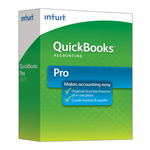
| Version: | Desktop 2011 (United States) 32-Bit |
| Size: | 541.62 MB – Version 2011 |
| Latest Update Release | Release 14(R14) |
| Update Size: | 695 MB |
QuickBooks Desktop Pro 2011 targets the small to medium-sized businesses looking for user-friendly accounting solutions. Its features are designed to help business owners efficiently manage their financial tasks from tracking sales and expenses to generating reports. The software is suitable for various industries which makes it accessible for both startups and established businesses seeking to simplify their financial management processes.
Quick Navigation: 2011 | 2012 | 2013 | 2014 | 2015 | 2016 | 2017 | 2018 | 2019 | 2020 | 2021 | 2022 | 2023 | 2024
QuickBooks Desktop 2011 was a widely used version for small and medium-sized businesses. It came in multiple editions—Pro, Premier, Accountant, Enterprise, and Point of Sale (POS)—to suit different business needs. However, as of now, Intuit has discontinued support for QuickBooks 2011 in all countries (USA, Canada, UK). This means you can no longer receive official updates, security patches, or payroll services for this version. If you are looking for other release years or alternative versions, you can browse our centralized QuickBooks Downloads and Updates page. Still, many businesses look for the 2011 download files specifically for data recovery, compatibility testing, or migration to newer QuickBooks editions.
⚠️ Note: Since Intuit no longer provides direct links for 2011, you may need to use installation CDs, previously downloaded setup files, or contact QuickBooks support partners for archival copies.
QuickBooks Desktop Premier 2011 is particularly for those small to mid-sized businesses who require more advanced accounting features than what basic software provides. It is designed for business owners who maintain their own books but may also be used by accountants supporting these businesses. The software offers industry-specific versions which makes it suitable for various sectors such as retail, manufacturing and nonprofits.
| Items | Details |
|---|---|
| Product Name: | QuickBooks Desktop Premier 2011 (USA) |
| Version: | 2011 (United States) 32-bit |
| Size: | 541.62 MB |
| Latest Release: | Release 14(R14) |
| Update Size: | 695 MB |
| Download Link: | Download QuickBooks Desktop Premier 2011 USA Version |
Before downloading, make sure your system meets the: QuickBooks Desktop Premier 2011 System Requirements
| Items | Details |
|---|---|
| Product Name: | QuickBooks Desktop Accountant 2011 (USA) |
| Version: | 2011 (United States) 32-bit |
| Size: | 541.62 MB |
| Latest Release: | Release 14(R14) |
| Update Size: | 695 MB |
| Download Link: | Download QuickBooks Desktop Accountant 2011 USA Version |
Before downloading, make sure your system meets the: QuickBooks Desktop Accountant 2011 System Requirements
| Items | Details |
|---|---|
| Product Name: | QuickBooks Desktop Enterprise 2011 (USA) |
| Version: | 11.0 (United States) 32-bit |
| Size: | 541.69 MB |
| Latest Release: | Release 14(R14) |
| Update Size: | 697 MB |
| Download Link: | Download QuickBooks Desktop Enterprise 2011 USA Version |
| Download Link: | Download QuickBooks Desktop Enterprise Accountant 2011 USA Version |
Before downloading, make sure your system meets the: QuickBooks Desktop Enterprise 2011 System Requirements.
No. Intuit typically discontinues all services, and updates for QuickBooks Desktop products after three years (plus the release year). QuickBooks Desktop 2011 has been retired for many years. This means:
There are no official security patches for modern operating systems.
Related services like Payroll and Payments will no longer work.
Yes, it often is. Company file issues in retired versions are common because the software lacks crucial updates. The company file is tied to the version it was last used with. If the file has been opened or “migrated” to a newer version of QuickBooks (even accidentally), the 2011 version will not be able to open it and may display an error message prompting you to upgrade. Also, large files can some.
A direct jump from 2011 is usually not possible. Due to the age gap, Intuit often requires users to first open and convert their 2011 file in an intermediate version, such as QuickBooks Desktop 2017, 2018, or 2019, before transitioning your accounting data to the 2024 release. It’s a multi-step conversion process.
The closest modern equivalent is the latest version of QuickBooks Desktop Enterprise. The Enterprise edition is the only tier that offers the high user count and advanced inventory/reporting features that the 2011 Enterprise version provided. Since the 2011 version is no longer supported, users seeking those features would need to subscribe to the current, supported Desktop Enterprise plan.
Non-profit organizations seeking to download QuickBooks Premier Nonprofit 2011 can access archival installation packages to manage donor contributions, fund tracking, and specialized financial reports. Although Intuit discontinued official support for the 2011 product line, many non-profit entities require this specific edition for legacy accounting setups.
1. Accessing Setup Files: Users can retrieve installer files through archived distribution links, original software installation media, or verified third-party accounting support providers.
2. System Requirements Check: Before initiating the installation process, ensure your host computer meets the 32-bit Windows system requirements necessary to run legacy QuickBooks Desktop architectures.
3. License Key Verification: Installing the software requires a valid 2011 license key and product number, which are issued upon the initial purchase of the software.
4. Donor & Form 990 Features: The Nonprofit edition includes specialized chart of accounts templates, donor contribution tracking, and built-in reporting tools tailored for IRS Form 990 preparation.


