


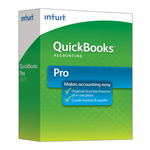
| Version: | Desktop 2011 (United States) 32-Bit |
| Size: | 541.62 MB – Version 2011 |
| Latest Update Release | Release 14(R14) |
| Update Size: | 695 MB |
QuickBooks Desktop Pro 2011 targets the small to medium-sized businesses looking for user-friendly accounting solutions. Its features are designed to help business owners efficiently manage their financial tasks from tracking sales and expenses to generating reports. The software is suitable for various industries which makes it accessible for both startups and established businesses seeking to simplify their financial management processes.
Quick Navigation: 2011 | 2012 | 2013 | 2014 | 2015 | 2016 | 2017 | 2018 | 2019 | 2020 | 2021 | 2022 | 2023 | 2024
Steps to Download QuickBooks Desktop 2011 on Windows & Mac
QuickBooks Desktop 2011 was a widely used version for small and medium-sized businesses. It came in multiple editions—Pro, Premier, Accountant, Enterprise, and Point of Sale (POS)—to suit different business needs. However, as of now, Intuit has discontinued support for QuickBooks 2011 in all countries (USA, Canada, UK). This means you can no longer receive official updates, security patches, or payroll services for this version. Still, many businesses look for the 2011 download files for data recovery, compatibility testing, or migration to newer QuickBooks editions.
Steps to Download and Install QuickBooks Desktop 2011
- Visit Intuit’s official download & updates page (archived for older versions).
- Select your country (USA, UK, or Canada).
- Choose Product Edition (Pro, Premier, Accountant, Enterprise, or POS).
- Select Year = 2011.
- Download the installer file.
- Run the setup file and follow the on-screen instructions.
- Enter your license and product number (mandatory for installation).
⚠️ Note: Since Intuit no longer provides direct links for 2011, you may need to use installation CDs, previously downloaded setup files, or contact QuickBooks support partners for archival copies.
Download QuickBooks Desktop Premier 2011
QuickBooks Desktop Premier 2011 is particularly for those small to mid-sized businesses who require more advanced accounting features than what basic software provides. It is designed for business owners who maintain their own books but may also be used by accountants supporting these businesses. The software offers industry-specific versions which makes it suitable for various sectors such as retail, manufacturing and nonprofits.
Download QuickBooks Desktop Premier 2011 – United States Edition
| Items | Details |
|---|---|
| Product Name: | QuickBooks Desktop Premier 2011 (USA) |
| Version: | 2011 (United States) 32-bit |
| Size: | 541.62 MB |
| Latest Release: | Release 14(R14) |
| Update Size: | 695 MB |
| Download Link: | Download QuickBooks Desktop Premier 2011 USA Version |
Before downloading, make sure your system meets the: QuickBooks Desktop Premier 2011 System Requirements
Download QuickBooks Desktop Accountant 2011
Download QuickBooks Desktop Accountant 2011 – United States Edition
| Items | Details |
|---|---|
| Product Name: | QuickBooks Desktop Accountant 2011 (USA) |
| Version: | 2011 (United States) 32-bit |
| Size: | 541.62 MB |
| Latest Release: | Release 14(R14) |
| Update Size: | 695 MB |
| Download Link: | Download QuickBooks Desktop Accountant 2011 USA Version |
Before downloading, make sure your system meets the: QuickBooks Desktop Accountant 2011 System Requirements
Download QuickBooks Desktop Enterprise 2011
Download QuickBooks Desktop Enterprise 2011 – United States Edition
| Items | Details |
|---|---|
| Product Name: | QuickBooks Desktop Enterprise 2011 (USA) |
| Version: | 11.0 (United States) 32-bit |
| Size: | 541.69 MB |
| Latest Release: | Release 14(R14) |
| Update Size: | 697 MB |
| Download Link: | Download QuickBooks Desktop Enterprise 2011 USA Version |
| Download Link: | Download QuickBooks Desktop Enterprise Accountant 2011 USA Version |
Before downloading, make sure your system meets the: QuickBooks Desktop Enterprise 2011 System Requirements.
FAQs:
Is QuickBooks Desktop 2011 still officially supported by Intuit?
No. Intuit typically discontinues all services, and updates for QuickBooks Desktop products after three years (plus the release year). QuickBooks Desktop 2011 has been retired for many years. This means:
There are no official security patches for modern operating systems.
Related services like Payroll and Payments will no longer work.
Yes, it often is. Company file issues in retired versions are common because the software lacks crucial updates. The company file is tied to the version it was last used with. If the file has been opened or “migrated” to a newer version of QuickBooks (even accidentally), the 2011 version will not be able to open it and may display an error message prompting you to upgrade. Also, large files can some.
Can I upgrade or convert a QuickBooks Desktop 2011 company file directly to the current version of QuickBooks Online or Desktop?
A direct jump from 2011 is usually not possible. Due to the age gap, Intuit often requires users to first open and convert their 2011 file in an intermediate version, such as QuickBooks Desktop 2017, 2018, or 2019, before it can be successfully upgraded to the current software version. It’s a multi-step conversion process.
If I am forced to upgrade, what is the closest modern equivalent to QuickBooks Desktop 2011 Enterprise?
The closest modern equivalent is the latest version of QuickBooks Desktop Enterprise. The Enterprise edition is the only tier that offers the high user count and advanced inventory/reporting features that the 2011 Enterprise version provided. Since the 2011 version is no longer supported, users seeking those features would need to subscribe to the current, supported Desktop Enterprise plan.