 Add As A Preferred
Understanding and Resolving: QuickBooks “QuickBooks Has Reached Maximum Number Of Unregistered Users” error.
QuickBooks can be accessed in single-user or multi-user modes, depending on the user’s needs. You’ll see that adding the appropriate clients and the organization documents is quite simple when working in the multi-user mode.
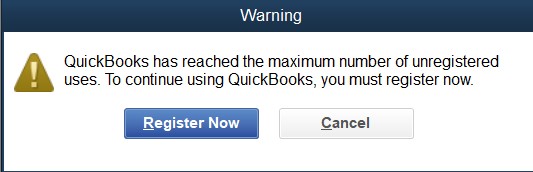
However, there is a chance that the registration of your QuickBooks program was not completed properly, which is one of the prime reasons for the “QuickBooks has reached the maximum number of users” error. Especially when you get the error message on your QuickBooks applications stating “QuickBooks has reached maximum number of unregistered users. To continue using QuickBooks, you must register now”.
Or
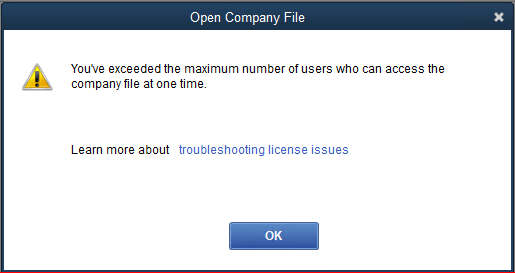
“You have exceeded the maximum number of users who can access the company at one time.”
This article will inform and assist you in fixing the QuickBooks maximum number of unregistered user reached errors by providing detailed solutions.
QuickBooks Desktop prompts users to activate after installation, and users can also start activation manually from the Help menu. The error appears when a copy stays unregistered past the permitted period.
Each new installation starts with an activation prompt, and Intuit notes that installation problems can make activation harder. System changes that remove QuickBooks force that cycle to repeat.
Intuit states that users who move QuickBooks Desktop to another computer must register again. A copy that ran for years on the old computer therefore meets a fresh registration step on the new one.
Intuit requires the license number and product code to match. The product code changes when the installed product changes, even when the license number stays the same. A mismatch leaves the installation unregistered.
Intuit’s installation guide tells users to keep an active internet connection and to configure firewall and internet security settings. A failed attempt does not trigger the error by itself. It leaves the copy unregistered, and continued use then exhausts the permitted period.
Intuit sets separate registration rules for discontinued QuickBooks Desktop products. Those rules matter most when a working copy is reinstalled or moved, because each of those events calls for registration again.
Intuit Community staff say activation requires the same information provided when the license was purchased. A license bought from a reseller, received from another owner, or registered under a different account can fail to match the person installing it.
Intuit counts license seats by user: Pro supports up to three users and Premier up to five in the same company file. The unregistered-use error reflects registration status, so a single user can see it.
Try implementing the solutions given below to resolve the error; if you still need help, contact 1-802-778-9005, or you can mail us at: support@ebetterbooks.com
Before attempting to resolve the “QuickBooks has Reached Maximum Number of Unregistered Users” error, first ensure that you have the required authorization to access QuickBooks, Then follow the steps given below:
Follow the following quick fixes for QuickBooks a has reached the maximum number of unregistered user errors:
| Error Causes | Solutions |
| Online Licensing Data is out of sync. | Sync Online Licensing Data and verify the number of Licensed Users. |
| Interruption from other applications. | Close all workstations and other applications running in the background. |
| Invalid data in the Entitlement Data folder. | Delete all the data from the Entitlement Data folder. |
| Unsupportive name entry of the WSActivity File. | Rename the WSActivity File to OLDWSActivity. |
| The Internet Security and Third-Party Firewalls aren’t set up to permit access. | Ensure Internet Security and Third-party Firewalls are set up to permit access. |
Follow the steps below to verify the number of licensed users:
Contact support at 1-802-778-9005 if the number of licensed users is lower or greater than anticipated for further assistance.
Follow the below-given steps to close all running workstations to fix the QuickBooks has reached the maximum number of unregistered users error:
Note: The X button at the top right corner of the screen should not be clicked to close the app. The licenses will not become available if you shut down the system in such a manner.
As a result, POS won’t be able to launch multiple workstations until you restart your workstation/ Computer.
In case this doesn’t solve the issue even after restarting, move on to the next solution.
Follow the steps below to clear the data from the Entitlement Data folder:
Restart the registration procedure after opening QuickBooks Desktop Point of Sale.
Follow the instructions below to rename the WSActivity file:
If the error persists, move on to the next solution.
The firewall needs to be configured properly for QuickBooks Point of Sale to function successfully.
The steps to configure the firewall and internet security systems are as follows:
Utilizing the QuickBooks Point of Sale Connectivity Tool is also advised to deal with the issue at hand. This program can assist in locating any inconsistencies between your security and network configurations and offers suggestions for fixing any problems.
Follow the instructions below to use the tool and rectify any error:
To resolve the “QuickBooks has reached the maximum number of unregistered users” error, removing and re-adding users can be an effective solution.
Follow these steps to remove and re-add users in QuickBooks:
Once you remove the users that you want, re-add them.
You can make sure that the users’ profiles are set up correctly by removing and re-adding users in QuickBooks without any conflicts or errors that might cause the ‘Maximum Number of Unregistered Users’ message.
In QuickBooks Online, changing the principal administrator is a straightforward procedure.
Follow the steps below to change the administrator:
Step 1: Log in with your account, which is the current primary admin.
The newly designated primary admin will now have access to all QuickBooks Online features that you previously had exclusive access to. It’s vital to remember that only another existing user who has administrative access rights can change the primary administrators.
To determine the number of licensed users in your QuickBooks Desktop software, follow these steps:
In QuickBooks Online
For QuickBooks Online, the number of users depends on your subscription plan. To view or manage users:
If you need to add or remove users, you can do so from this “Manage Users” page, keeping in mind the user limits associated with your subscription plan.
QuickBooks licensing violations occur when users breach the software’s licensing agreements, which can lead to legal and financial consequences. Common violations include:
To ensure compliance and avoid violations:
By following these guidelines, you can maintain compliance with QuickBooks’ licensing requirements and avoid potential violations.
Managing QuickBooks user licenses effectively ensures optimal performance and compliance. Here are the best practices:
Unregistered user errors in QuickBooks often stem from issues related to software installation, licensing, or user account management. To prevent these errors, follow these detailed steps:
By diligently following these steps, you can minimize the occurrence of unregistered user errors in QuickBooks, ensuring smoother financial management and operational efficiency.
Hopefully, the solutions listed here will help you overcome the error of QuickBooks Has Reached Maximum Number Of Unregistered Users. But if you still need help regarding this issue or professional assistance, immediately contact our customer service to avoid any inconvenience.
Implement the solutions given above to resolve the error; if you still need help, contact 1-802-778-9005, or you can mail us at: support@ebetterbooks.com
Up to 30 simultaneous users may use QuickBooks simultaneously. The maximum number of concurrent users for QuickBooks Pro is three, whereas the maximum number for Premier is five. If no one uses the server to access QuickBooks, the server does not count as a user. With QuickBooks Enterprise solutions, you can work on the file simultaneously for more people.
In QuickBooks Desktop, the number of users you can add depends on your specific product and license. For QuickBooks Pro, you can have up to 3 users; for QuickBooks Premier, up to 5 users; and for QuickBooks Enterprise, up to 40 users. If you’ve reached your user limit, adding more users would require upgrading your QuickBooks version or purchasing additional licenses.
To add a new user within your current user limit:
If you need more users than your current version allows, consider upgrading to a version that supports additional users or purchasing additional licenses.
QuickBooks may display a message indicating you’ve reached the maximum number of users, even if you believe you haven’t. This can occur due to several reasons:
Exceeding your QuickBooks user limit means that when more users try to access your company file than your license allows, new users will be blocked and receive an error message. Here’s what to do:
For QuickBooks Desktop
For QuickBooks Online
You can install QuickBooks on multiple computers with one license, but only one user can access it at a time. If you need to use QuickBooks on multiple computers simultaneously, you need to purchase additional user licenses.
This message in QuickBooks POS means that the software has hit its limit for unregistered users. QuickBooks POS allows a certain number of users to operate without registration, but once that limit is reached, no additional users can access it without proper registration.
Solution to Resolve This:
hen QuickBooks shows the message that it has reached the maximum number of unregistered hours, it means that your software trial period has expired, or you have exceeded the allowed usage without activating your license.
To resolve this:
You can remove a user from QuickBooks by following the steps below:
The selected respective user will now be deleted from the database.
Yes, you can manage as many organizations as you wish from a single copy of QuickBooks. If you utilize QuickBooks with numerous users, each user will still need their license.


