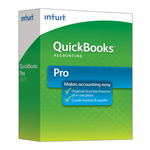
Download QuickBooks Desktop 2019 (Pro, Premier, Accountant, Enterprise) – Windows & Mac
Excerpt:
This article provides step-by-step instructions to download QuickBooks Desktop 2019 (Pro, Premier, Accountant, Enterprise) for both Windows and Mac. It helps users easily access and install the software based on their region and version (US, Canada, UK). Additionally, it highlights key features of QuickBooks Desktop 2019, including improved invoice tracking, enhanced reports, and multi-user support, ensuring users can streamline their accounting and business management tasks efficiently.
QuickBooks Desktop 2019 was one of the most widely used versions of Intuit’s accounting software, offering multiple editions tailored for different business sizes and industries. Although Intuit has now discontinued direct sales and support for Desktop 2019 (including security updates after May 31, 2022), many businesses still rely on this version. Below is a detailed guide to help you understand how to download QuickBooks Desktop 2019 for Windows and Mac, along with key features of each edition and region-specific availability.
Download the installer and save it on your system.
Run the setup file and follow on-screen installation steps.
Note: If you already purchased a license, you will need the product number and license number (found in purchase email or original packaging).
2. Download QuickBooks Desktop 2019 for Mac
QuickBooks Desktop 2019 for Mac was designed exclusively for Apple users but was only officially released in the US market.
Steps:
Go to Intuit’s official QuickBooks Mac download page.
Select QuickBooks Desktop for Mac 2019.
Download the DMG installer.
Open the file and drag QuickBooks to the Applications folder.
Activate with your purchased license and product number.
Important:QuickBooks Mac Desktop has limited support and different features compared to Windows editions. If you’re using macOS Ventura or later, compatibility may be an issue, so upgrading to QuickBooks Desktop 2023 or QuickBooks Online may be advisable.
Features of QuickBooks Desktop 2019 (Pro, Premier, Accountant, Enterprise) – Windows & Mac
Improved Invoice Tracking
Enhanced Reports
Income and Expense Tracking
Automated Payment Reminders
Integration with Microsoft Office
Easy Migration and Data Import
User-Friendly Payroll Integration
Inventory Management
Multi-Currency Support
Improved Data File Optimization
Batch Invoicing and Payment Processing
Bank Feeds and Reconciliation
Accessibility for Multiple Users
Enhanced Security and Backup
Job Costing Tools
Who Should Use QuickBooks Desktop Pro 2019?
This version is perfect for small businesses that need strong offline accounting solutions, advanced reporting and inventory features, or work with multiple currencies and complex payroll systems.
Explore More Related Topics of All Download QuickBooks Desktop 2019