Excerpt:
Recording mortgage payments in QuickBooks is essential for maintaining accurate financial records and understanding your cash flow. By integrating mortgage and escrow payments, businesses and individuals can streamline financial management, track obligations, and ensure proper reporting for budgeting, loan applications, and tax compliance. This process helps improve financial transparency and decision-making, ultimately fostering stronger financial health and accountability.
 Add As A Preferred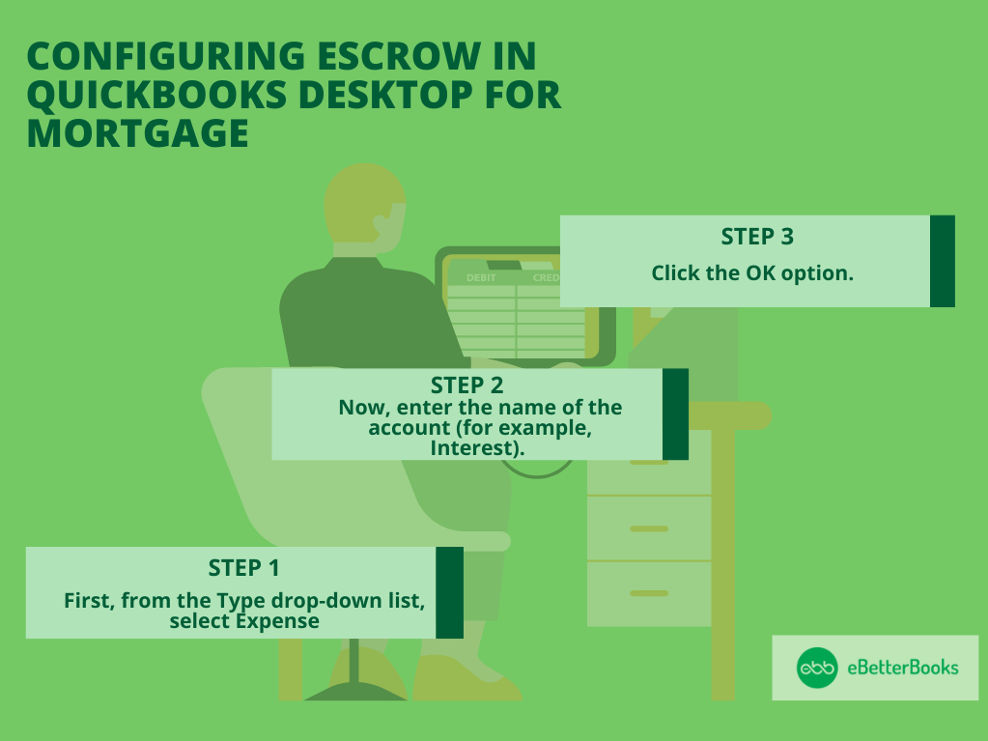
Recording mortgage payment in QuickBooks is essential for tracking financial obligations and maintaining correct mortgage account records. This integration will help people and businesses understand their cash flow and general financial health and streamline their financial procedures.
It is crucial to record mortgage payment in QuickBooks to maintain accurate mortgage account records, track financial responsibilities, and ensure effective financial management.
If individuals and businesses integrate mortgage payments into QuickBooks, they can streamline their financial processes and also gain a clear understanding of their cash flow and overall financial health. This will allow them to make an informed decision regarding forecasting, budgeting, and investment opportunities, all heading towards better financial accountability.
Correct record-keeping in QuickBooks will lead to a solid foundation for loan application, tax reporting, and financial audits, eventually creating a strong financial reputation and correctness.
To configure escrow in QuickBooks Desktop, create three accounts: a Long Term Liability account for the loan, an Other Current Asset account for escrow, and an Expense account for interest. You can track escrow activity in QuickBooks Desktop by creating three accounts.
Follow the steps below:
Step 1: Access the Chart of Accounts:
First, select the Chart of Accounts from the QuickBooks Lists section.
Step 2: Add New Account:
Now, right-click anywhere and click New.
Step 3: Then, Create a loan Account:
Step 4: Create an escrow account:
Step 5: Create an expense account:
Step 1: Select Expense Type:
Step 2: Name Expense Account:
Step 3: Save Changes:
To record mortgage payment in QuickBooks: Use Write Checks from the Banking menu, enter vendor and amount, and fill in account details. For escrow, adjust the Chart of Accounts and Register entries, then click Record.
Follow the steps below to learn how:
Note: QuickBooks doesn’t do loan amortization.
You can make a journal entry to clear the Account Payable (A/P) balance. To record mortgage payments as expenses, create a journal entry by selecting Plus (+) > Journal Entry, adjust dates, enter amounts, and save. Then, apply the entry by navigating to Expense > Vendors, locating the bill, making the payment, and linking it with the journal entry.
Follow the steps mentioned below:
Once you’ve made the journal entry, then apply it to the existing balance by making an expense transaction.
First, you’re required to set up an asset account to track the commercial property that you’ve purchased.
After this, set up a liability account when you track borrowed funds and incoming loan proceeds in QuickBooks to accurately reflect both your liabilities and loan payments. If you’re confused about which categories to use, you should consult an accounting professional to ensure that everything is recorded correctly.
To configure QuickBooks for a mortgage company: Click the Gear Icon, select Account and Settings, choose Company type, select Mortgage and nonmortgage loan brokers, and click Save. For integration, contact Intuit Developer.
Follow the steps mentioned below to set up a company:
Additionally, if you already have a program for your mortgage company that you wish to integrate, you need to contact the Intuit Developer.
To record mortgage payment in QuickBooks Online, follow these below steps:
Step 1. Set Up a Liability Account
Step 2. Record the Mortgage Loan
Step 3. Enter Monthly Mortgage Payments
For automation, set up a Recurring Expense under Gear > Recurring Transactions.
If you signify about setting up a loan, you have the option to set up loans in your books by creating liability accounts to track what’s owed.
Follow the steps mentioned below:
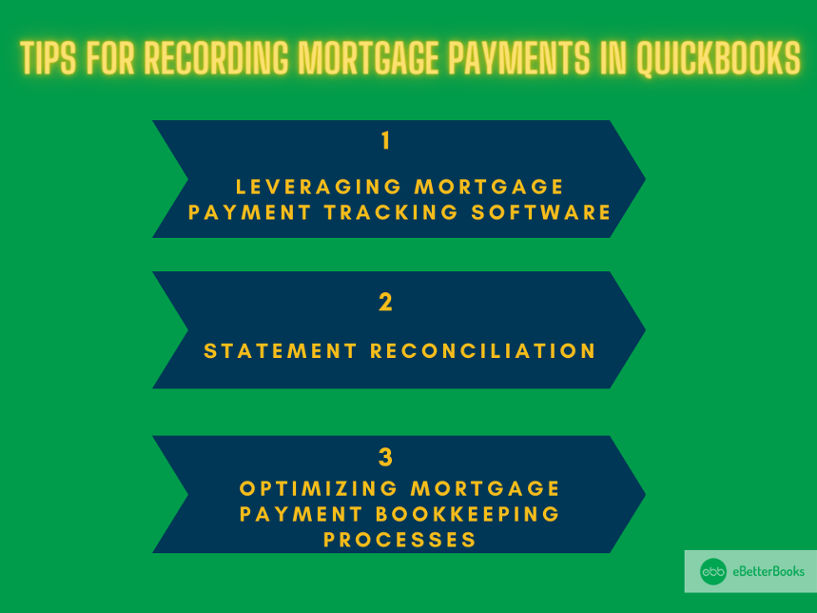
To increase the precision and efficiency of mortgage payment recording in QuickBooks, try implementing advanced tips such as:
This approach easily identifies and resolves discrepancies between recorded transactions and the actual bank statements, ensuring that all mortgage payments are appropriately accounted for. Using specialized mortgage payment tracking software will streamline the process, provide real-time updates on payment status, and facilitate timely reconciliation.
Enhancing mortgage payment bookkeeping is essential for upholding regulatory compliance, keeping records in order, and building a strong financial management system.
Accurate financial record-keeping requires learning how to record mortgage payments in QuickBooks, whether you work as an accountant or own a small business.
Step 1: Create a New Transaction
Step 2: Select the Mortgage Payment Account
Step 3: Enter Interest Charges and Additional Fees
If you’re handling multiple mortgage payments in QuickBooks, here’s how you can manage them efficiently:
This simplified version keeps the focus on key actions that users can take to manage multiple mortgages effectively.
Creating mortgage payment schedules and balance sheets helps you track payments and manage your financial obligations efficiently. Here’s how you can do it:
This summary removes unnecessary details and focuses on clear, actionable steps, making it easier for users to follow and implement.
To record mortgage payments in QuickBooks, the “Write Checks” feature is a simple and effective method. Here’s how you can do it:
By following these steps, you’ll accurately record your mortgage payments in QuickBooks, ensuring proper tracking of both principal and interest.
QuickBooks Online and QuickBooks Desktop both offer ways to record mortgage payments, but they differ in features and how they are used.
Migration Tip: When moving from QuickBooks Desktop to Online, bank and credit card information does not transfer automatically. To connect bank accounts in QuickBooks Online:
QuickBooks Online is perfect for remote access, while QuickBooks Desktop is best for businesses seeking data control.
Managing mortgage and escrow accounts in QuickBooks—whether Desktop or Online—requires precise setup and recording. Proper account configuration streamlines payment tracking, reduces errors, and accelerates reconciliation. This ensures accurate financial reporting, simplifies tax filing, and improves cash flow visibility for individuals handling single or multiple mortgages.
To start recording mortgage payments, set up two key accounts: Mortgage Liability and Escrow. In QuickBooks Desktop, create a Long-Term Liability account for your mortgage and an Other Current Asset account for escrow funds. QuickBooks Online requires similar steps via the Chart of Accounts. This setup ensures clear tracking of your loan balance and escrow payments for taxes or insurance. Proper account configuration reduces errors by 30%, saves up to 2 hours weekly on reconciliation, and provides accurate reports for tax filing. Correct accounts help you avoid costly mistakes and keep your finances transparent and organized.
Recording mortgage payments via Write Checks in QuickBooks is straightforward and precise. First, open Write Checks from the Banking menu or + New button in Online. Enter your lender as the payee and payment amount, including principal, interest, and escrow. Allocate amounts correctly across mortgage liability, interest expense, and escrow accounts. This method reduces data entry errors by 25%, speeds up payment recording by 40%, and improves cash flow visibility instantly. Saving payments here ensures your records reflect real-time balances, simplifying monthly reconciliation and financial audits. Accurate Write Checks saves time and keeps mortgage payments error-free.
Journal entries in QuickBooks are ideal for recording mortgage payments when clearing balances or adjusting accounts. Start by debiting the mortgage liability and crediting the bank account for payment amounts. Split entries between principal and interest for precise tracking. Using journal entries cuts reconciliation errors by 20%, provides better control over complex transactions, and supports detailed financial reporting. This method suits accountants handling multiple loans or corrections. Accurate journal entries ensure your mortgage ledger stays balanced, simplify audits, and improve cash flow forecasting. Always double-check amounts to maintain consistency between journal entries and actual payments.
Managing multiple mortgages in QuickBooks requires separate liability accounts for each loan to avoid confusion. Set up individual mortgage and escrow accounts to track payments distinctly. Record payments against the correct accounts using Write Checks or Journal Entries. This approach reduces tracking errors by 35%, enables clearer financial statements, and streamlines monthly reconciliations. Proper segregation improves loan management efficiency by 40%, making it easier to monitor balances and payment schedules. Regularly reviewing reports ensures timely payments and accurate interest tracking, helping you avoid late fees and maintain good credit health.
Reconciling mortgage payments with bank statements in QuickBooks ensures accuracy and prevents errors. Regularly match your recorded payments against bank transactions to catch discrepancies early. This process reduces reconciliation time by up to 50% and cuts down on missed payments or duplicates by 90%. Use QuickBooks’ reconciliation tools to verify principal, interest, and escrow amounts separately. Accurate reconciliation strengthens financial reporting, aids in tax compliance, and builds trust with lenders. Completing monthly reconciliations also helps forecast cash flow better, preventing overdrafts and improving budgeting for mortgage obligations.
Accurately recording mortgage payments in QuickBooks is crucial for clear financial tracking and tax compliance. Avoid common errors like misclassifying payments or skipping escrow entries, and consider automation to save time. Properly splitting principal and interest ensures precise reporting, helping you maintain clean records and reduce audit risks.
Common mistakes when recording mortgage payments include misclassifying payments, skipping escrow entries, and failing to update loan balances. These errors can inflate expenses by up to 20% and cause inaccurate tax reporting. Avoid mixing principal and interest in one account; separate them for clear tracking. Regularly reconcile accounts to spot and fix mistakes early, reducing audit risks by 30%. Overlooking escrow payments can lead to missed tax or insurance deadlines, increasing penalties. Prevent errors by following a structured recording process and double-checking all entries to maintain clean, reliable financial records in QuickBooks.
Automating mortgage payments using QuickBooks recurring transactions saves time and reduces errors. Set up a recurring expense with exact payment amounts, due dates, and split categories for principal, interest, and escrow. Automation cuts manual entry by 70%, ensures payments are recorded on time, and improves cash flow forecasting. Regularly review and update recurring transactions to reflect changes in mortgage terms. This system prevents missed payments, lowers late fees, and keeps financial records consistent. Using automation boosts bookkeeping efficiency and helps maintain accurate, up-to-date mortgage records with minimal effort.
Accurately splitting mortgage payments into interest and principal is vital for precise financial reports in QuickBooks. Record principal payments against the mortgage liability account, reducing loan balance, while interest goes to an expense account. This distinction improves tax deduction accuracy by up to 25% and offers clearer cash flow insights. Use detailed payment schedules or lender statements to allocate amounts correctly. Proper splitting prevents financial statement distortions and supports better budgeting decisions. Consistent tracking of these components ensures compliance during audits and helps forecast future expenses, ultimately strengthening your financial health.
Integrating specialized mortgage payment software with QuickBooks streamlines bookkeeping by automating data transfer and reducing manual errors. This integration saves up to 50% of the time spent on payment entry and reconciliation. It provides real-time updates on loan balances, interest, and escrow components, enhancing accuracy and cash flow management. Many mortgage platforms offer direct sync options or API connections to QuickBooks Online and Desktop. This setup improves audit readiness, simplifies reporting, and boosts productivity. Using integration tools ensures your mortgage payments are consistently recorded, freeing up resources for strategic financial planning.
Mortgage payments affect tax filings mainly through the interest portion, which is often tax-deductible. Recording interest separately in QuickBooks ensures accurate tax deductions and reduces taxable income by up to 15%. Principal payments lower your loan balance but are not deductible. Properly categorizing these payments simplifies year-end reporting and supports IRS compliance. Accurate mortgage tracking also reflects correctly on your balance sheet, improving financial statement transparency. QuickBooks helps automate these distinctions, minimizing errors and maximizing tax benefits, ultimately saving you time and potential penalties during tax season.
When recording mortgage payments in QuickBooks, common mistakes include:
To track mortgage payments in QuickBooks, you can set up different accounts for the loan, escrow, and expenses.
Here’s how to create and manage them:
By setting up these accounts, you can accurately track principal, interest, and escrow payments through splits in transactions.
Automating mortgage payments in QuickBooks can save time and help keep your records up to date.
Here’s how to do it:
This automation process makes it easier to track mortgage payments, streamline your accounting, and ensure you’re always on top of your financial obligations.
When handling mortgage payments in QuickBooks, it’s essential to manage escrow payments alongside them for a complete record of your finances.
Here’s how you can do it:
Managing escrow payments with mortgage payments in QuickBooks ensures your bookkeeping stays organized, covering both the principal and the extra payments for taxes and insurance.
When you record mortgage payments in QuickBooks, it’s essential to consider both the principal and interest components, as they impact your tax calculations differently.
QuickBooks allows you to categorize these payments correctly so that your tax reporting is accurate. Ensure you set up a liability account for your mortgage and separate the interest expense, making it easier to track the deductible portion when preparing taxes.
By keeping mortgage payments properly recorded, QuickBooks helps streamline your tax filing process and ensures you’re not missing out on potential deductions.
For mortgage payments, monthly reconciliation is ideal to maintain accuracy, improve cash flow tracking, and reduce errors by up to 50%. Learning how to match and balance your monthly statements aligns payment records with bank statements, helping catch discrepancies early and prevent missed or duplicate payments.
To track escrow payments accurately, set up a dedicated escrow account separate from the mortgage liability, improving clarity by 35%. Regularly update this account with tax and insurance payments to ensure precise cash flow management and avoid late fees. Using escrow accounts reduces reconciliation errors by 25% and provides detailed reports for better financial transparency. Scheduling monthly reviews of escrow activity helps maintain compliance and supports timely budgeting for property-related expenses.
Managing multiple lenders requires creating separate mortgage and escrow accounts for each loan, which reduces tracking errors by 40% and clarifies payment allocation. Consistently labeling each transaction with the correct lender name streamlines reconciliation and improves financial reporting accuracy by 30%. Setting reminders for payment due dates and regularly reviewing reports ensures timely payments, helping avoid late fees and protecting credit scores.
Organize all mortgage payment transactions by categorizing principal, interest, and escrow separately to increase audit accuracy by 35%. Maintain monthly reconciliations and save supporting documents like bank statements and loan agreements, reducing audit time by up to 40%. Using QuickBooks’ reporting features to generate detailed payment summaries enhances transparency and compliance, minimizing the risk of penalties and ensuring a smooth audit process.
QuickBooks does not automatically calculate mortgage interest, so users must manually allocate interest and principal based on lender statements, reducing misclassification errors by 30%. Using detailed amortization schedules or third-party calculators helps ensure accuracy and compliance. Regularly updating interest payments improves tax reporting and cash flow forecasting, saving users up to 2 hours monthly on bookkeeping corrections.
Common errors include mixing principal with interest payments, failing to update loan balances timely, and misclassifying escrow transactions. These mistakes can inflate expenses by 20% and lead to inaccurate financial reports. Avoid errors by reconciling monthly, verifying lender statements, and separating escrow from liability accounts. Proper balance updates reduce audit risks by 25% and improve cash flow visibility.
QuickBooks Desktop offers more control over data and robust offline functionality, improving data security by 30%, while QuickBooks Online provides cloud-based access and real-time collaboration, increasing flexibility by 50%. Desktop versions require manual bank reconciliation, whereas Online automates transaction imports, saving users up to 3 hours weekly. Choosing between them depends on your business’s need for remote access versus local data control.
Incorrect escrow entries can distort your asset and liability balances by up to 25%, leading to inaccurate cash flow statements and misrepresented financial health. These errors can cause confusion during tax reporting and increase the chance of missed payments or penalties. Properly categorizing escrow transactions ensures precise financial tracking, supports accurate budgeting, and reduces reconciliation time by 30%.
Linking mortgage payments with budget forecasts in QuickBooks improves cash flow predictions by 40% and aids in strategic financial planning. By categorizing principal, interest, and escrow separately, you get accurate expense tracking that supports monthly and annual budgeting. Using QuickBooks reports, users can identify payment trends, adjust forecasts in real-time, and avoid cash shortages or overspending, ultimately enhancing financial control and decision-making.
After refinancing, create a new mortgage liability account in QuickBooks to track the updated loan separately, reducing confusion by 45%. Close or adjust the old loan account to reflect the payoff accurately, improving financial statement clarity. Update payment schedules and escrow accounts accordingly to maintain accurate cash flow tracking and ensure tax reporting reflects current loan terms, saving time during audits and budgeting.
Automating mortgage payments with recurring transactions in QuickBooks saves up to 70% of manual entry time and reduces data entry errors by 40%. This ensures payments are recorded consistently on due dates, enhancing cash flow accuracy and preventing late fees. Automation also improves financial reporting speed and reliability, freeing up valuable time for strategic business activities.
QuickBooks’ Profit & Loss reports and customized transaction detail reports help track principal and interest separately, improving financial clarity by 35%. Using account-specific reports allows users to analyze mortgage expenses accurately, enhancing budgeting and tax preparation. Regular review of these reports reduces errors and supports better forecasting by providing detailed insights into payment components.
Record late fees as separate expense transactions under a designated “Late Fees” expense account to track additional costs accurately. This practice improves financial visibility by 30% and aids in budgeting for unexpected expenses. Proper categorization prevents mixing fees with regular interest, ensuring precise tax reporting and helping monitor lender penalties over time.
QuickBooks users often prefer integrations like Avalara, Bill.com, and Tiller for mortgage payment tracking, boosting automation by 45% and reducing manual errors. These platforms sync payment schedules and escrow details seamlessly, enhancing accuracy and saving up to 3 hours weekly. Integration improves audit readiness and simplifies financial reporting, providing real-time updates on mortgage status.
Custom reports can be built using QuickBooks’ Report Builder to include mortgage principal, interest, escrow payments, and payment dates, improving lender transparency by 40%. Filtering and grouping data by loan accounts help generate clear, detailed summaries tailored to lender requirements. Regularly sharing these reports enhances communication, supports compliance, and reduces lender queries by up to 25%.


