Excerpt:
Experiencing "QuickBooks Payroll Not Responding" can halt payroll processing, typically due to outdated software, corrupted files, or network issues. Resolving this involves updating QuickBooks, fixing browser settings, or syncing date and time. Solutions also include reinstalling QuickBooks, clearing browser cache, or addressing issues with the company file or employee details. Follow step-by-step fixes to restore payroll functionality and ensure seamless processing.
 Add As A Preferred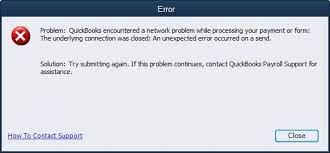
The “QuickBooks Payroll Not Responding” problem can be problematic and prevent payroll services from working; this problem is mostly associated with software failures, damaged files, or system conflicts. QuickBooks Payroll is an add-on service designed based on the Pro, Premier, or Enterprise subscription software; therefore, it must remain connected and current to work effectively.
Being a QB user, it is important to have an active payroll subscription if you want to enable payroll features in the QuickBooks desktop. But, just like others, you get stuck in a situation where “QuickBooks Payroll not responding or working” even after several attempts. It is basically a payroll update error that emerges if there is any network connectivity issue or QuickBooks cannot connect to the proper Internet connection. Also, sending payroll data in a multi-user mode can give rise to this payroll error.
Highlights (Key Facts & Solutions)
When QuickBooks Payroll encounters problems, different errors are bound to happen, and all these come with their errors. Below is a table outlining the causes, solutions, and associated errors users may experience:
| Cause | Solution | Related Errors |
| Outdate Quickbooks Desktop Versions | Download and install the latest QuickBooks updates manually. | QuickBooks Payroll Update Error PS036, PS034, PS077, 15271 |
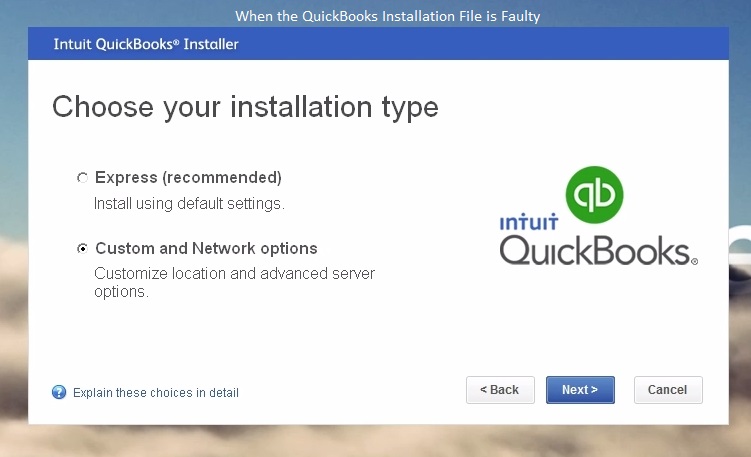
| Faulty QuickBooks Installation File | Perform a clean installation of QuickBooks Desktop and download the most recent payroll tax table. | QuickBooks Error PS107, PS058, 12152 |
| Browser-Related Issues | Clear browsing history, cache, and cookies. | QuickBooks Payroll Update Error 17337, Error Code 15240 |
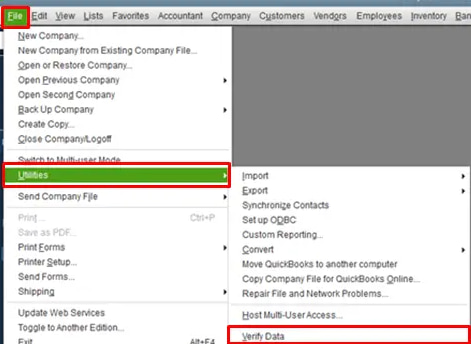
| Corrupted QuickBooks Company File | Use the Verify and Rebuild Data Tool in QuickBooks Desktop and rename the company file. | QuickBooks Error PS038, Intuit Error PS032 |
| Mismatch Date & Time Settings | Check and correct the system’s date and time settings. | Invalid settings or failed transactions cause payroll-related errors. |
| Invalid Employee Identification Number (EIN) | Install a Digital Signature Certificate to resolve payroll update errors. | Intuit QuickBooks Payroll Error 15102, 15270, 15271 |
When the users try to run the QuickBooks Desktop payroll or edit their paychecks, they might notice the following errors:
Encountering QuickBooks Payroll not responding or don’t know how to resolve it? Just give a call at our toll-free number +1-802-778-9005 and get the best solution ever.
Is QuickBooks Payroll not responding or working? There are a variety of issues may arise when you fail to download the latest payroll updates; some of the most common ones are enumerated below:

In case QuickBooks Payroll fails to respond, then understanding the problem and determining the proper fix is necessary. Below are various scenarios and step-by-step solutions to help you resolve the issue:
Solution: Manually update QuickBooks Desktop.
Solution: Always run a clean installation and update the payroll tax tables.
Uninstall QuickBooks:
Reinstall QuickBooks:
Solution: Empty the browsing history, cache, and cookies.
Solution: Check and reconstruct the information stored in the company file and then rename the file.
Verify Data:
Rebuild Data:
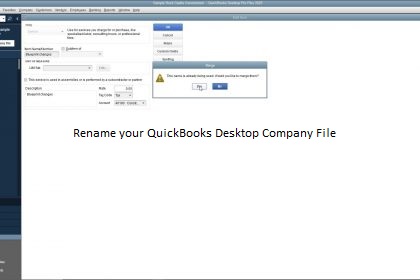
Rename the Company File:
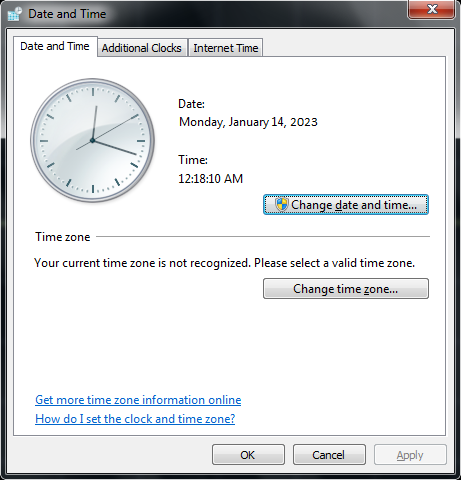
Solution: Synchronize the appropriate system date and time.
Solution: Install a Digital Signature Certificate.
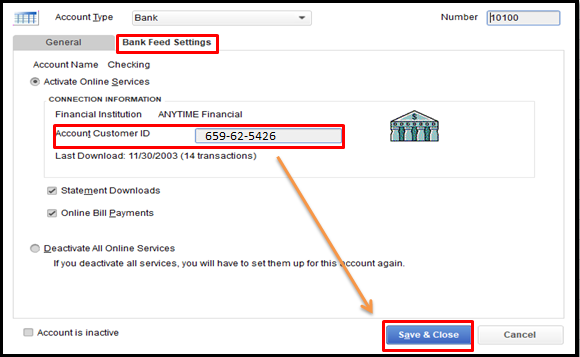
If any of these steps do not help solve the problem, turn to QuickBooks. Fixing these errors will restore your payroll utility and reduce interference.
Thus, the QuickBooks Payroll issue of not responding or not working has been resolved after following the steps described above.
However, if you get stuck in the meantime or are trying to understand the glitch, immediately contact our customer service executives to have your doubts cleared up.
When you encounter PSXX errors, the fastest official solution is often to use the QuickBooks Tool Hub and the Quick Fix My Program tool, as these errors frequently stem from damaged installation components or payroll files.
Error 17337 is a security and connectivity failure indicating QuickBooks cannot reach Intuit’s update servers, a connection that relies on your system’s browser settings, usually Internet Explorer (even if you use Chrome or Edge daily).
Error 12152 is a networking error often caused by an incorrect system date or time. This setting is crucial for validating the security certificates required for the connection.
The Verify Data and Rebuild Data utilities are sequential tools used to fix data corruption that can interfere with payroll functions (like stuck paychecks in Error PS038).
Error 15102 is most frequently a security and permission issue, not necessarily an invalid EIN. It indicates that QuickBooks cannot access the shared update files or lacks the administrative rights to download them.
A standard uninstall/reinstall often leaves behind residual files and registry entries—the very components that may be corrupted and causing issues like Payroll Error PS107. A clean installation uses a specialized tool to ensure total removal.
Payroll and tax table updates require exclusive access to certain company files and system resources, which is impossible in multi-user mode because other workstations are actively using the data.


