Excerpt:
QuickBooks Error 15270 typically arises when updating payroll, causing interruptions in QuickBooks functions like invoicing and payroll execution. This error may occur due to incomplete updates, incorrect program files, or inactive payroll subscriptions. To resolve it, verify your payroll subscription, update QuickBooks manually, adjust browser settings, and disable user account controls. Further steps like using QuickBooks' repair tools or reinstalling may be necessary if the issue persists. This guide offers step-by-step solutions to ensure smooth operation and prevent data loss.
 Add As A Preferred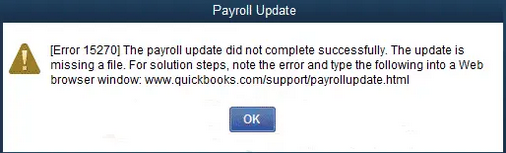
QuickBooks is a software that is commonly used by companies to handle finances, and as with every other software application, it is not devoid of errors. QuickBooks Error 15270 is one of the most widespread errors encountered by the users, and it is one of the series of update errors in 15xxx. This is the most common mistake that takes place when QuickBooks is unable to update its payroll, which interferes with the processing of payroll and adherence to tax regulations.
QuickBooks Error 15270 is an error which is caused by an update and which does not allow the user to install or download payroll updates. It is categorized under the 15xxx-series of errors, which usually get associated with the issues of installing updates to payroll or internet connectivity or system setup.
This mistake is normally caused by incomplete payroll updates, wrong program settings, or the problems with the QuickBooks update service. It might also happen when QuickBooks is not started in the administrator mode or when the update file is corrupted.
Error 15270 mostly appears when users attempt to install payroll updates, tax table updates or when they are updating QuickBooks desktop itself. It can also be unexpected when QuickBooks fails to update and the system collapses.
The error is usually displayed in a dialogue box with the message:
“Error 15270: The payroll update did not complete successfully. The update is missing a file.”
Preventing this error is crucial because it can halt payroll operations, cause compliance issues, and disrupt workflow. Regular updates, proper configuration, and correct system permissions help safeguard against recurrence, ensuring smooth payroll management and uninterrupted productivity.
Identifying the error becomes easy once you understand the basic signs and symptoms. You may be experiencing this error if:
There are a few factors leading to QuickBooks update error 15270:
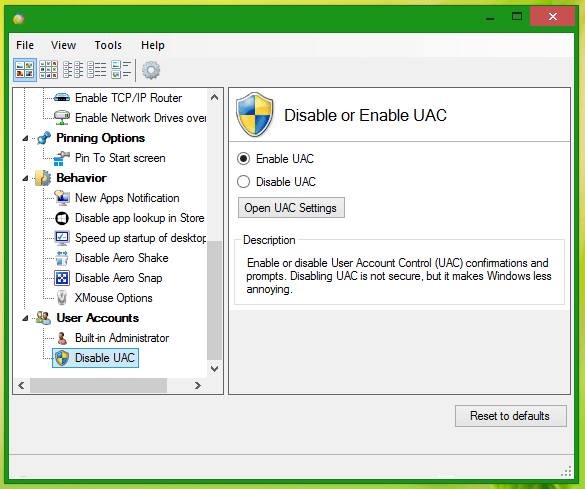
Sometimes UAC interferes with QuickBooks updates. Temporarily disabling it can help:
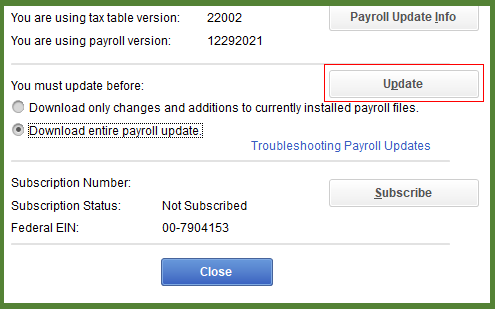
Manually updating QuickBooks often resolves the error:
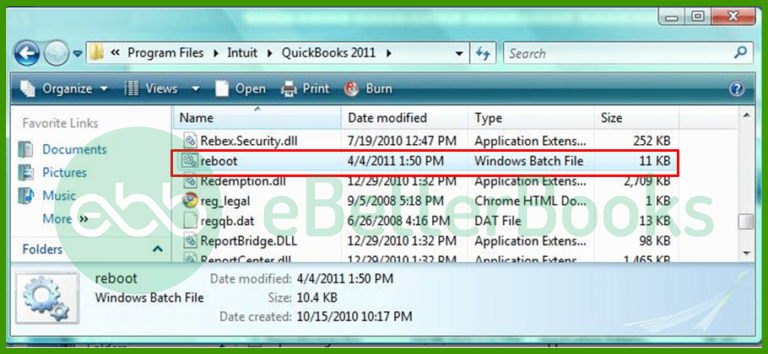
Running the reboot.bat file resets QuickBooks settings and can fix update issues:
QuickBooks Tool Hub helps fix common errors:
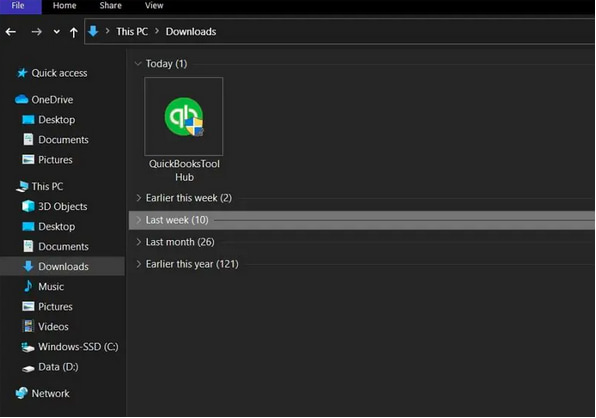
To avoid encountering QuickBooks Error 15270 in the future:
QuickBooks Error 15270 is not easy to troubleshoot until the right set of steps is put in place. It may be to disable UAC, manual updating of QuickBooks, running reboot.bat, or within QuickBooks Tool Hub, all these options may help to fix the situation. In case the issue continues, one may need to contact the people at QuickBooks to make sure that the payroll works without problems.
No if a payroll update fails (such as with Error 15270), running payroll or generating updated tax tables may be risky. Payroll updates often include the latest tax tables, forms, and compliance changes. Without applying them successfully, paychecks might use outdated tax rates or forms. Intuit’s support documentation emphasizes completing payroll updates properly before continuing payroll operations.
Yes, interference can recur if firewall, antivirus, or Windows permissions/settings are changed afterward. Official guidance for “15XXX” update errors (same category as 15270) lists misconfigured firewall or disabled system services (e.g. QuickBooks File Copy Service) among potential causes.
So, it’s good practice to occasionally verify security settings and permissions especially after OS updates or changes to system security software.
Yes, the 15xxx error series generally relates to issues encountered during the download or installation of QuickBooks and Payroll updates. Error 15270 is part of this group. Other commonly cited errors in this series include:
➜QuickBooks Error 15241: Update not completed successfully, often due to an incorrect service key or a locked payroll update file.
➜Error 15222/15215: Related to issues verifying the digital signature of the update file, often caused by security software or browser settings interfering with the secure download process.


