


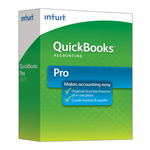
| Version: | Desktop 2014 (United States) 32-Bit |
| Size: | 541.1 MB – Version 2014 |
| Latest Update Release | Release 16(R16) |
| Update Size: | 863 MB |
QuickBooks Desktop 2014 was a major release from Intuit with improved speed, cleaner navigation, and enhanced reporting compared to the 2013 edition. Although Intuit has officially discontinued support for the 2014 version, many businesses still rely on it due to compatibility with their legacy company files and workflows. This guide explains everything you need to know about QuickBooks Desktop 2014 download, including available editions, country-specific versions, system requirements, installation, and alternatives.
Quick Navigation: 2011 | 2012 | 2013 | 2014 | 2015 | 2016 | 2017 | 2018 | 2019 | 2020 | 2021 | 2022 | 2023 | 2024
Steps to Download QuickBooks Desktop 2014 on Windows & Mac
1. Steps to Download QuickBooks Desktop 2014 for Windows
- Collect your license number and product code.
- Visit Intuit’s official downloads & updates page.
- Since 2014 is discontinued, search in the “Older Versions” or Archive section (if available).
- If unavailable, contact Intuit support or use the installation CD (if you purchased retail).
- Install and run the setup file, then activate using your license.
⚠ Note: Payroll updates and online services will not work with 2014.
2. Steps to Download QuickBooks Desktop 2014 for Mac
- QuickBooks for Mac 2014 was released separately from Windows editions.
- To install:
- Use your original download link or installation disk.
- If lost, request a replacement from Intuit (only possible if you still have license details).
- Install on macOS versions compatible with 2014 (OS X 10.7 – 10.9).
- Note that modern macOS (Monterey, Ventura, Sonoma) will not support QuickBooks Mac 2014.
| Edition | Best For | Key Features in 2014 | Country-Specific Notes |
|---|---|---|---|
| Pro 2014 | Small businesses | Invoicing, expense tracking, reporting, up to 3 users | Available USA, UK, Canada |
| Premier 2014 | Small to medium businesses | Industry-specific reports, forecasting, sales orders, up to 5 users | USA & Canada (industry editions: Contractor, Manufacturing, Nonprofit, Professional Services, Retail) |
| Accountant 2014 | Accounting professionals | Accountant’s toolbox, client data review, journal entries, reclassify transactions | Mainly USA & Canada |
| Enterprise 2014 | Large businesses | Advanced inventory, up to 30 users, enhanced reporting, customizable roles | USA, UK, Canada |
| POS 2014 | Retail stores | Sales, inventory management, barcode scanning, integrated payments | USA only |
| Mac 2014 | Small to medium businesses (Mac users) | Invoicing, bank reconciliation, expense tracking, basic payroll (limited) | USA only |
Download QuickBooks Desktop Pro 2014
Download QuickBooks Desktop Pro 2014 – United States Edition
| Items | Details |
|---|---|
| Product Name: | QuickBooks Desktop Pro 2014 (USA) |
| Version: | 2014 (United States) 32-bit |
| Size: | 541.1 MB |
| Latest Release: | Release 16(R16) |
| Update Size: | 863 MB |
| Download Link: | Download QuickBooks Desktop Pro 2014 USA Version |
Before downloading, make sure your system meets the: QuickBooks Desktop Pro 2014 System Requirements
Download QuickBooks Desktop Premier 2014
Download QuickBooks Desktop Premier 2014 – United States Edition
| Items | Details |
|---|---|
| Product Name: | QuickBooks Desktop Premier 2014 (USA) |
| Version: | 2014 (United States) 32-bit |
| Size: | 541.1 MB |
| Latest Release: | Release 16(R16) |
| Update Size: | 863 MB |
| Download Link: | Download QuickBooks Desktop Premier 2014 USA Version |
Before downloading, make sure your system meets the: QuickBooks Desktop Premier 2014 System Requirements
Download QuickBooks Desktop Accountant 2014
Download QuickBooks Desktop Accountant 2014 – United States Edition
| Items | Details |
|---|---|
| Product Name: | QuickBooks Desktop Accountant 2014 (USA) |
| Version: | 2014 (United States) 32-bit |
| Size: | 541.1 MB |
| Latest Release: | Release 16(R16) |
| Update Size: | 863 MB |
| Download Link: | Download QuickBooks Desktop Accountant 2014 USA Version |
Before downloading, make sure your system meets the: QuickBooks Desktop Accountant 2014 System Requirements
Download QuickBooks Desktop Enterprise 2014
Download QuickBooks Desktop Enterprise 2014 – United States Edition
| Items | Details |
|---|---|
| Product Name: | QuickBooks Desktop Enterprise 2014 (USA) |
| Version: | 14.0 (United States) 32-bit |
| Size: | 547.59 MB |
| Latest Release: | Release 16(R16) |
| Update Size: | 924 MB |
| Download Link: | Download QuickBooks Desktop Enterprise 2014 USA Version |
| Download Link: | Download QuickBooks Desktop Enterprise Accountant 2014 USA Version |
Before downloading, make sure your system meets the: QuickBooks Desktop Enterprise 2014 System Requirements
Download QuickBooks Desktop Mac 2014
Download QuickBooks Desktop Mac 2014 – United States Edition
| Items | Details |
|---|---|
| Product Name: | QuickBooks Desktop Mac 2014 (USA) |
| Version: | 2014 (United States) |
| Size: | 103.3 MB |
| Latest Release: | N/A |
| Update Size: | N/A |
| Download Link: | Download QuickBooks Desktop Mac 2014 USA Version |
Before downloading, make sure your system meets the: QuickBooks Desktop Mac 2014 System Requirements.
FAQs:
Is QuickBooks Desktop 2014 still supported by Intuit, and what services stopped working after the discontinuation date?
No, QuickBooks Desktop 2014 is not supported by Intuit. Intuit discontinued support for all 2014 versions (Pro, Premier, Enterprise, and Mac) on May 31, 2017.
This means that several critical services stopped functioning, including:
➜QuickBooks Desktop Payroll Service: Users cannot send payroll for processing, get updated tax calculations, or update forms.
➜Online Banking: Downloading transactions from financial institutions is no longer possible.
➜Live Technical Support: Intuit no longer provides live support or assistance for error messages related to this version.
➜Online Backup: Access to online backup services is discontinued.
What is the current operating system compatibility for QuickBooks 2014 on Windows and Mac?
Since QuickBooks 2014 is an older version, it may not be compatible with the latest versions of Windows (like Windows 10 or 11) or macOS (like Ventura or Sonoma). While it might function, performance can be unreliable. QuickBooks 2014 was generally designed to work best with systems available at that time, such as Windows 7/8/8.1 and older macOS versions (e.g., OS X Mavericks or Mountain Lion). Check the original system requirements document for guaranteed compatibility.
Can I use QuickBooks 2014 for payroll and tax filing, or does it pose a tax compliance risk?
No, using QuickBooks 2014 for payroll or tax filing is not recommended and poses a significant risk. Since the service was discontinued in 2017, the software cannot automatically download the correct payroll tax tables. This means that federal, state, and local tax calculations will be inaccurate, leading to incorrect paycheck withholding and potential penalties from tax authorities. Intuit no longer supports the filing of payroll tax returns or W-2s for the 2014 version.
If I reinstall QuickBooks 2014 using this download, will I lose my company data file?
No. Reinstalling the QuickBooks program does not affect your company data file (.QBW). Your data file is stored separately, usually in the Public Documents folder on your computer. However, it is always a critical best practice to create a current backup of your .QBW file before performing any major software installation or reinstallation.
Can I migrate my data from QuickBooks Desktop 2014 to QuickBooks Desktop 2024 or QuickBooks Online?
Yes. QuickBooks Desktop supports multi-version upgrading. You can install a newer supported version and upgrade the 2014 company file. QuickBooks Online also allows migration from QBDT 2014, though data limitations may apply (e.g., templates, audit trail, recurring transactions).
How can I retrieve my original QuickBooks 2014 license number and product code if I lost the physical packaging or original email?
You can retrieve your license information if you previously registered the product with Intuit.
The recommended methods are:
➜Intuit Account Management Portal (CAMPS): Sign in to your Customer Account Management Portal (CAMPS) using the email you used to register the product. Locate the Products and Services list to view the license and product number.
➜Within the Software: If the program is still installed on an old computer, open QuickBooks and press the F2 key (or Ctrl+1). The Product Information window will display the License Number and Product Number.
/h