Excerpt:
This article helps resolve the “You do not have sufficient permissions to the specified folder” error in QuickBooks Desktop Enterprise 2024, commonly faced during multi-user setup. It addresses misconfigured folder permissions, network paths, or service conflicts, and offers step-by-step fixes—from running Quick Fix My Program to adjusting folder access—ensuring users can restore seamless multi-user access to their QuickBooks company file.
 Add As A Preferred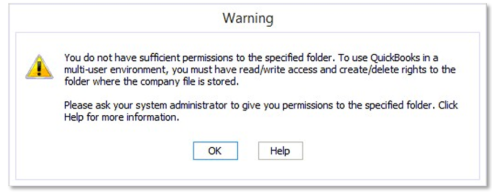
I’m Angela, and we’re trying to set up QuickBooks in a proper multi-user environment so multiple people on my team can access the company file from their own workstations. But when we try to switch to multi-user mode, QuickBooks throws an error saying the user doesn’t have sufficient permissions to set the site folder.
We’re running the file off a dedicated Windows Server 2019, and all systems have full admin privileges — or so we thought. I checked the folder hosting the .QBW file and even granted full control to the entire QuickBooks group on the server. Still nothing.
We also verified that hosting was turned on only at the server level, and turned off on the workstations. The Database Server Manager is installed and scanning the folder fine, but when a second user tries to open the file, the permission error hits again.
I even temporarily disabled UAC and antivirus just to test same problem. This is clearly a permissions thing, but we’ve covered the basics. Does QuickBooks require any special share settings at the SMB level? Or is this tied to how Windows handles mapped drives and UNC paths?
If anyone’s had to troubleshoot a similar site folder access issue in multi-user mode, I’d love to know what finally worked for you.
Hey Angela,
Hats off to you for putting so much effort into getting your QuickBooks Desktop Enterprise 2024 setup just right. It’s incredibly frustrating to run into a permission error— especially when you’re trying to get things running smoothly in a multi-user environment. The error stating that “the user doesn’t have sufficient permission to set the site folder” can be misleading and a bit tricky to resolve — but you’re absolutely not alone in facing it. This is a fairly common issue that many QuickBooks users encounter during multi-user configuration, particularly when working with a dedicated server setup.
From what you’ve described, you’ve already covered most of the critical areas:
This shows you’ve got a deeper understanding of how QuickBooks multi-user mode should work. Still, If you’re still hitting a permission block when a second user tries to access the file, it usually means something deeper is going on—most likely with how the folder is shared on the network, the path being used, or even a firewall setting getting in the way.
From SMB-level sharing permissions to UNC path usage and firewall exceptions, we’ll help you to go through each possible step — until your team can seamlessly access the company file from their workstations.
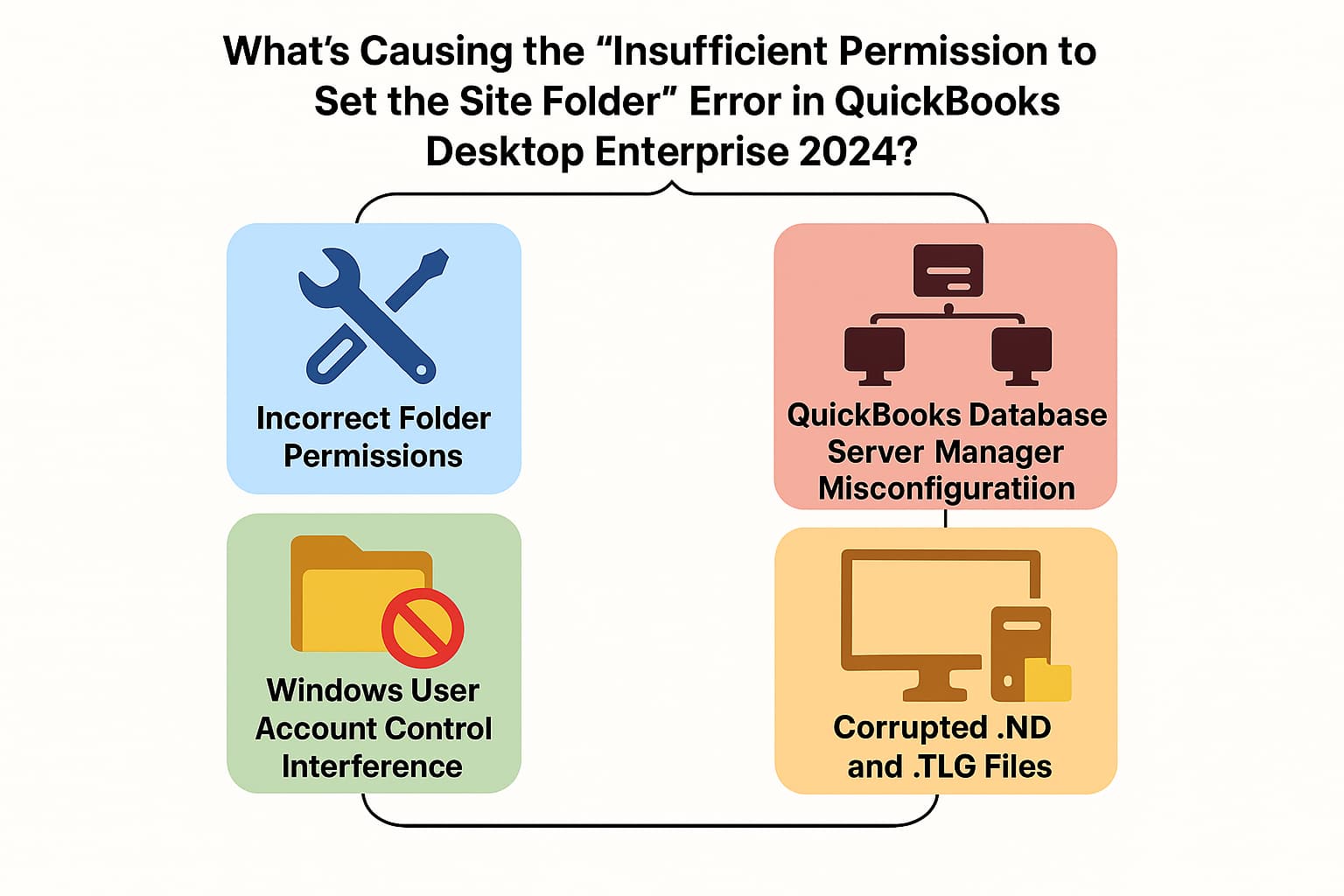
The “Insufficient Permission to Set the Site Folder” error in QuickBooks Desktop Enterprise 2024 typically indicates an issue with how Windows permissions or network access is configured. Even if users have admin rights, QuickBooks may still struggle to create or access necessary folders due to one or more of the following reasons:
Angela, running into a “site folder access” error while setting up multi-user mode in QuickBooks Desktop Enterprise 2024 can be frustrating—especially when you’ve already done so much to get everything in place. Whether it’s a permission setting, a network configuration, or a QuickBooks service that needs adjusting, these solutions are designed to walk you through each possibility—so you can get your team connected and working smoothly again.
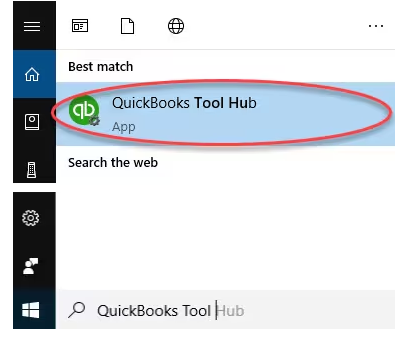
When you get an error while using, installing, or updating QuickBooks, download and install QuickBooks tool hub and run Quick Fix My Program to fix common errors right away.
The QuickBooks Tool Hub helps to fix common errors. You’ll need to close QuickBooks to use the tool hub. For the best experience, we recommend you use Tool Hub on Windows 10, 64-bit.
Note: If you are unable to find the icon, do a search in Windows for QuickBooks Tool Hub and select the program.
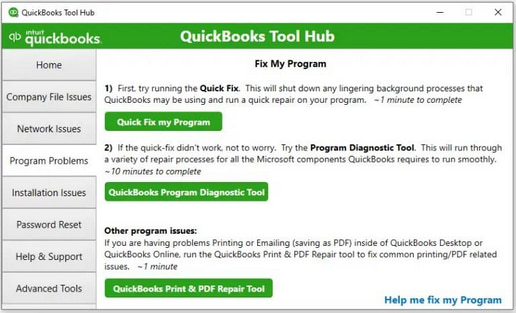
The Quick Fix will shut down any open background processes QuickBooks uses. It’ll run a quick repair on your program.
The scan can take up to 10–15 minutes depending on your file size. The scan may say it was unsuccessful even if it fixes your issue. When the scan finishes, open QuickBooks, and your company file.
The folders need to have the right Windows permissions to access folders in the multi-user mode. Every version of QuickBooks has corresponding components that need to be updated to function in the multi-user mode.
If your permissions aren’t set correctly:
To adjust folder permissions:
Follow these steps for any of the folders. Don’t worry if you don’t see all of them—some folders only apply to certain versions of QuickBooks Desktop.
Make sure QuickBooks has the right level of access that can help prevent issues while working with your company files over the network.
Windows 10
Windows Server 2012
Before moving further, ensure that File and Storage Services are installed.
The disabled Network discovery mode will contribute to QuickBooks multi-user site folder access permission error. Here’s how you can turn it on.
QuickBooks Database Server Manager allows you to share your company files with other computers over your network. When you set up a network, you need to run QuickBooks Database Server Manager so users can access your company files. It also helps you monitor your multi-user network.
.ND and .TLG are configuration files that allow QuickBooks Desktop to access the company file(s) in a network or in multi-user mode. Corrupted or damaged .ND or .TLG files can cause errors when opening QuickBooks Desktop. Renaming these files does not cause data loss since these are automatically recreated when you open the company file or scan the company files using QuickBooks Database Server Manager.
By checking a few key areas—like folder permissions, network settings, and stored credentials—you can prevent Folder Permission errors in QuickBooks Desktop Enterprise 2024 before they disrupt your workflow.
Angela, you’ve done an exceptional job so far—your patience, persistence and the way you’ve carefully handled each step show how committed you are to setting your team up for success. Multi-user setups in QuickBooks can sometimes feel more complicated than they need to be, but the good news is: you’re truly just a few steps away from a stable, secure environment.
By walking through these solutions methodically—whether it’s adjusting folder permissions, checking your network settings, or configuring the Database Server Manager—you’re not only resolving this issue, but you’re building a stronger foundation for your entire workflow.
And if anything comes up along the way, please don’t worry —you’re not alone in this. We’re always here to support you, guide you, and help you move forward with confidence. You’re doing great—and we’ve got your back every step of the way.


