Excerpt:
The QuickBooks Desktop login error, often manifesting as "User ID Admin is already logged in," is a critical interruption frequently caused by phantom user sessions, network conflicts, or damaged program files. This issue predominantly affects the Administrator user in multi-user environments following improper shutdowns or system crashes. Resolving this requires a systematic approach, commencing with eliminating residual background processes in Windows Task Manager , specifically those prefixed with "QB." The process escalates to using Intuit’s official diagnostic and repair applications, particularly the QuickBooks Tool Hub and its Quick Fix My Program utility, to mend core program components. If file corruption or hosting issues are suspected, administrators must restart the server hosting the company file and consider restoring a recent data backup. Finally, for password or user profile specific issues, the built-in password reset feature or the highly secure Automated Password Reset Tool from Intuit should be used, ensuring timely access to critical financial data and minimizing workflow disruption.
 Add As A Preferred
Highlights (Key Facts & Solutions)
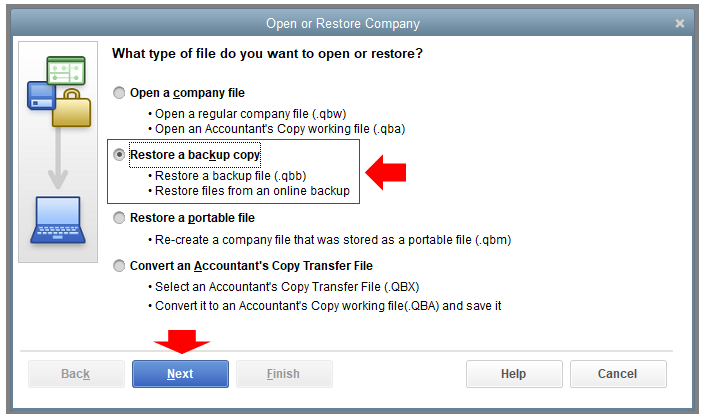
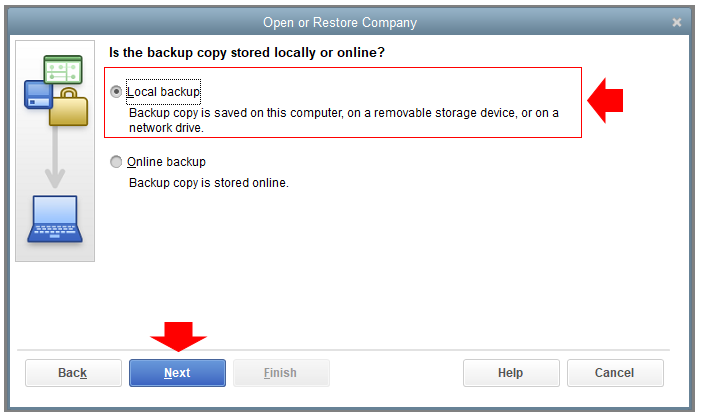
.qbb file). This step replaces potentially corrupted company data, though it will result in the loss of data entered since the backup was created.Overview
QuickBooks Desktop users may encounter the error message: “Due to a user being logged into the company file, the attempt to log in with the username has failed. Try a different username.” Alternatively, it may state: “This company file shows a message saying that User ID Admin is already logged in.”
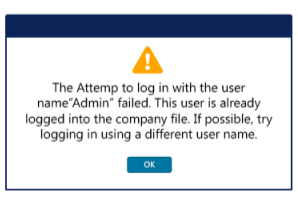
Admin users are usually the most affected since they have complete control over QuickBooks. Other types of users, such as Standard, Accountant, and Restricted users, may also face restricted access problems. This guide provides information and actions to adhere to in order to solve the problem properly.
QuickBooks Error: “The attempt to log in with the username failed” typically occurs when users face issues logging into their QuickBooks account. Several factors can cause this error:
| Solutions |
| 1. Close QuickBooks and related services from “Task Manager,” and then restart the hosting server and reset the password. |
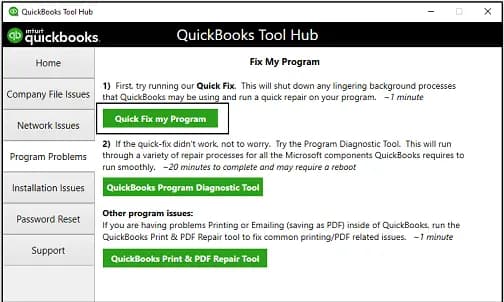
| 2. Run “QuickFix My Program” from QuickBooks Tool Hub. |
| 3. Restore your Company File to resolve login issues. |
| 4. Log in as a different user and try to reset the login admin password in QuickBooks Desktop. |
| 5. Restart both QuickBooks Desktop Server and your Company File to resolve access issues. |
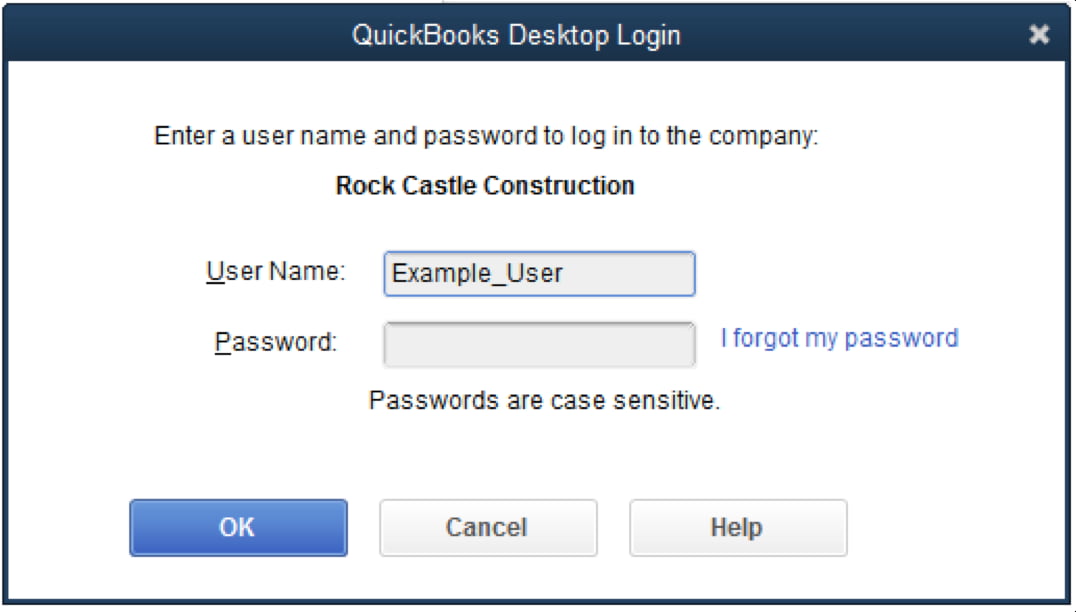
The “Attempt to Log in with Username Failed” error in QuickBooks can disrupt access to your company file. It is typically caused by multiple active sessions, simultaneous logins from different computers, or network-related issues.
Resolving this error involves ensuring only one session is active at a time and addressing any underlying network problems.
By following the appropriate troubleshooting steps, you can quickly regain access and prevent future login issues.
A “phantom user” session is a common issue where a residual QuickBooks process remains running in the background after an unexpected closure or crash. The QuickBooks Database Server mistakenly recognizes this lingering process as an active user, blocking others from logging into the company file.
To ensure the session is completely cleared, the most direct method is using the Windows Task Manager:
Ending these specific processes forces the program to relinquish its connection to the company file.
When the company file is hosted on a server, the administrator must confirm the server is properly managing the database access, as multi-user conflicts often arise from network or hosting misconfigurations.
The server administrator should take these steps:
Firewalls and antivirus programs are a leading cause of multi-user login failures because they can block the network ports QuickBooks needs to communicate with the company file.
To confirm and resolve interference:
Both tools are accessed through the QuickBooks Tool Hub, but they target different types of problems:
Recommendation: For an already logged in error, start with the Quick Fix My Program. If that fails, move to the QuickBooks File Doctor to check for underlying company file or network damage.
If you cannot log in and the standard “I forgot my password” link on the login screen is failing, the official Automated Password Reset Tool provided by Intuit is the most secure recovery option for the QuickBooks Desktop Admin password.
The process is highly secure and requires validation against your registration records:
Restoring a backup file (a file with a .qbb extension) replaces the currently damaged or corrupted company file with the data exactly as it was at the moment the backup was created.
The potential data loss is quantified as:
This risk underscores the critical need for Automated Daily Backups to minimize any potential data loss window to less than 24 hours.
For multi-user access to function correctly, two key Windows services must be running on the computer or server hosting the company file:
To verify their status:


