Excerpt:
QuickBooks Payroll Error PS060 disrupts payroll functions due to expired subscriptions or connectivity issues. This article provides solutions such as verifying billing information, ensuring server accessibility, troubleshooting third-party software interference, and utilizing QuickBooks diagnostic tools. By following these steps, users can restore payroll functionality and prevent interruptions in service.
 Add As A Preferred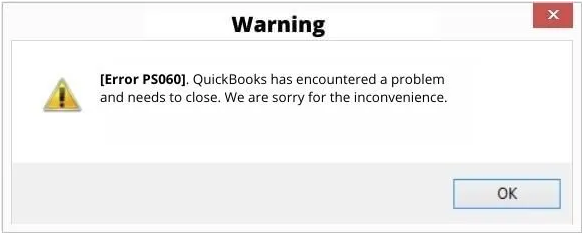
QuickBooks Error Ps060 is related to payroll subscriptions, often resulting from expired subscriptions or internet connectivity problems. While there could be multiple causes for the PS060 error, it typically arises due to these two specific reasons. This error is encountered by users while updating or using QB payroll.
The users will see the following error message on their screen when facing QuickBooks Payroll Error Ps060:
“Current Enhanced Payroll Service is Unavailable”
OR
“payroll service is currently unavailable.”
OR
“QuickBooks has encountered a problem and needs to close. We are sorry for the inconvenience.”
The QuickBooks Payroll Error Ps060 issue interferes with the functioning of payroll and even of complete QuickBooks software. Leading to the point where the users can’t access QuickBooks until the Payroll issues are resolved.
PS060 appears during payroll updates in QuickBooks Desktop. The screen shows the message “Current Enhanced Payroll Service is Unavailable,” and the error blocks payroll features such as paycheck processing and tax table updates.
Before moving forward with the troubleshooting steps, it’s important to consider the following points:
When facing QuickBooks Payroll Error PS060, a user will come across the following instances:
Errors like QB PS060 often occur when third-party software such as antivirus and firewall block certain QuickBooks features from running smoothly.
Third-party programs or software interfere with QuickBooks by blocking necessary permissions, thereby affecting its performance. In such cases, users need to troubleshoot the antivirus and firewall settings and make QuickBooks compatible with other third-party software.
Add the QuickBooks software as an exception in the firewall ports and managing related settings can help avoid such issues.
Temporarily turn off Windows Defender and restart your system after doing the above. Check and verify if the error has been resolved or not.
Before starting to fix the QuickBooks Payroll Error PS060, consider implementing the following precautionary steps:
The following are various solutions you can utilize to deal with the QuickBooks Payroll Error PS060:
In case the error is due to an issue with Intuit’s server, your only option is to patiently wait until the server is up and running again.
You can also contact the server authorities and get an estimate as to when the server will be back and running.
Launch Internet Explorer and attempt to visit a secure website to verify that your browser is functioning correctly. If not, reset/restore browser settings and configure internet settings.
The QuickBooks payroll Error PS060 can also appear due to another program running on your computer that’s interfering with QuickBooks. You’ll need to terminate these programs.
To accomplish this through the Windows Task Manager, complete the following steps:
To clear all IE temp and chase files, complete the following steps:
If you’re using an antivirus program on your computer, you can temporarily disable it.
To accomplish this, follow the following instructions:
In case you are using a third-party antivirus software. Launch the antivirus application and navigate to the settings tab in that particular software. Locate and turn on the option to temporarily disable the antivirus.
Check if your software is registered in the Product Information window. This way, you’ll know that you have the most recent security and software updates.
Note: If you’re using an antivirus program on your computer, consider to disable it temporarily.
To verify that your service information is accurate and your software is registered, complete the following steps:
Now, launch QuickBooks and check if the error has been solved or not.
Launch QuickBooks to check. If the same payroll update error still persists, consider other methods.
To repair QuickBooks Desktop using Tool Hub, the user first needs to download the QuickBooks Tool Hub.
Then complete the following steps to ensure that the QuickBooks Payroll Error Ps060 is rectified:
Once done, run QuickBooks payroll to see if the issue is resolved or not.
You can check your subscription status directly through the Customer Account Maintenance Portal (CAMPs) on the Intuit website. Sign in with the email used to register your QuickBooks Desktop product. Navigate to the Products & Services list to view your payroll subscription details, status (Active/Inactive), and your next renewal date. You can also sometimes view this under Employees➜ My Payroll Service ➜ Account/Billing Information within QuickBooks Desktop itself (requires admin sign-in).
If your QuickBooks Payroll subscription expires, you lose access to core functions like processing new paychecks, calculating taxes, and direct deposits. However, your historical data (past paychecks, employee records, payroll reports, and tax forms like W-2s and 941s) remains accessible in a read-only format within your QuickBooks company file. You cannot make changes or process new payroll until the subscription is reactivated.
➜Updating QuickBooks Desktop (via Help ➜ Update QuickBooks Desktop) updates the software program itself with new features, bug fixes, and security patches.
➜Updating the Payroll Tax Table (via Employees ➜ Get Payroll Updates) downloads the latest federal and state tax rates, formulas, and withholding information. Both are required for PS060-related tasks (like updating) to work correctly, but they are separate processes. Your subscription must be active to download the latest tax table.
Yes, typically, PS060 affects payroll‑specific functionality (subscription verification, payroll updates, tax table downloads). Other accounting, bookkeeping, invoicing, or non‑payroll features of QuickBooks Desktop should continue to work, as PS060 doesn’t inherently corrupt your data or block core accounting modules. Many users report that only payroll operations fail when the subscription or service link is invalid.
Updating billing/payment information or renewing your payroll subscription can often resolve PS060 fairly quickly. According to community guidance from QuickBooks support, once you update the payment method under Product & Services → Billing Information, and then attempt to download payroll updates again, the service reconnects and the error disappears.
However, if Intuit’s servers were down or undergoing maintenance, the fix could be delayed until services are restored — so it’s prudent to retry after some time if the error persists.


