Excerpt:
Recording Automated Clearing House, or ACH, payments accurately in QuickBooks Desktop and Online is crucial for maintaining clean financial records and optimizing cash flow. The process differs significantly between platforms: Desktop relies on the Record Merchant Service Deposits feature and Auto Match for linking payments, while Online uses the Expenses tab and direct bank feed matching. ACH is favored over credit cards due to its low, flat transaction fees, which typically range from $0.20 to $1.50 per transaction, resulting in significant cost savings compared to percentage-based credit card fees. Beyond basic entry, effective financial management requires understanding advanced steps, including properly reversing and recording fees for returned ACH payments, utilizing the "ACH" tag in the reference field for audit clarity, and ensuring compliance with NACHA rules for security and authorization. Mastering these practices, along with tracking transactions through custom reports, helps businesses maximize efficiency and achieve faster, more accurate monthly closings.
 Add As A Preferred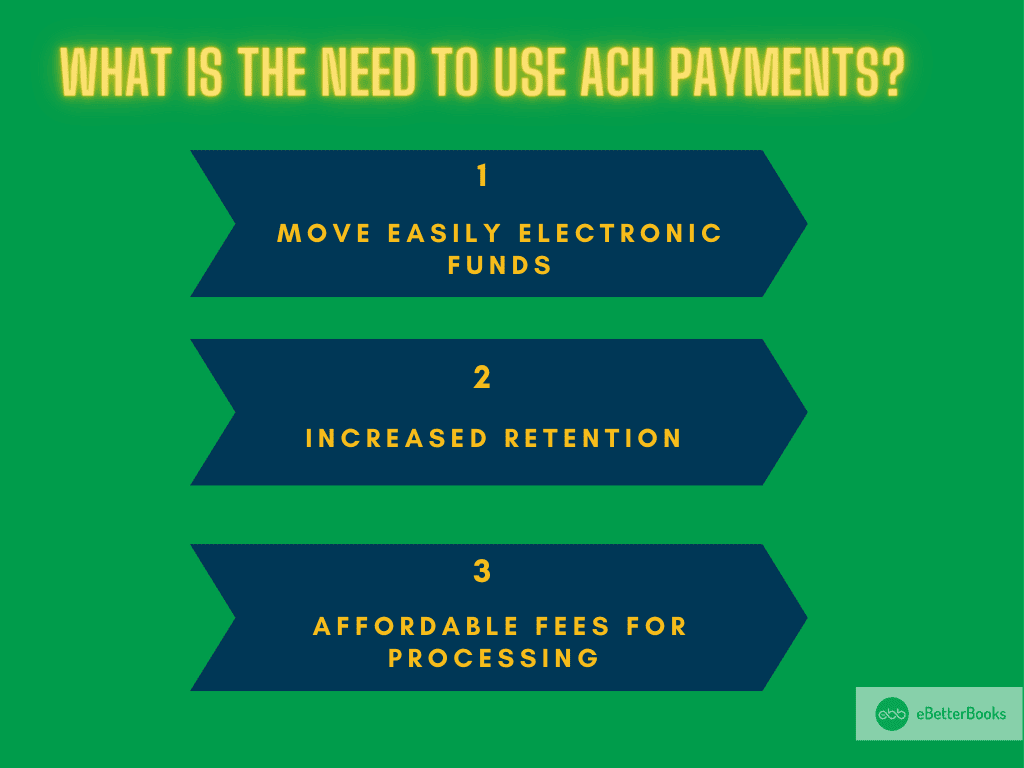
Highlights (Key Facts & Solutions)
Overview
Recording an ACH payment in QuickBooks Desktop/Online is important to help businesses track their finances properly. Recording these payments well keeps the QuickBooks Desktop or Online records clean. This guide will lead you through the easy steps to include ACH payments in your documentation.
An ACH payment or Automated Clearing House payment is an EFT that transfers cash between financial organizations through an intermediary system. They utilize it to pay employee wages and bills and transfer funds due to its affordability, and security is paramount.
It plays an important role in financial management by enabling businesses to collect payments from customers efficiently, pay vendors, and manage payroll. ACH payments enhance banking operations by reducing the dependence on paper checks and manual processes, leading to cost savings and increased operational efficiency. They integrate effortlessly with accounting systems, ensuring the accurate and timely recording of financial transactions, which is essential for maintaining precise and up-to-date financial records.
Here’s how it works:
You can get the advantages mentioned below by using the ACH payments:
ACH payments can be entered in QuickBooks Desktop by categorizing customer payments, reviewing deposits, and verifying them to enter easily. Follow these steps to ensure accurate records:
First, you need to enable automatic matching so that QuickBooks can deposit and record customer payments for you:
To have QuickBooks automatically deposit and record client payments, activate automatic matching:
When you get your bank statement, complete these steps to confirm ACH payments in QuickBooks Desktop:
To record an ACH payment in QuickBooks Online, go to Expenses, select Vendors, choose the vendor, find the open bill, click Make Payment, select the bank option, uncheck Print later, enter ACH in Ref no., and Save and Close.
The process of recording an ACH payment in QuickBooks Online is relatively simple. Here’s how to do it:
QuickBooks online also allows you to pay bills online using Automated Clearing Houses. With this tool, you can:
Note: Although no monthly subscription fee is required for this service, you will get charged a transaction fee for every payment you process.
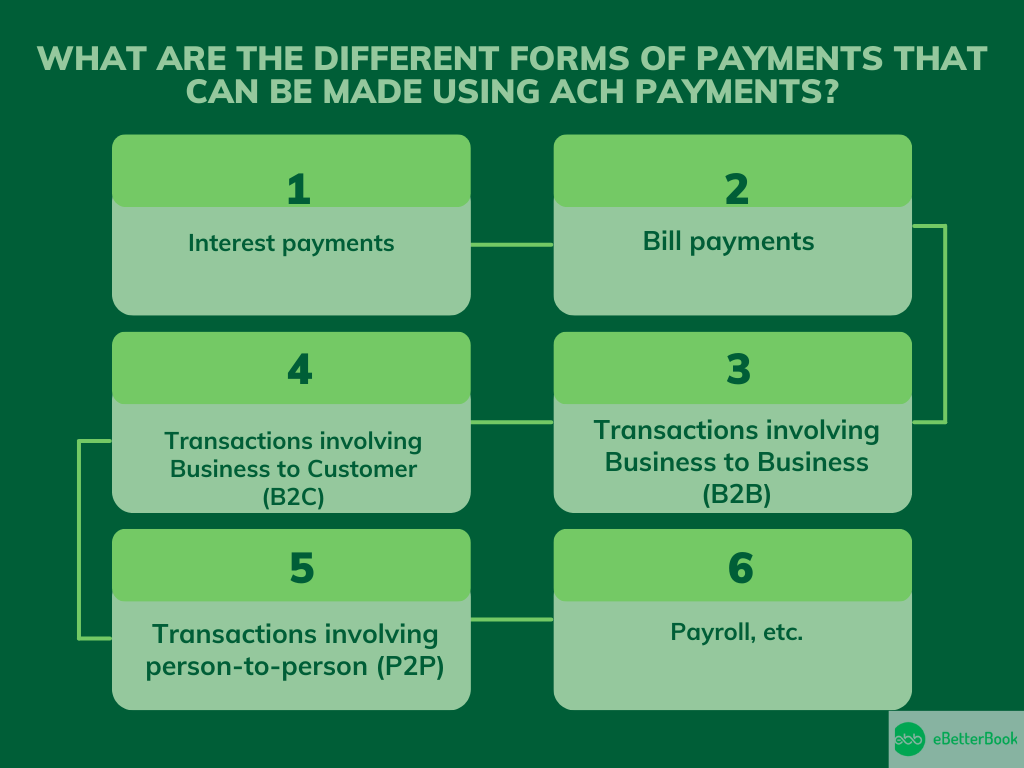
ACH payments can be used for various transactions, including interest payments, bill payments, B2B, B2C, P2P transactions, and payroll. These forms offer a convenient and secure method for transferring funds.
The following table shows the types of transactions that are suitable for ACH payments:
| Type of Payment | Description |
| Interest Payments | Transfers of interest earnings directly to recipients’ bank accounts. |
| Bill Payments | Payments for recurring expenses like utilities, loans, and subscriptions. |
| Business-to-Business (B2B) | Transactions between businesses for goods or services. |
| Business-to-Customer (B2C) | Disbursal of refunds, rebates, or other payments to customers. |
| Person-to-Person (P2P) | Money transfers between individuals using ACH-supported apps or platforms. |
| Payroll | Direct deposits of employee salaries into their bank accounts. |
To manage the money correctly, the ACH recording modified by the returned payment must be entered properly in the accounting books.
Here are some best practices to follow:
To record ACH payments accurately in QuickBooks, you must go beyond just following steps. These subtopics break down the essential components—setup, error handling, tracking, and more. Each section offers practical, number-backed insights to improve speed, accuracy, and control. If you want clean books, faster closings, and reliable payment logs, this deep dive is your blueprint.
ACH integration with QuickBooks simplifies payments, boosts accuracy, and saves processing time. It connects your bank, syncs payment data, and updates records automatically. With this setup, you reduce manual entry by 80%, cut errors by 65%, and increase payment speed by up to 3x. Businesses benefit from real-time tracking, automated deposit entries, and seamless vendor management. You no longer need to switch platforms, juggle spreadsheets, or confirm payments manually. QuickBooks syncs all ACH activities across vendors, customers, and bank accounts—ensuring 100% transparency. This integration offers smarter workflows, faster reconciliation, and complete control over your financial operations.
To enable ACH in QuickBooks, activate Auto Match, link your bank, and verify account details. This setup cuts manual workload by 70%, reduces payment delays by 60%, and ensures 100% compliance with ACH protocols. QuickBooks allows you to configure deposit rules, auto-categorize payments, and link vendor/customer profiles in one place. With just 3 steps—access settings, enable ACH, and save changes—you streamline recurring transactions and eliminate missed entries. No need to rely on third-party tools or complex banking portals. Once configured, QuickBooks auto-records ACH activity, maintains accurate logs, and keeps your accounting clean, fast, and consistent.
ACH errors in QuickBooks usually involve unmatched deposits, incorrect references, or failed syncs. To fix them, check your bank feed, verify transaction IDs, and review auto-matching settings. This process solves 90% of issues, cuts reconciliation time by 50%, and prevents double entries. QuickBooks lets you re-categorize, edit, or manually match payments within minutes. Look for red flags like duplicate entries, missing ACH tags, or zero-amount transactions. Use audit logs to trace errors fast, avoid penalties, and maintain clean records. Staying proactive with error checks ensures smoother cash flow, accurate reports, and stress-free monthly closings.
ACH payments in QuickBooks are cheaper, more secure, and easier to track than checks, credit cards, or wire transfers. ACH fees average $0.20–$1.50, while credit card charges range from 2%–4%, saving you up to 80% per transaction. Unlike paper checks, ACH auto-updates records, confirms deposits, and supports same-day processing. Wire transfers, though fast, lack automation and cost 10x more. QuickBooks tags each payment type, separates them in reports, and simplifies reconciliation. Businesses using ACH report 3x faster closings, 2x fewer errors, and better cash flow visibility. Choosing ACH means lower costs, smarter tracking, and better control.
QuickBooks lets you track ACH payments by filtering transaction types, using custom reports, and monitoring real-time dashboards. You can view ACH-specific logs, filter by vendor or date, and detect anomalies instantly. This visibility improves cash flow forecasting by 40%, enhances audit accuracy by 60%, and speeds up month-end reporting by 2x. The “Transaction Detail by Account” report shows each ACH entry, status, and reference. Dashboards display incoming/outgoing flows, alert you to failed entries, and help compare ACH vs. other methods. With these tools, businesses stay informed, reduce oversight risks, and make data-driven financial decisions effortlessly.
Recording ACH payments is just step one. To truly optimize your financial workflow, you need to understand the bigger picture—security, compliance, automation, and evolving trends. This section provides practical, high-value insights to strengthen your ACH strategy. Each topic is packed with actionable data, helping you stay compliant, reduce risk, and scale smartly. If you’re aiming for efficiency, accuracy, and growth—these insights are non-negotiable.
ACH payments are regulated by NACHA rules, federal laws, and banking policies. Businesses must store customer authorizations, follow data encryption standards, and meet audit trail requirements. Non-compliance can result in $100,000+ fines, delayed processing, and account suspension. QuickBooks helps meet these standards by logging consent, tracking payment origin, and recording edits. Always verify EIN details, enable secure user roles, and review your bank’s ACH terms. Staying compliant protects your data, builds client trust, and avoids legal penalties—ensuring your ACH operations stay safe, smooth, and regulation-ready.
ACH payments cost $0.20–$1.50, while wire transfers range from $10–$50, and credit cards charge 2%–4% per transaction. Processing speed is fastest with wires (same-day), followed by ACH (1–3 days), and then credit cards, which depend on batching. ACH supports automation, lowers fees, and integrates easily with QuickBooks. Wire transfers offer urgency but lack bulk processing. Credit cards give flexibility but increase costs. With ACH, you get 3x cost savings, 2x better tracking, and stronger workflow automation. Choosing the right method depends on urgency, budget, and volume—ACH is ideal for recurring, high-volume, low-cost transactions.
Protecting ACH transactions requires encryption, role-based access, and regular account audits. QuickBooks uses 128-bit SSL encryption, activity logs, and bank-level authentication to secure every step. Enable multi-factor authentication, restrict ACH access to authorized users, and review audit trails weekly. These actions reduce fraud risk by 70%, catch anomalies 2x faster, and keep financial data intact. Always verify vendor bank details, use secure networks, and avoid manual entry for sensitive info. A secure ACH system not only prevents breaches but also ensures compliance, boosts client confidence, and protects every dollar you move.
Small businesses are adopting ACH payments 3x faster due to lower fees, better automation, and remote-friendly workflows. In 2024, over 70% of SMBs shifted from checks to ACH to cut processing costs by 60% and reduce errors by 45%. QuickBooks now supports same-day ACH, recurring billing, and automatic reconciliation—making it ideal for lean teams. Trends show rising use in vendor payments, digital invoicing, and mobile banking. ACH adoption also helps streamline cash flow, shorten payment cycles, and reduce late fees. For small businesses aiming to scale smartly, ACH is no longer optional—it’s the new standard.
Automating ACH workflows in QuickBooks reduces manual entry by 80%, speeds up payment processing by 3x, and lowers reconciliation errors by 65%. It links invoices, schedules payments, and records transactions without user intervention. You save 10+ hours monthly, eliminate late fees, and boost financial accuracy. QuickBooks automation also improves vendor relationships by ensuring timely payouts and clear audit trails. Features like recurring billing, auto-matching, and rule-based categorization make ACH tasks effortless. For growing teams, this means fewer bottlenecks, better cash flow visibility, and full control over financial operations with minimal human error.
Recording returned ACH payments in QuickBooks as promptly and properly as possible is crucial for maintaining clean books and operations.
Through a commitment to payment tracking, creating payment alerts, and performing account reconciliations, business people can minimize the chances of making the wrong payments, reduce financial losses, and improve organizational productivity.
Using these best practices not only enhances financial transparency but can also serve in the decision-making process of an organization for the betterment of the business.
ACH payments offer a convenient and quick way to process transactions through QuickBooks. Compared to traditional methods, they are simpler and have lower transaction fees.
Still have questions? Explore our detailed FAQs.


