Excerpt:
Efficiently recording interest income in QuickBooks ensures accurate financial records, compliance with tax regulations, and informed decision-making. By categorizing interest from various sources like bank accounts and investments, businesses can track earnings, improve financial management, and streamline reporting. Following step-by-step instructions for both QuickBooks Desktop and Online allows businesses to maintain clarity and consistency, while best practices like frequent reconciliation and tracking interest rates further optimize income management.
 Add As A Preferred

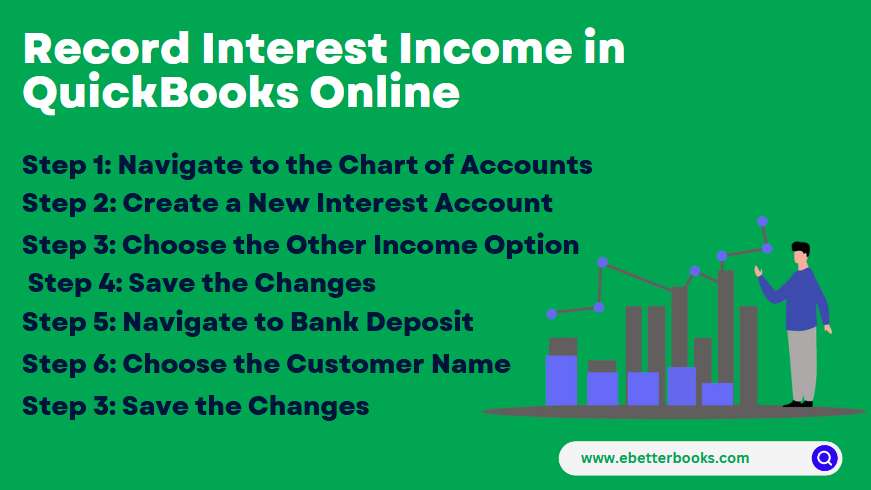
Recording interest income accurately is vital for maintaining precise financial records and ensuring tax compliance, as this income stems from non-core activities like bank accounts or investments. This guide provides step-by-step instructions for classifying and tracking these earnings efficiently within both QuickBooks Desktop and QuickBooks Online environments. The essential practice involves setting up interest earnings under an “Other Income” account, differentiating it from primary business revenue.
Whether utilizing the “Make Deposits” feature in Desktop or handling transactions during bank reconciliation in Online, proper categorization ensures accurate measurement of interest income, which is foundational for sound financial decision-making and minimizing discrepancies during annual tax reporting.
Highlights (Key Facts & Solutions)
In Accounting, interest income is usually taxable income that refers to the money earned by an individual or business from lending funds. This can be through depositing money in a bank account, purchasing certificates of deposit, or earning interest on loans provided by the business.

In QuickBooks Desktop or Online, you can easily record interest income using the Bank Deposit feature. This helps track interest earned from savings accounts, investments, or loans your business has made.
There are two ways to record interest income in QuickBooks:
Both options ensure that your interest earnings are accurately reflected in your financial records.
Interest income typically falls into three main categories: Bank Interest Income, Investment Interest Income, and Other Income. Here’s a brief explanation of each:
1. Bank Interest Income
This refers to the interest earned on deposits held in savings accounts at banks or other financial institutions. It’s the income you receive as interest on your money that is stored in these accounts over time.
2. Investment Interest Income
This is the income generated from various investment activities, such as dividends, interest from stocks, bonds, certificates of deposit or other securities. It requires accurate tracking and calculation, often managed through financial software.
3. Other Income
This category includes interest from various other sources like mutual funds, bonds, or other interest-bearing assets. It’s essentially any interest income that doesn’t fall into the first two categories.
To record interest income in QuickBooks Desktop, use the Make Deposits feature.
Go to Banking > Make Deposits, create a new interest account, enter details, select the bank account, and save.

Follow the mentioned steps below to record interest income:
Step 1: Navigate to Make Deposit
Sep 2: Create a New Interest Account
Step 3: Select the Add New Option
Step 4: Click the Other Account Types Option
Sep 5: Enter the Name of the Bank
Step 6: Choose the Bank Account
Step 7: Enter the Received Amount
Step 8: Enter the Received Amount
Step 9: Save the Changes
By following these simple steps, you can effectively track and record the interest you earned from income in QuickBooks Desktop.
To record interest income in QuickBooks Online, create an interest account under Chart of Accounts as “Other Income.” Then, use the Bank Deposit feature: select + New > Bank Deposit, choose the customer, and enter the details. Save to complete the process.
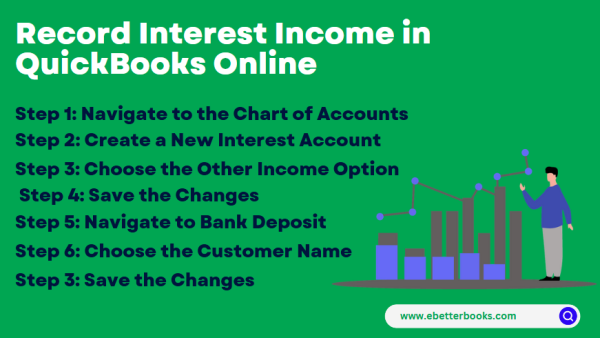
Following the step-by-step information below:
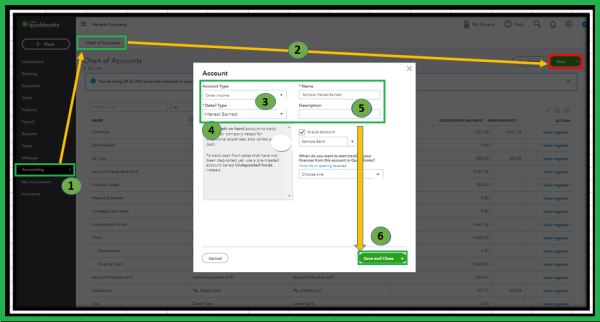
Step 1: Navigate to the Chart of Accounts
Step 2: Create a New Interest Account
Step 3: Choose the Other Income Option
Note: The “Interest earned” option in QuickBooks Online (QBO) is available only when bank accounts are not connected to online banking. Since both your checking and savings accounts are already linked, the option no longer appears during reconciliation.
Step 4: Save the Changes
Once done, Follow the steps mentioned below to create and record a bank deposit:
Step 5: Navigate to +New Option
Step 6: Navigate to Bank Deposit
Step 7: Choose the Customer Name
Step 8: Save the Changes
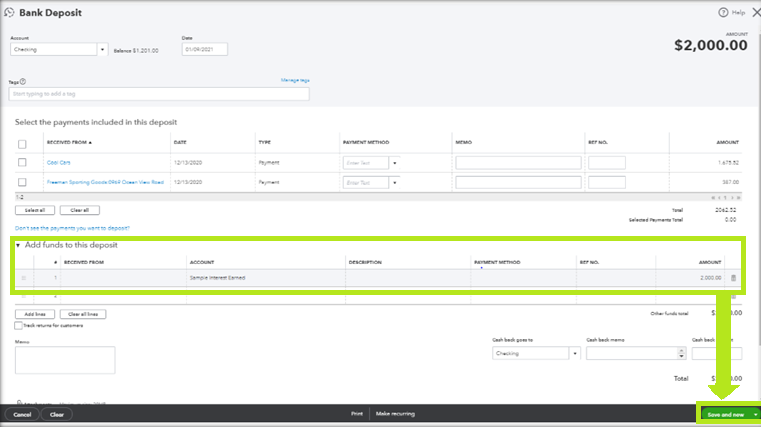
Note: From the Dashboard, you can see that the Deposit was previously recorded in the bank account.
Note: These above steps also work for tracking the interest earned for your Savings account. You can follow these steps:
The manage interest income in QuickBooks effectively, reconcile accounts frequently, track interest rates, and adjust categorization rules. This ensures accurate reporting, optimal income recognition, and efficient financial management.
Consider the following points below to manage interest income in QuickBooks:
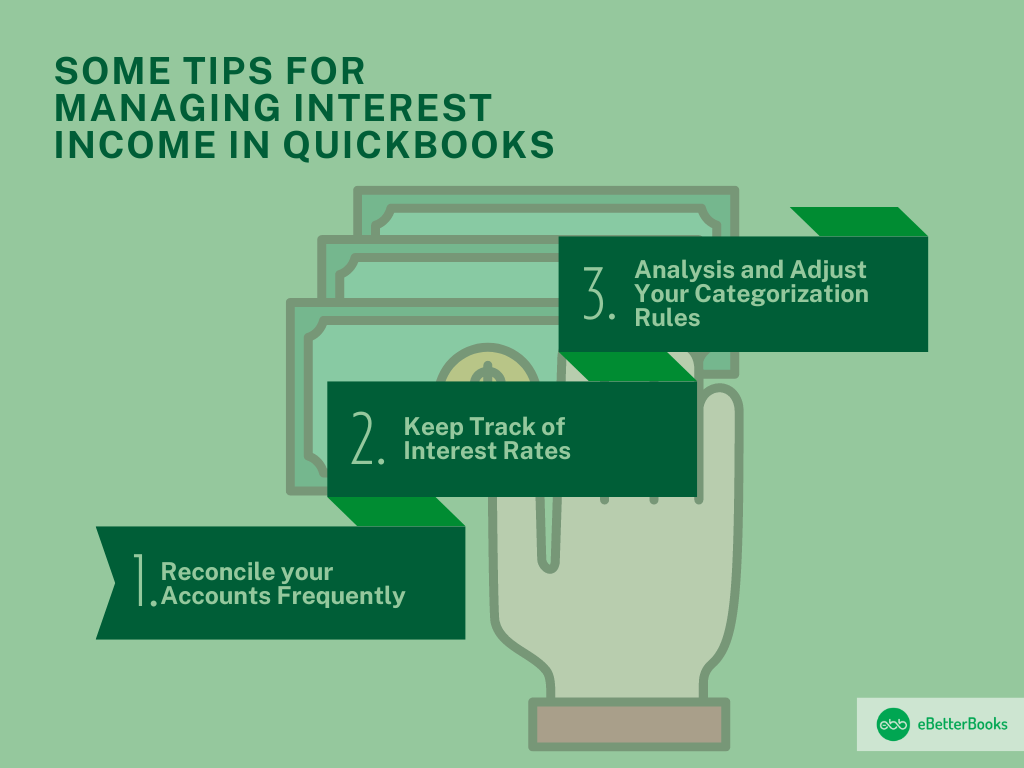
Account reconciliation is the process of comparing monthly statements with the recorded accounts and then reconciling any difference that may exist.
This process:
When done often, it is easier to update the accounts and deal with any changes that occur in the economy.
It is also important to constantly check the interest rates in order to control it and report income statements from interests properly.
QuickBooks allows businesses to:
Such adjustments secure financial credibility with respect to interest rates and prevent possible inaccurate entries in the accounts.
This shows that it is helpful to periodically review and update the rules for categorization in order to improve the efficiency of interest income management.
This approach:
By continuing to make consistent categorization and adjustments, the existing economic likelihoods for business increase the reliability of the existing economic records and the existing financial management.
Recording interest income in QuickBooks is crucial for correct bookkeeping and financial management. This process involves categorizing income connected to investment activities or interest earned from bank accounts.
The Bottom Line
Adopting these best practices in QuickBooks leads to thorough management of interest income, which achieves developmental financial control. Recording interest income in QuickBooks is crucial for correct bookkeeping and financial management. This process involves categorizing income connected to investment activities or interest earned from bank accounts.
You should categorize interest income as an Other Income account because it represents money earned from non-core business activities, like savings accounts or investments. Regular Income accounts track revenue from your primary business operations (e.g., sales of goods or services). Correct categorization is essential for accurate financial reporting, as it ensures your Gross Profit (a key performance indicator) is not inflated by non-operating earnings.
No, you should not use the Make Deposits feature if you are recording the interest directly during the reconciliation process. If the interest appears on your bank statement and you select it as a clearing transaction in the reconciliation screen, QuickBooks automatically creates the necessary journal entry. Recording it separately via Make Deposits would result in the income being counted twice, causing your bank balance to be overstated.
This is normal and actually simplifies the process. If your bank is linked, QuickBooks Online is designed to suggest the correct category automatically when reviewing transactions on the Banking tab. When you see the interest deposit, you should select Categorize and choose the pre-existing Interest Earned (or Other Income) account. The manual deposit steps outlined in the article are only necessary when bank feeds are not connected.
The main reason to track rates is for verification and planning. You can create a monthly reminder to check your current rate against the total interest earned in QuickBooks. Most importantly, you should use the bank’s year-end Form 1099-INT to reconcile the total interest income reported to the IRS with the total recorded in your QuickBooks Other Income account. Any discrepancy must be investigated and corrected before tax filing.
When lending money and charging interest to a customer, you should typically record the interest using an Invoice. First, set up the loan principal as an Other Current Asset. The interest charged should be recorded as a service line item on the invoice, categorized to your Other Income or a specific Loan Interest Income account. This ensures the income is tied to the customer’s record and tracks what they owe you.
While both are non-operating income, best practice is to separate them. Create a sub-account under Other Income for Interest Earned (for bank interest) and a separate sub-account for Dividend Income (for investment income). This level of detail enhances the transparency and accuracy of your financial reports, which is crucial for decision-makers and tax preparers who need to know the specific source of non-operating funds.
The biggest mistake is creating a rule that automatically categorizes all bank deposits into the Interest Earned account based only on the description. This could incorrectly include refunds, customer payments, or transfers, leading to significant reporting errors and overstating your interest income. Your categorization rule should be highly specific, using unique bank transaction codes or very precise vendor names to avoid misclassification.
To enter interest earned in QuickBooks, open the Banking menu and create a deposit categorized as Other Income. If you wonder how would I enter interest income in QuickBooks Desktop, select Banking, click Make Deposits, and choose an account labeled Interest Earned. Users who prefer shorthand often search how to enter interest earned in QB Desktop or how to enter interest earned into QB Desktop; both procedures require setting up a dedicated income account before posting transactions.
For cloud-based workflows, understanding how to enter interest income in QuickBooks Online involves navigating to the Bank Deposit window and mapping funds to non-operating revenue. Many users ask how to add interest in QuickBooks Online or how to post interest in QuickBooks Online when handling monthly bank statements—simply select + New, choose Bank Deposit, and record the earned amount.
Knowing how to book interest income correctly prevents non-operating revenue from inflating primary sales metrics. Accountants learning how to record interest in QuickBooks recommend routing these entries through a separate account under the Chart of Accounts.
If you are using cloud software, learning how to add interest earned in QuickBooks or how to record interest received in QBO ensures seamless reconciliation during monthly audits.
To record bank interest earned in QuickBooks, navigate to the + New menu and select Bank Deposit. Choose the bank account where the funds were deposited, select the date, and go to the Add funds to this deposit section. Under the Account drop-down menu, select an Other Income account (such as Interest Earned). Enter the exact interest amount from your bank statement and select Save and Close.


