Excerpt:
This article addresses the critical problem of data loss, system migration, and compliance challenges related to QuickBooks Desktop Pro/Premier payroll data. It guides users on how to efficiently retrieve and convert payroll backup data (.QBB or .QBM) for accurate restoration, version upgrades, audits, or switching platforms. By ensuring secure backup handling and seamless data conversion, it helps businesses maintain payroll accuracy, data integrity, and operational continuity.
 Add As A Preferred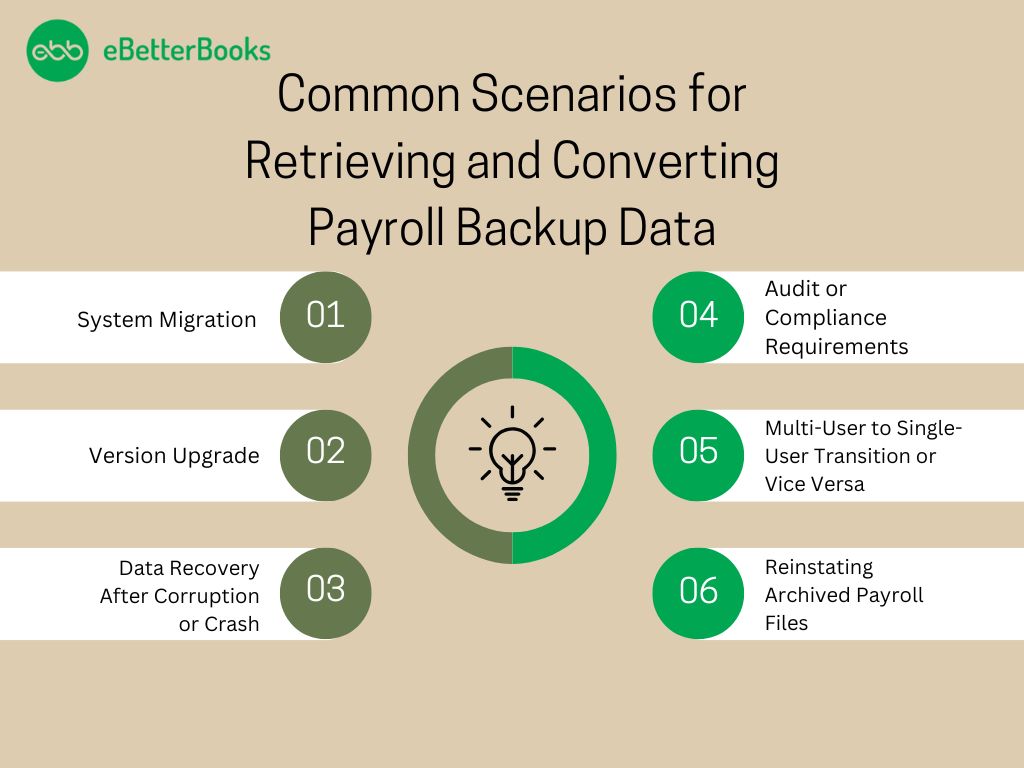
QuickBooks Desktop Pro/Premier payroll backup data retrieval and conversion describe the processes that reconstruct payroll datasets, ensure version-accurate restoration, and maintain continuity during system transitions. Payroll backup files store payroll attributes, including employee records, paycheck histories, tax filings, and payroll item configurations. The retrieval and conversion procedures preserve dataset integrity and prepare payroll information for version upgrades, platform transitions, and restoration events.
To retrieve and convert payroll backup data from QuickBooks Desktop Pro or Premier, users initiate the restoration workflow through the File menu by selecting Open or Restore Company and Restore a backup copy. The conversion workflow transfers the reconstructed company file into QuickBooks Online through the Export Company File to QuickBooks Online feature.
Retrieving and converting payroll backup data is essential for preserving accurate payroll information during system upgrades and data-recovery events. These processes maintain data integrity, protect against loss, facilitate system upgrades, and allow quick recovery after system failures. Regular backups strengthen operational stability and safeguard financial records.
Common scenarios for retrieving and converting QuickBooks Desktop Pro/Premier payroll backup data define the conditions that require payroll record reconstruction and dataset continuity. System migrations, version upgrades, file corruption, audit examinations, mode changes, and archived data access all depend on payroll backup data to maintain accurate payroll histories and stable payroll operations.
Retrieving and converting QuickBooks Desktop Pro/Premier payroll backup data relate to the recovery of accurate payroll records, the preservation of dataset integrity, and the continuity of payroll operations during system changes. Restored and converted payroll data maintain complete employee histories, verified tax filings, and functional compatibility across versions and platforms.
Before starting the troubleshooting steps, meet the following prerequisites to establish a stable restoration environment, prevent conversion errors, and preserve existing payroll records.
Retrieving and converting the QuickBooks payroll backup data provides accurate restoration of payroll records, secure data access, and smooth transition to new environments or platforms. It supports scenarios such as data recovery, version upgrades, platform migration, and audit preparation, which minimize the disruption to payroll operations and maintain data integrity.
Identifies the correct .QBB backup file containing the payroll data, ensuring the restoration process starts with the right dataset.
In case the users don’t find the file:
Restoring the backup files will help to reconstruct the company file from the backup, which creates a fully accessible version of historical payroll and financial data.
Tip: To avoid overwriting, save the restored file with a unique name or in a separate folder.
Confirms the completeness and accuracy of restored payroll components, including employee profiles, paychecks, and filings.
Note: Ensure the Payroll Subscription is active to see complete data.
Generates essential payroll reports and prepares them for export to Excel, enabling analysis, documentation, or data transfer
Facilitates migration to QuickBooks Online or external payroll systems by exporting and adapting the data to the required formats.
To QuickBooks Online:
Tip: Before switching, run Payroll Summary and Payroll Detail reports in QuickBooks Desktop to verify entries after migration.
To another provider:
QuickBooks Desktop Pro/Premier payroll backup data supports the maintenance of accurate payroll records, stable dataset integrity, and continuous payroll operations during system transitions. Restored and converted payroll datasets retain employee records, paycheck information, tax filings, and platform-compatible payroll configurations.
These outcomes support audit verification, reinforce migration procedures, and maintain operational continuity when primary files or system environments change. The article presents a structured approach that connects backup identification, restoration, data verification, and cross-platform conversion to ensure long-term reliability in payroll management.
QuickBooks Desktop supports .QBB (backup file) and .QBM (portable company file) formats.
Yes, but users must use a version equal to or newer than the one used to create the backup.
Search the system for files ending in .qbb, typically located in:
C:\Users\Public\Public Documents\Intuit\QuickBooks\Company Files.
Run payroll reports in QuickBooks > Export to Excel > Clean and format > Upload via provider templates.
QuickBooks Desktop Pro/Premier payroll backup data contain employee records, paycheck histories, tax filings, payroll items, and company-level payroll configurations that reconstruct payroll information after restoration.
Payroll backup data support audits by providing complete employee histories, validated paycheck records, and accurate tax filings that meet regulatory verification requirements.


