Excerpt:
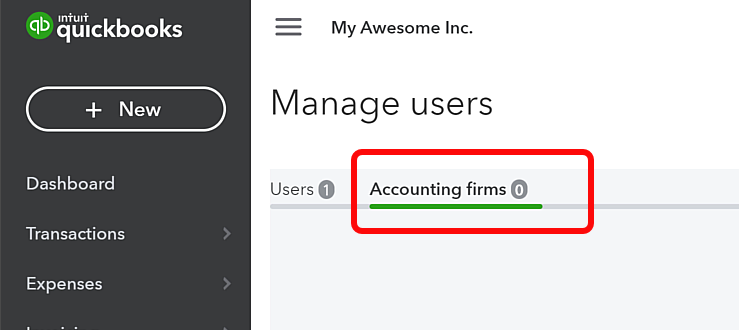
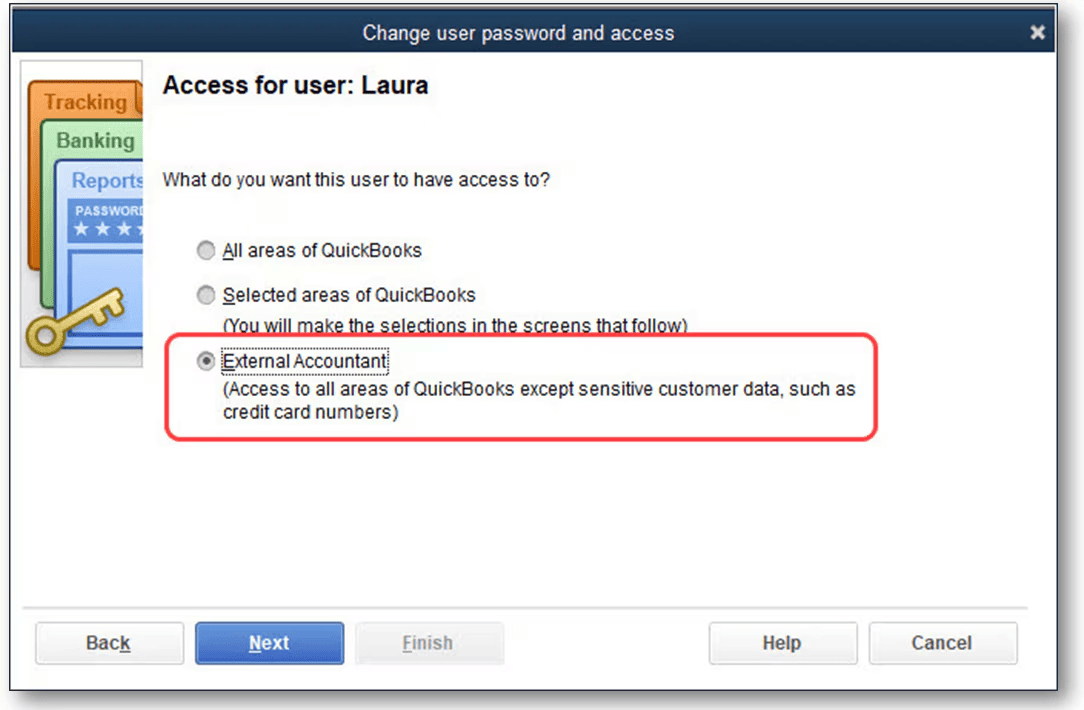
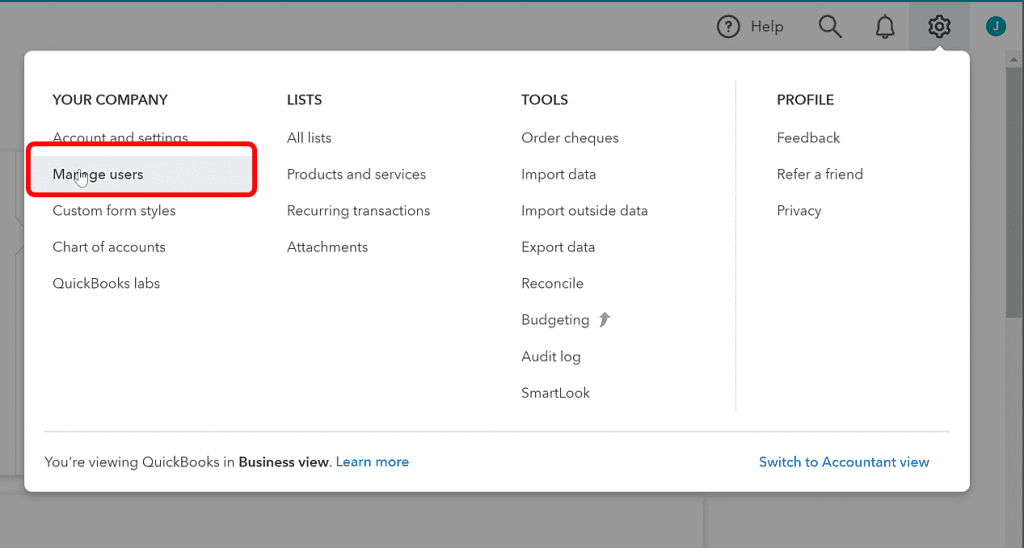
Connecting an accountant to QuickBooks is a critical step for small business owners seeking expert financial management, allowing the accountant to view, correct, and prepare financial data, invoices, and expenses. The process differs significantly by platform: QuickBooks Online users must use a web browser interface and can invite an accountant via the My Accountant tab or the Manage Users settings, requiring two-factor authentication for security. In QuickBooks Desktop, the process is governed by the specific version (Pro, Premier, or Enterprise) but involves creating an External Accountant user role via the Company menu, which is automatically configured to grant full access while restricting sensitive customer credit card details. Management, including removal or changing of accountants, must be done by the Primary Admin through the respective platform's user management settings.
 Add As A Preferred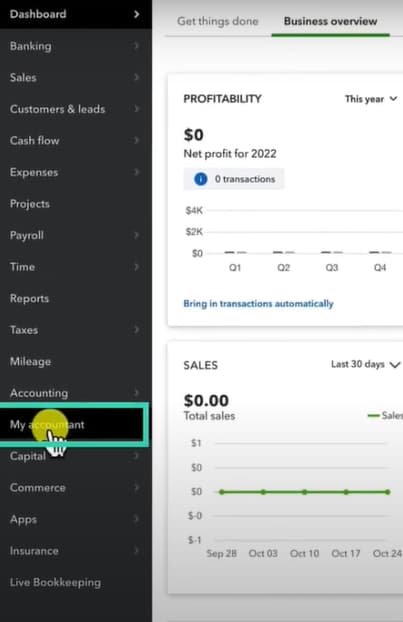
Highlights (Key Facts & Solutions)
Overview
Adding an accountant to QuickBooks is an essential feature for small business owners who require expert advice in handling their money.
The QuickBooks Accounting Firms feature, which Intuit has developed, is an effective tool for improving financial management.
It enables one to invite an accountant and work in unison with them.
It also comes with some special features that are essential in ensuring compliance with certain legal provisions.
When you connect an accountant to QuickBooks, they get to view all your financial information, invoices, expenses, and much more.
With this kind of access, they can correct mistakes, present correct figures, and keep everything in order.
In QuickBooks, companies can have greatly substantial relationships with their accountants, tax preparers, or financial advisors. Connecting an accountant to QuickBooks enables them to work with your financial data, correct it, or provide you with reports and meet legal requirements. In this guide, we will describe the process of inviting an accountant to QuickBooks Online and QuickBooks Desktop, as well as provide instructions on working with accountant access.
Note:
QuickBooks Desktop provides different roles and permissions to the user while providing accountant access. This helps ensure that accountants can access different areas when preparing accounts as per their requirements without exposure to any sensitive data.
Below, you will find the procedure for creating an accountant user.
General Steps to Add Accountant Access:
External accountants can access all parts of QuickBooks except consumer credit card details without requiring administration rights.
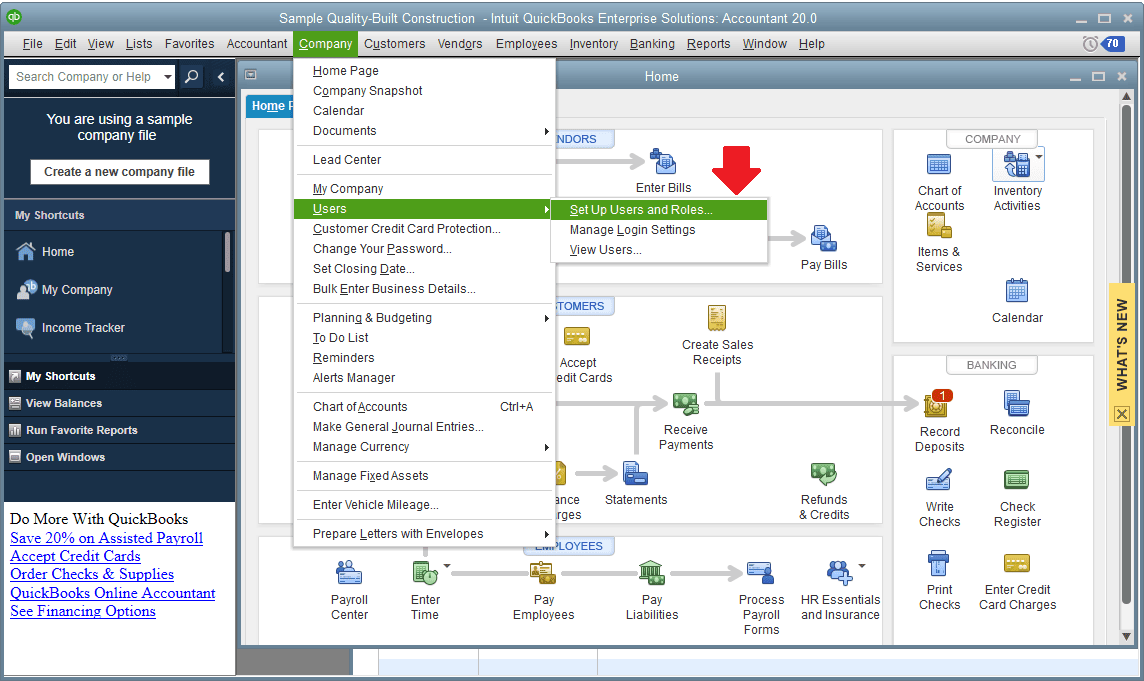
Note: Each password is unique and set up by the admin. If left blank, a warning will appear asking if you want to save a user without a password. Confirm by selecting Yes if applicable.
QuickBooks’s Add an Accountant feature allows accountants to access your financial data, such as expense reports, invoices, etc., which they will correct and make necessary adjustments. However, the approach to adding an accountant to QuickBooks is different for both QuickBooks Desktop and QuickBooks Online. If you still have any questions or problems related to QuickBooks, contact us at 1-802-778-9005
Still have questions? Explore our detailed FAQs.


