Excerpt:
Resolving QuickBooks Error 30159 is essential for restoring payroll operations that are disrupted by a validation failure between the software and the active payroll subscription. This technical content accurately identifies the error as a system-generated problem, frequently indicated by the "PSID null" message, which signifies corrupted entitlement files or outdated system components. The documented solution pathways prioritize a step-by-step approach, starting with the least destructive fix: verifying the subscription status via the My Payroll Services menu. More advanced solutions involve leveraging the official QuickBooks Tool Hub to run file repairs and manually correcting system files, such as renaming the damaged Paysub.ini file. Finally, the article stresses the importance of performing Windows updates and running the System File Checker (sfc /scannow) to ensure the operating system is not the underlying cause of the communication failure.
 Add As A Preferred
![How to Fix QuickBooks Error 30159 [Payroll Update Error]?](https://ebetterbooks.com/wp-content/uploads/2026/05/Error-30159-Payroll-Error-–-QuickBooks-has-encountered-a-problem.jpg)
![How to Fix QuickBooks Error 30159 [Payroll Update Error]?](https://ebetterbooks.com/wp-content/uploads/2026/05/Right‑click-and-choose-Run-as-Administrator.jpg)
![How to Fix QuickBooks Error 30159 [Payroll Update Error]?](https://ebetterbooks.com/wp-content/uploads/2026/05/Allow-the-scan-to-complete-then-follow-any-on‑screen-instructions-to-repair-damaged-system-files.jpg)
QuickBooks Error 30159 is a payroll setup issue that prevents the system from processing payroll correctly. It usually appears when the payroll subscription or system files are misconfigured.
The error often arises due to an inactive payroll subscription, incorrect EIN (Employer Identification Number) setup, or corrupted Windows system files. Outdated QuickBooks versions and incomplete installation can also trigger it.
You’ll typically encounter this error while running payroll or updating payroll services. It may also show up when trying to add a new payroll subscription or during paycheck processing.
Users often see a message like “Error 30159: Payroll Error – QuickBooks has encountered a problem”. Sometimes, it appears as a payroll update failure or subscription validation error.
Leaving this error unresolved can block payroll processing, delay employee payments, and create compliance risks. Preventing it ensures smooth payroll runs, accurate tax filings, and uninterrupted business operations.
The 3000 series in QuickBooks generally refers to payroll‑related errors tied to subscription validation, system file conflicts, or incorrect setup of employer/employee information. These errors often block payroll processing, prevent updates, or cause compliance issues.
Error 30159 is one of the most common in this series. It specifically points to problems with payroll subscription activation or system file corruption. Like other 3000‑series errors, it signals that QuickBooks cannot properly validate payroll data, which stops paychecks from being processed correctly.
Corrupted Windows Registration Files
Incomplete or Incorrect Payroll Setup
Outdated QuickBooks Desktop Version
Inactive Payroll Subscription
Misconfigured Windows System Files
Virus or Malware Attack
Outdated Windows Operating System
Incorrect Payroll Service Key
The tabular presentation shows a quick overview of all the causes along with their solution and estimated time limit.
| Cause | Solution | Verification Step | Estimated Time |
| Corrupted Windows registration files | Run System File Checker (sfc /scannow) | Confirm scan completes and reports no integrity violations | 15–25 minutes |
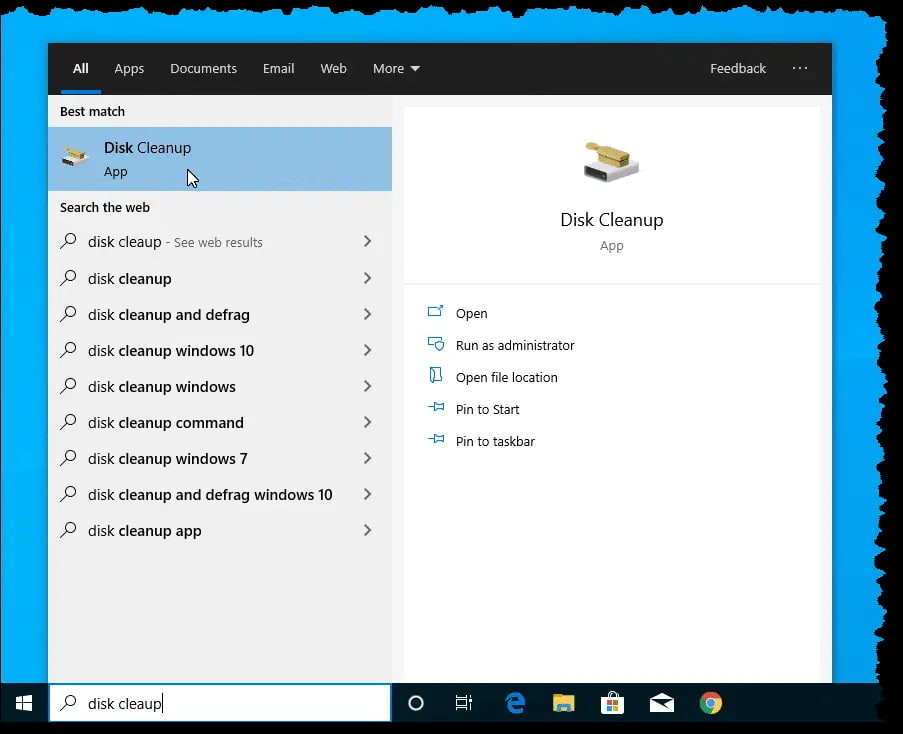
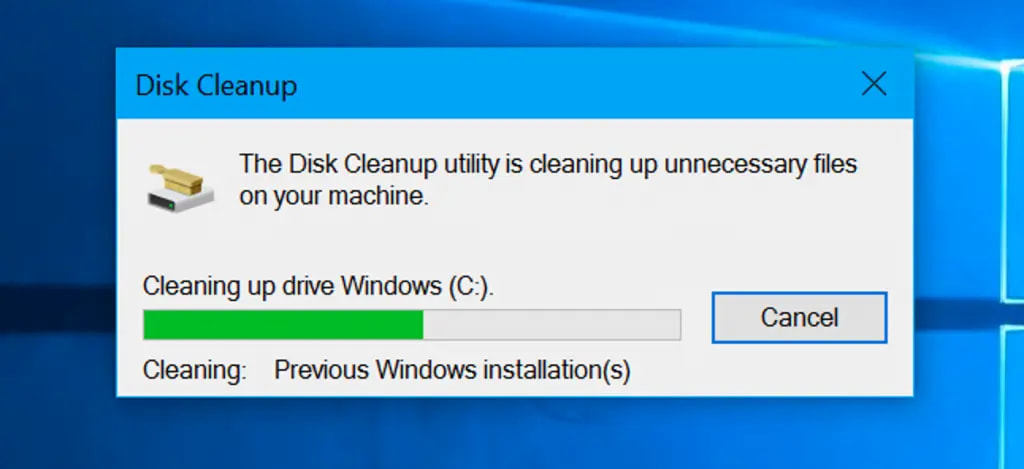
| Misconfigured Windows files | Perform Disk Cleanup | Check that temporary/unwanted files are removed and drive space is freed | 10–15 minutes |
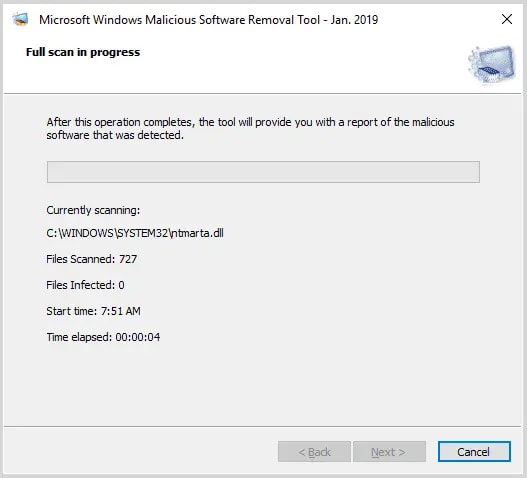
| Virus or malware attack | Run QuickBooks Payroll Error Utility scan | Ensure detected errors are fixed and system reboots without issues | 20–30 minutes |
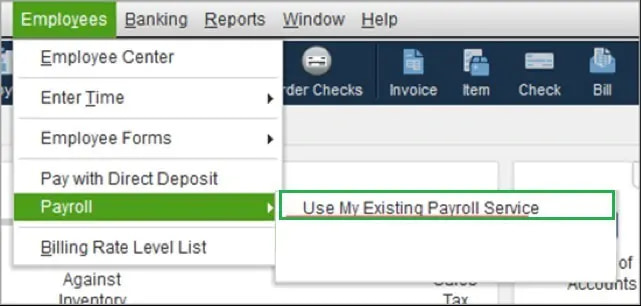
| Inactive EIN status | Add EIN in Payroll Account Maintenance | Verify EIN is active and payroll subscription shows as valid | 10–20 minutes |
| Outdated Windows version | Install latest Windows Updates | Confirm system restarts with updates applied successfully | 20–40 minutes |
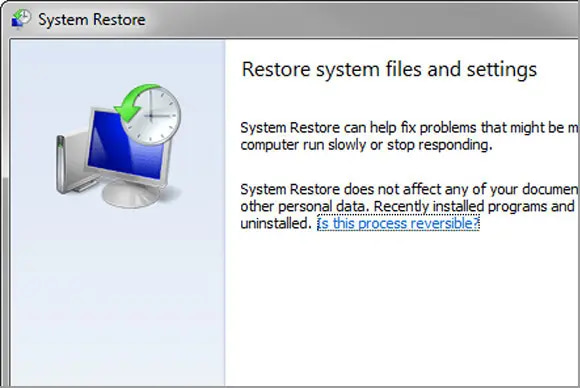
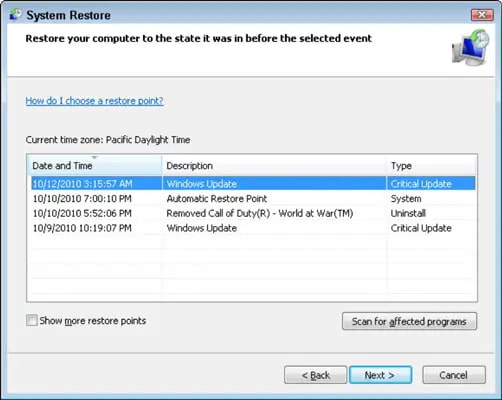
| Miscellaneous system issues | Use System Restore to roll back | Verify QuickBooks opens without error after restore | 20–30 minutes |
| Manual PC update/repair | Restore to recent point + run File Repair Tool | Confirm QuickBooks scan shows no remaining payroll errors | 25–40 minutes |
| Incorrect payroll service key | Re‑enter Payroll Service Key | Validate payroll subscription activates and error no longer appears | 10–15 minutes |
Fix: Run the Windows System File Checker
Fix: Perform a Disk Cleanup
Fix: Scan for QuickBooks Payroll Errors
Fix: Add EIN to the Company File
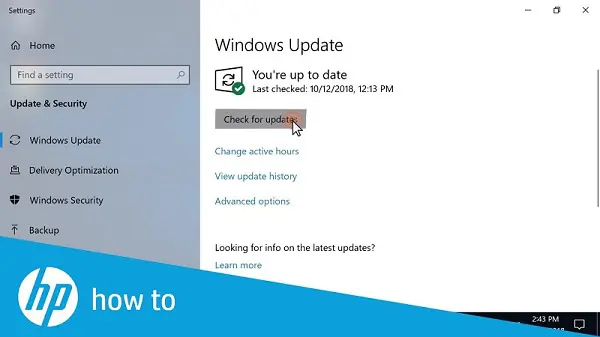
Fix: Update Windows
If none of the above causes apply, try these additional solutions:
Option 1: Use System Restore
Option 2: Manual PC Update & Repair
Option 3: Re‑enter Payroll Service Key
QuickBooks Error 30159 is part of the 3000‑series payroll errors, most often linked to subscription validation, corrupted system files, or outdated configurations. While the causes range from inactive EIN status to malware attacks, the impact is consistent blocked payroll runs, compliance risks, and operational delays. By following the stepwise fixes outlined above and applying preventive measures such as keeping Windows updated, verifying payroll subscription details, and maintaining system health, businesses can minimize disruptions.