 Add As A Preferred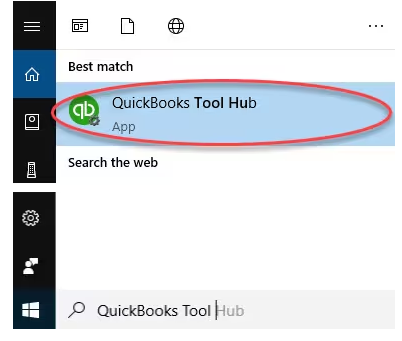
I’m James Brown, and right now I’m dealing with a frustrating issue in QuickBooks Desktop Pro 2024. Every time I try to send an email directly from QuickBooks with a PDF attachments—like an invoice or report—it either doesn’t send at all, or it goes out without the attachment included.
My email setup is correct inside QuickBooks, and I’m using Outlook, which has always worked fine before. But recently, when I click “Send,” the program just stalls for a few seconds and then nothing happens. In some cases, I get no confirmation, and in others, my clients are telling me the email came through, but the PDF wasn’t attached.
This is throwing a wrench into my workflow. I’m losing time having to manually save PDFs and email them outside of QuickBooks, which defeats the purpose of using the built-in feature. It’s especially frustrating when I have a batch of invoices to send out and can’t rely on QuickBooks to handle something as basic as email attachments.
I need immediate help to resolve this issue quickly. It’s not just an inconvenience it’s affecting how I communicate with clients and how efficiently I run my business.
Hey James Brown,
The inability to send emails with PDF attachments from QuickBooks Desktop Pro 2024 is typically a multi-faceted technical issue stemming from conflicts between QuickBooks, Microsoft Outlook, and core Windows components. This is not a permanent error; it is fixable by systematically addressing potential points of failure, including compatibility issues, corrupted files, and incorrect system permissions. Solutions require a specialized, step-by-step approach covering system settings, application repairs, and component integrity checks to restore seamless email functionality for business operations.
Highlights (Key Facts & Solutions)
%TEMP% folder to Full Control to ensure QuickBooks can write the temporary PDF file before attempting to attach it.Certain system-level conflicts can prevent QuickBooks from sending emails with PDF attachments. This often happens due to outdated or incompatible versions of Outlook, missing or misconfigured PDF drivers, or Windows updates that change default app settings. In some cases, antivirus or firewall software may block QuickBooks from connecting to your email program. Identifying and fixing these conflicts is essential to restore normal email functionality.
James, I know this issue with QuickBooks not sending PDF attachments is disrupting your day-to-day operations. The steps below are designed to help you fix it—by checking your Outlook settings, updating QuickBooks, repairing the PDF component, and ensuring all tools are properly synced. Follow each step carefully to restore normal email functionality and get back to handling client communication smoothly.
If you use multiple email programs on your computer, it’s easy to feel overwhelmed. By setting up Outlook as your main hub, you can manage all your emails, contacts, and calendar events in one place.
When QuickBooks can’t attach PDFs to your emails, it may be due to issues with its built-in print or PDF components. The PDF & Print Repair Tool, available inside the QuickBooks Tool Hub, is designed to automatically detect and fix these problems. Running this tool can quickly resolve common errors without needing to make manual changes.
The QuickBooks Tool Hub helps to fix common errors. You’ll need to close QuickBooks to use the tool hub. For the best experience, we recommend you use Tool Hub on Windows 10, 64-bit.
Note: To find out which tool hub version you have, select the Home tab and the version will be on the bottom.
Note: If you are unable to find the icon, do a search in Windows for QuickBooks Tool Hub and select the program.
Outdated versions of QuickBooks or Outlook can cause compatibility issues, especially when sending emails with PDF attachments. Updating both ensures smooth integration and includes the latest fixes to resolve common errors.
Get Automatic Updates
QuickBooks Desktop is designed to automatically download and install updates when they become available. To ensure this feature is enabled:
Get Manual Updates
If you prefer to manually check for updates, follow these steps:
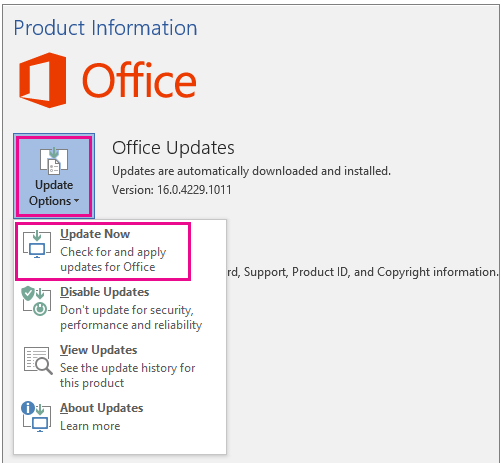
To download Office for Windows updates, do the following:
Note: You need to click Enable Updates first if you can’t see the Update Now option right away.
You can also choose the Update Options button to Disable Updates or to View Updates that were previously installed.
For QuickBooks to send emails properly with PDF attachments, it must be correctly integrated with Microsoft Outlook. This ensures QuickBooks can access your default email client without errors or delays. Proper integration allows seamless communication and prevents attachment issues during email sending.
You need to reach out to your email provider or internet connection to get the following info:
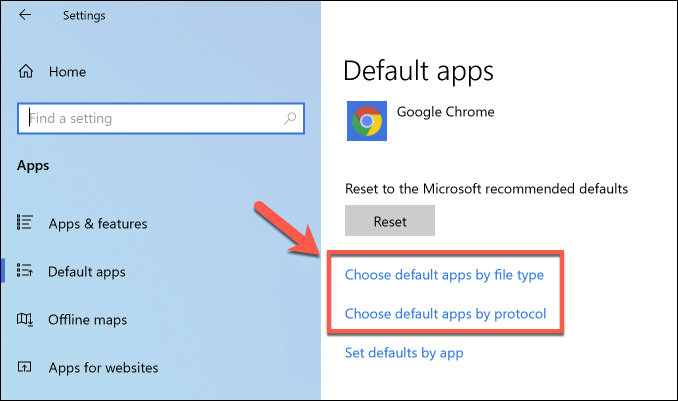
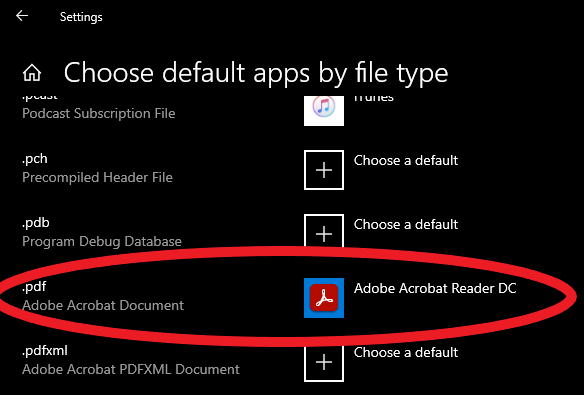
QuickBooks relies on a stable PDF viewer to generate and attach documents. If Adobe Reader or Acrobat is missing, outdated, or corrupted, it can interfere with this process. Repairing or reinstalling Adobe Reader ensures your system has the right tools for handling PDF attachments without errors.
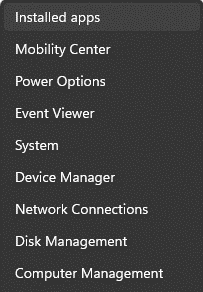
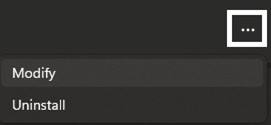
If you’ve updated to the latest version of Adobe Reader/Acrobat and it hasn’t fixed the problem, you’ll need to repair your Adobe installation.
Note: Acrobat Professional is a paid program, unlike the free Adobe Reader. Don’t uninstall Acrobat Professional unless you have the installation file and product key or plan to replace it with Adobe Reader.
To reinstall Acrobat Professional, use the DVD or the installation download you received from Adobe. To reinstall Adobe Reader, visit https://get.adobe.com/reader/.
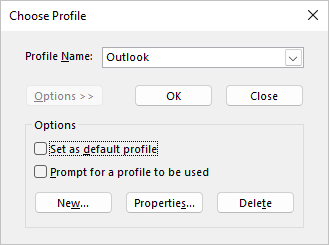
Sometimes, a corrupted Outlook profile can prevent QuickBooks from sending emails with PDF attachments. Creating a new profile helps reset email settings and often resolves issues related to broken configurations or failed connections between Outlook and QuickBooks.
Tip: To access the profile picker in Outlook, use one of these options:
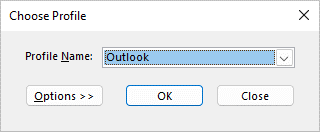
Note: Before clicking New, consider checking “Prompt for a profile to be used.” This option lets you choose a profile each time Outlook starts. It is useful if you manage multiple profiles and need to switch between them.
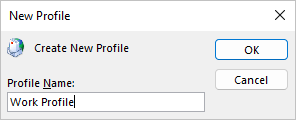
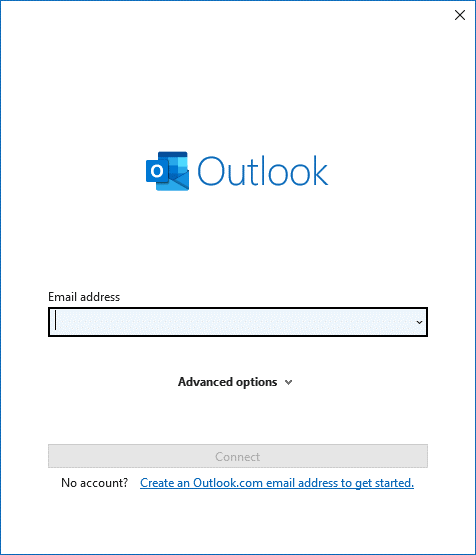
Note: You can add more (non-Exchange) mail accounts to your profile, like Gmail or Live.com.
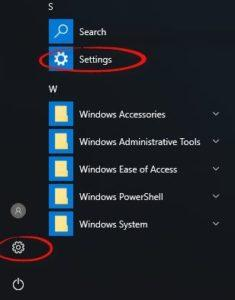
QuickBooks relies on your system’s temporary folder to create and attach PDF files to emails. If the permissions for this folder are restricted or incorrectly set, it can prevent email attachments from working. By resetting the temp folder permissions, you ensure QuickBooks has the proper access it needs to handle PDF files and restore normal email functionality.
QuickBooks uses the Microsoft XPS Document Writer to create PDF files. If this component isn’t working correctly, it can interfere with email attachments. Testing the XPS printer helps you verify whether the print-to-PDF function is working as expected. If the test fails, repairing or reinstalling the XPS Document Writer may resolve the issue.
If you can’t see XPS Document Writer, allow your computer to print to your XPS printer.
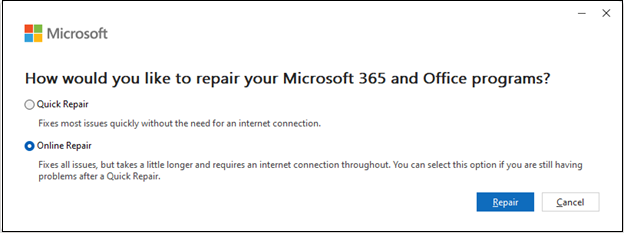
Corrupted or damaged Outlook files can prevent proper integration with QuickBooks. Repairing Outlook may resolve issues with PDF attachments not sending.
Keep QuickBooks and Outlook updated, use Adobe Reader as the default PDF viewer, avoid corrupt Outlook profiles, and clear temp folders periodically will help you keep your system, software, and settings optimized for smooth and consistent email functionality.
Final Note!
James, I understand how discouraging it can feel when a simple task like sending a PDF invoice turns into a technical hurdle, especially when you rely on QuickBooks Desktop Pro 2024 to keep your business moving.
But this issue isn’t permanent. Whether it’s updating your software, resetting folder permissions, repairing Outlook or Adobe Reader, or creating a new Outlook profile—each solution directly addresses the root cause. Once implemented, you’ll be back to sending invoices, reports, and estimates without delays.
To keep things running smoothly in the long term, I recommend a few key habits: keep your QuickBooks, Outlook, and Adobe Reader up to date, set Adobe Reader as your default PDF viewer, and periodically clear your temp folders. These small steps can help you avoid repeat errors and keep your workflow uninterrupted.
And if you ever need help reinstalling, configuring, or optimizing QuickBooks again, don’t hesitate to reach out. Let’s keep your operations efficient and your communication seamless.
The QuickBooks PDF & Print Repair Tool primarily fixes issues related to the software’s internal components for generating and printing PDFs. If the tool doesn’t resolve the issue, it suggests the root cause lies outside of QuickBooks itself, often requiring further, specific actions.
Further Steps to Investigate:
1. Windows Permissions: Resetting the permissions for the temporary folder (%TEMP%) is the very next recommended step if the tool fails.
2. XPS Document Writer: Checking and ensuring the Microsoft XPS Document Writer is functional is essential for PDF creation.
3. Outlook/MAPI: If printing works but emailing fails, the issue is likely rooted in the communication (MAPI) between QuickBooks and Outlook, requiring advanced troubleshooting like checking the MAPI32.dll file or repairing Outlook.
%TEMP% folder “Full Control” permissions, and why is this necessary?Yes, granting Full Control permissions to the %TEMP% folder is a necessary and standard troubleshooting step provided by Intuit.
The Role of the %TEMP% Folder: QuickBooks uses the temporary folder (%TEMP%) as a crucial staging area. It must have Full Control access to quickly create and write the temporary .pdf file before attempting to hand it off to Outlook for attachment and sending.
Security Context: This change is localized to the temporary folder on the local machine and is required to overcome permission conflicts that often occur after Windows updates or when security software intervenes. Failure to grant this permission stops the PDF creation process.
A corrupted Outlook profile is a frequent, silent culprit behind QuickBooks emailing failures, especially when QuickBooks gives MAPI errors or fails to launch the email window.
Key Indicators that the Profile is the Issue:
1. You can send normal emails directly from Outlook without issue.
2. The problem only occurs when trying to send reports, invoices, or transactions directly from QuickBooks.
3. Troubleshooting steps focused on QuickBooks components (like the PDF Repair Tool) have failed.
The Fix: The most reliable way to rule out profile corruption is to create a new Outlook Profile (Solution 6) and test the QuickBooks email function using the new profile.
When repairing your Microsoft Office/Outlook installation (Solution 11), the two options offer different levels of repair depth.
Quick Repair:
1. Method: Faster, checks and replaces corrupted files locally.
2. Requirement: Does not require an internet connection.
3. Best For: Minor file association or startup issues.
Online Repair:
1. Method: Comprehensive, downloads a fresh copy of the Office installation files from Microsoft’s servers and effectively performs a full reinstall.
2. Requirement: Requires a stable internet connection.
3. Best For: Deep-rooted problems like integration failures with QuickBooks or MAPI errors, as it replaces all potentially corrupt program files.
The Microsoft XPS Document Writer (MXDW) is a critical native Windows component that acts as the backbone for QuickBooks’ PDF creation process.
Role in QuickBooks: QuickBooks uses the MXDW as a virtual printer driver. It sends the invoice/report data to this writer, which then converts the output into the final PDF format. If the XPS writer is disabled, QuickBooks cannot complete the PDF generation step.
If it’s Missing/Disabled: The attachment process fails, often resulting in an error message indicating a missing PDF component. You must ensure it is enabled via:
Control Panel > Programs > Turn Windows features on or off.
You generally do not need to uninstall your paid Adobe Acrobat Professional license (Solution 5).
QuickBooks Requirement: QuickBooks primarily requires a functional, stable PDF viewer installed and set as the default to ensure proper file association. The free Adobe Reader fulfills this requirement completely.
Acrobat Professional: This version includes advanced editing and creation tools. If you have it, the focus should be on the Repair option within the Control Panel to fix any internal corruption that might be interfering with system file handoffs. Uninstalling should only be done if the repair fails and you have your license/installer ready for reinstallation.
Running QuickBooks as an Administrator can resolve communication and permission-based blocks between the accounting software and Windows services, including Outlook.
Elevated Permissions: Running as Admin grants the application elevated privileges, allowing it to:
* Write data to protected system folders (like the %TEMP% folder, if permissions were an issue).
* Interact with other Windows programs (like Outlook) without being blocked by User Account Control (UAC) or other security settings.
The Effect: This ensures the “handshake” required for MAPI communication and PDF file attachment can occur successfully, resolving errors where QuickBooks cannot connect to the email client.


