Excerpt:
If you're seeing “Funds on Hold” in QuickBooks Online Payments, it’s likely due to automated fraud checks triggered by unusual payment activity or incomplete account verification. This issue can delay cash flow and disrupt payroll if not resolved promptly. The article guides users through identifying the cause, verifying account details, and working with support to release funds and avoid future holds—ensuring smooth, uninterrupted financial operations.
 Add As A Preferred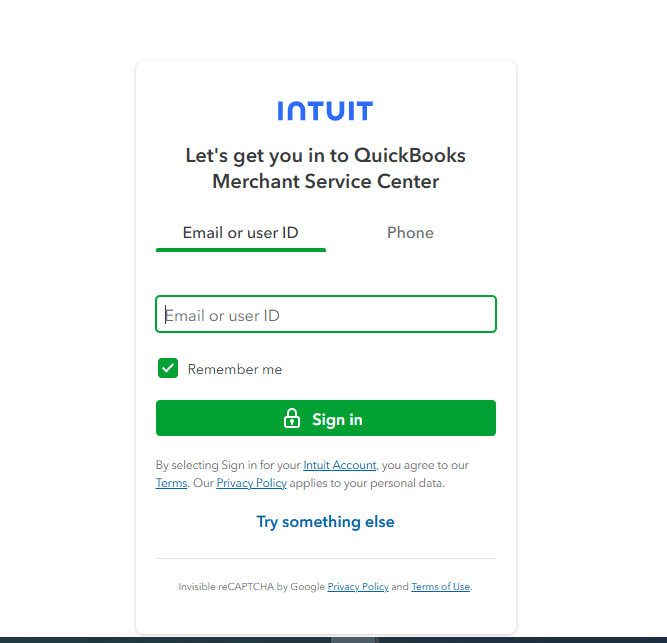
Hey, I’m Scheinert. I’ve been using QuickBooks Online with merchant services for customer payments — mainly ACH and credit card transactions. Everything was working fine until this week, when I logged in and saw that a recent payment is on hold with no clear explanation.
The transaction was processed from a regular customer I’ve billed many times before, and the payment has already cleared on their end. Yet on my QuickBooks dashboard, it still says “Funds on Hold” under the payment activity, and I haven’t received a deposit.
I haven’t received any emails from Intuit asking for additional info, no flags, nothing in my notifications — just that vague status. I’ve double-checked my bank info, everything looks correct.
This is messing with my cash flow and honestly causing stress. I rely on those payments for payroll and vendor expenses.
Has anyone else dealt with this?
How long did it take to resolve?
Did you have to call QuickBooks Payments support, or was there a way to trigger a review manually?
Is this a one-time thing, or should I be worried about it happening again?
Would really appreciate any insights. I just want to know what to expect and how to get this released ASAP.
Hi Scheinert, you’re not the only one facing this kind of frustration. Many QuickBooks Online users encounter the “Funds on Hold” issue, even after completing smooth, repeated transactions with regular customers.
You’ve already done what most users do:
And yet, your dashboard indicates “Funds on Hold”, leaving your cash flow uncertain just when you need it most for essential expenses, such as payroll or vendor payments.
This becomes even more stressful if you’re using QuickBooks Desktop Enterprise Payroll, whether you’re on the Basic or Standard version, as any delay in receiving funds can disrupt paycheck processing, delay tax payments, or trigger compliance issues.
These payroll systems rely heavily on cash availability, so when payments are unexpectedly held, your entire payroll timeline may be affected.
Let’s break down why this happens, its typical duration, and how to prevent future disruptions, particularly when payroll relies on customer payment timing.
QuickBooks Payments places customer transactions on hold, typically due to automated risk systems designed to protect your business and Intuit from fraud or suspicious activity.
Some of the most common reasons include:
Sometimes, the system may flag a transaction without immediate notification. You may not receive an alert until you need to take action, such as uploading verification documents or confirming your banking details. This makes the “Funds on Hold” status feel confusing and sudden.
The duration of a payment hold in QuickBooks Payments typically depends on the type of transaction and whether the system flags it for standard or manual review.
In most cases:
Payments through QuickBooks are typically released within 24–48 hours, provided they pass automated fraud checks. In case a transaction is flagged for manual review due to account changes, large amounts, or unusual activity, it may take longer to process.
The review may take more than 5 business days if the risk team requires additional documents or additional time to complete their review.
Note: A hold doesn’t indicate a failed transaction or lost funds; it means Intuit is pausing the money for due diligence.
The following steps will help you to resolve the “Funds on Hold” issue in QuickBooks Online Payments:
Tip: This portal frequently displays account verification flags or transaction reviews that are not visible in QuickBooks Online.
Tip: Verify if your bank account is still “Verified.” If not, restart the verification with micro-deposits.
Note: Support can often release funds faster if there’s no compliance violation and you’re a verified, low-risk user.
If you’re using QuickBooks Desktop Enterprise Payroll (Basic or Standard) and depend on incoming payments for payroll, establish a reserve buffer in your payroll bank account. This ensures that payroll operations continue smoothly, even if future payments are delayed.
It could be a one-time occurrence, especiallyl if triggered by a specific event, such as a large payment, a recent account update, or a first-time transaction with a new customer. Once Intuit completes the review and your merchant account is fully verified, future payments usually process without delay.
In case your account isn’t fully verified or your transactions often raise red flags (like inconsistent amounts or frequent banking changes), you might face holds again. To prevent this, contact QuickBooks Payments support to confirm your account status and limit changes to your payment setup.
If the hold was based on a one-time review or a specific account issue, future payments from that customer should process smoothly. However, if there’s a recurring issue such as large, irregular payments or mismatched invoice details, even returning payments may face delays. To minimise future holds, ensure invoice amounts are consistent and metadata is accurate.
No. Funds marked as “on hold” are not yet deposited into your business bank account. While they may appear as paid in QuickBooks, they are not actually available for spending until the hold is lifted and the deposit clears into your bank.
No, enabling instant deposit only speeds up access to eligible funds that have cleared Intuit’s risk review. If a payment is under manual or compliance review, instant deposit does not apply, and the transaction will remain on hold until the process is completed.
No. Your QuickBooks Online subscription level has no impact on the risk or payment review process. All merchant reviews are handled separately by the QuickBooks Payments platform, based on your account’s transaction history, profile verification, and security signals.


